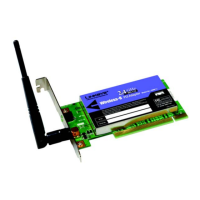
Wireless-G PCI Adapter with SpeedBooster
List of Figures
Figure 3-1: The Setup Wizard’s Welcome Screen 6
Figure 3-2: The License Agreement Screen 7
Figure 3-3: The Wireless Mode Screen 7
Figure 3-4: The Ad-Hoc Mode Settings Screen 8
Figure 3-5: The Wireless Security Screen 8
Figure 3-6: Wireless Security - WEP 9
Figure 3-7: Wireless Security - WPA Personal 10
Figure 3-8: Wireless Security - WPA2 Personal 10
Figure 3-9: Wireless Security - WPA Enterprise - EAP-TLS 11
Figure 3-10: Wireless Security - WPA Enterprise - PEAP 11
Figure 3-11: Wireless Security - RADIUS - EAP-TLS 12
Figure 3-12: Wireless Security - RADIUS - PEAP 12
Figure 3-13: The Check Settings Screen 13
Figure 3-14: The Windows Digital Signature Screen 13
Figure 3-15: The Congratulations Screen 14
Figure 4-1: Your Computer’s PCI slot with Adapter installed 15
Figure 4-2: Proper Positioning of the Antenna 16
Figure 5-1: The Link Information Tab 17
Figure 5-2: The Link Information Tab 17
Figure 5-3: The Link Information Tab - More Information 18
Figure 5-4: The Link Information Tab - Statistics 19
Figure 5-5: The Site Survey Tab 20
Figure 5-6: WEP Key Needed for Connection 21
Figure 5-7: WPA-Personal Needed for Connection 21
Figure 5-8: WPA2-Personal Needed for Connection 21
Figure 5-9: The Profiles Tab 22
Figure 5-10: Importing a Profile 23
Figure 5-11: Exporting a Profile 23
Figure 5-12: The Profiles Tab 24
Figure 5-13: Create Connection Profile 24



 To Next Page
 Loading...