INSTALLATION GUIDE
Cisco SPA122 ATA
2
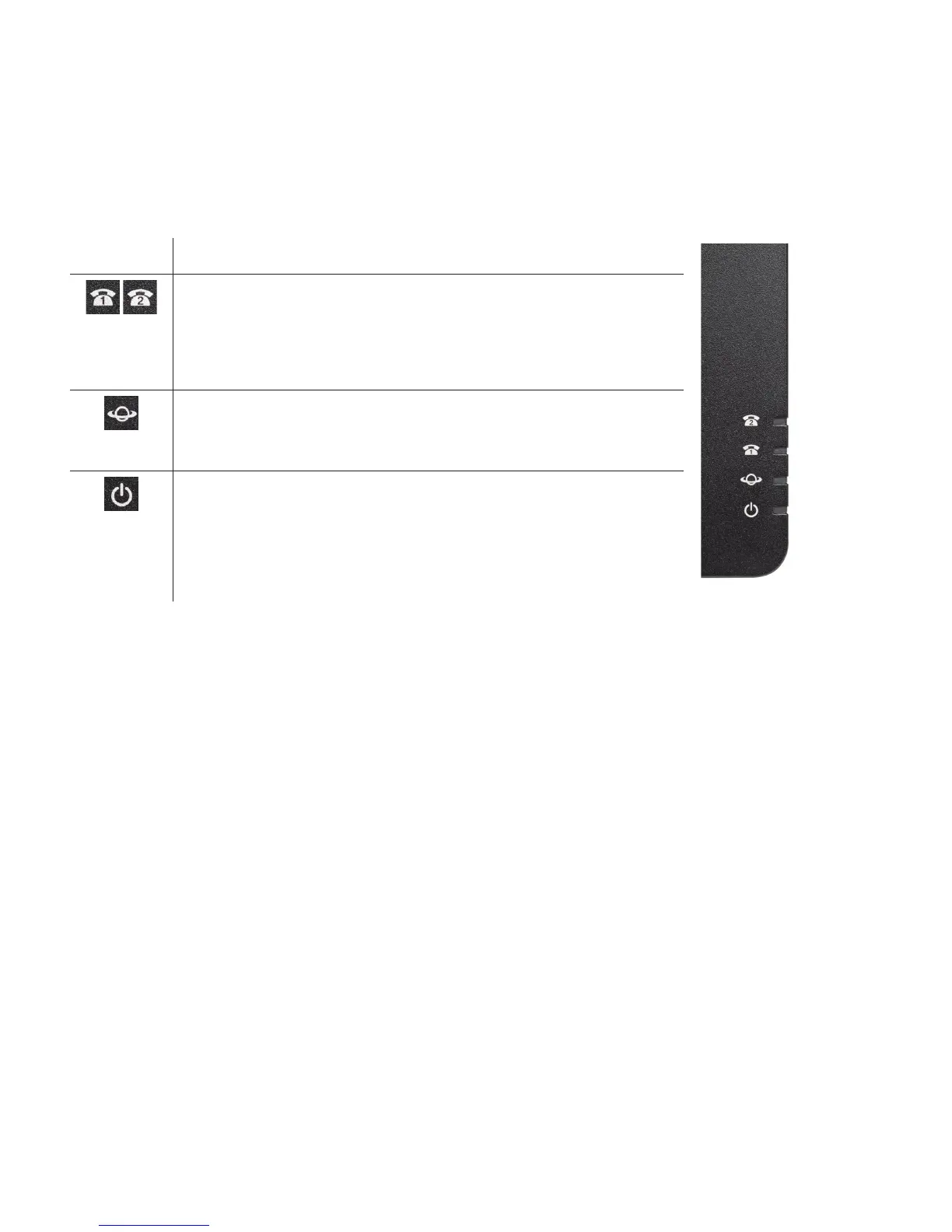
Indicator Lights
The status of your adapter can be determined by looking at the indicator lights on the side panel.
Icons Light Description
PHONE 1 & 2
Steady green—On hook.
Slow ashing green—O hook.
O—Port not ready.
INTERNET
Flashing green—Transmitting or receiving data through the INTERNET (WAN) port.
O—No link.
SYSTEM
Steady green—System ready, IP address acquired.
Slow ashing green—Acquiring IP address. (By default, uses DHCP.)
Fast ashing green—Upgrading rmware.
O—No power or system can not boot up.
Making a Call for the First Time
To dial outside, dial the number:
• Long Distance (1-555-555-5555)
• Local Calls (555-5555 or 1-555-555-5555)
To dial internally, dial the extension number:
• 1001 (Extension)
• 555 (Voicemail)
• 444 (Auto Attendant)




 To Next Page