
 Need help?
Do you have a question about the Cisco MicroCell and is the answer not in the manual?
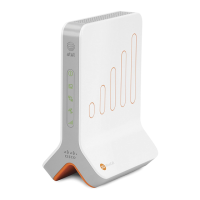
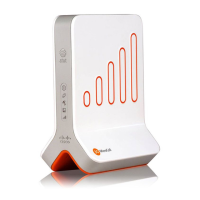
Details the front panel status indicators and their meanings for the AT&T 3G MicroCell.
Lists the items included in the AT&T 3G MicroCell packaging, such as the device, cables, and adapter.
Provides recommendations for placing the AT&T 3G MicroCell for optimal GPS and signal reception.
Instructions on locating and recording the AT&T 3G MicroCell's serial number for activation.
Guides users to connect the AT&T 3G MicroCell to their router using the provided Ethernet cable.
Instructions for connecting the AT&T 3G MicroCell to a power outlet using the AC adapter.
Details the online activation process, requiring serial number, AT&T phone number, and account credentials.
Explains the waiting period for device activation, including potential updates and restarts.
Describes the expected solid green status lights indicating successful GPS and 3G connection.
How to verify successful AT&T 3G MicroCell configuration via text, email, and network provider display.
 General
| Model | Cisco MicroCell |
|---|---|
| Category | Femtocell |
| Coverage Area | Up to 5, 000 square feet |
| Maximum Concurrent Calls | 4 |
| Ethernet Ports | 1 |
| Network Compatibility | AT&T |
| Operating Temperature | 0°C to 40°C (32°F to 104°F) |
| Frequency Bands | 850 MHz, 1900 MHz |
| Power Supply | External Power Adapter |










 To Next Page