
 Need help?
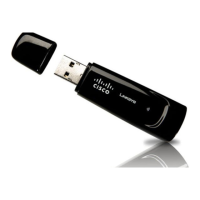
Do you have a question about the Cisco Linksys USBBT100 and is the answer not in the manual?
Insert the Setup Wizard CD and initiate the installation process.
Click 'Install' to start the Bluetooth software installation.
Review and accept the license terms to proceed.
Choose the destination folder for the software installation.
Click 'Install' to begin copying essential installation files.
Click 'OK' to accept driver signature warnings and continue.
Connect the Bluetooth USB Adapter to your PC's USB port.
Click 'Finish' to close the wizard after successful installation.
A Bluetooth icon appears in the system tray post-installation.
Connect the Bluetooth adapter to an available USB port.
 General
| Product Type | Bluetooth Adapter |
|---|---|
| Interface | USB |
| Data Rate | 3 Mbps |
| Compatible Operating Systems | Windows XP |
| Supported Profiles | Headset Profile (HSP), Hands-Free Profile (HFP), Advanced Audio Distribution Profile (A2DP), Audio/Video Remote Control Profile (AVRCP) |
| Security | 128-bit encryption |
| LED Indicators | Power |
| Operating Range | Up to 100 meters (328 feet) |





 To Next Page