
 Need help?
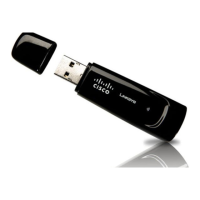
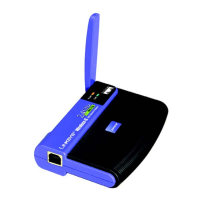
Do you have a question about the Cisco Linksys WUSB54G and is the answer not in the manual?
Guides users through initiating the software installation process via the included CD-ROM.
Provides step-by-step instructions for physically connecting the adapter to the computer using a USB cable.
Outlines the three primary setup methods: Secure Easy Setup, Available Wireless Network, and Manual Setup.
Details the process of using the Secure Easy Setup feature for simple adapter configuration.
Explains how to connect to existing wireless networks displayed by the adapter.
Provides instructions for manually configuring network settings like IP address and subnet mask.
Covers selecting security methods like WEP, WPA, PSK2, and advanced options.
Explains advanced WPA Enterprise security configurations using EAP-TLS or PEAP.
Details security configurations for networks using a RADIUS server, including EAP-TLS and PEAP.
Guides through setting up the LEAP security protocol, including username, password, and CCKM.
Explains how to find and launch the Wireless Network Monitor utility from the system tray.
Offers solutions for common issues encountered during adapter installation and operation.
Lists critical security measures to implement for protecting the wireless network.
 General
| Wireless Standard | 802.11g |
|---|---|
| Frequency Band | 2.4 GHz |
| Data Transfer Rate | Up to 54 Mbps |
| Interface | USB 2.0 |
| Security | WEP, WPA, WPA2 |
| Operating Systems Supported | Windows 98SE, ME, 2000, XP |
| Device Type | Wireless network adapter |
| Wireless Protocol | 802.11g |






 To Next Page
