21
Chapter 4: Setting up and Connecting the USB Network Adapter
Setting Up the Adapter
Wireless-G USB Network Adapter
LEAP
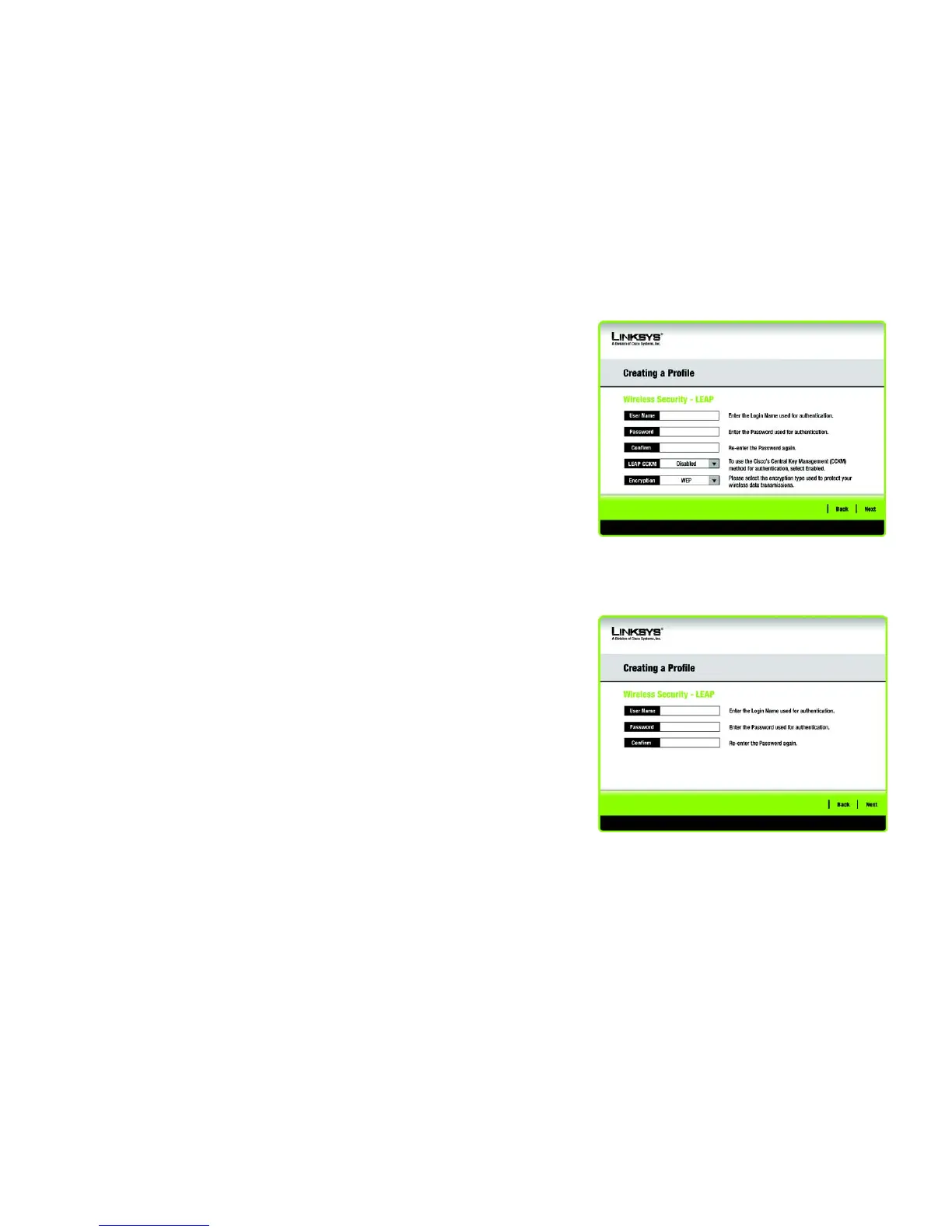
If you selected LEAP, then enter the Username and Password that will authenticate you on your wireless
network. Windows XP and 2000 users can also enable LEAP CCKM, and select the Encryption, if they enabled
CCX2.0 on the Advanced Wireless Settings screen.
Username - Enter the username used for authentication.
Password - Enter the password used for authentication.
Confirm - Enter the password again.
LEAP CCKM - Windows XP and 2000 users can enable this Cisco Central Key Management method if they
enabled CCX2.0 on the Advanced Wireless Settings screen.
Encryption - Windows XP and 2000 users can select an encryption method if they enabled CCX2.0 on the
Advanced Wireless Settings screen.
Click the Next button to continue, or click the Back button to return to the previous screen.
Figure 4-28: Wireless Security - LEAP - Windows XP and
2000 Users
Figure 4-29: Wireless Security - LEAP - Windows 98SE
and ME Users


 To Next Page
 Loading...