51
Appendix B:
Wireless-G USB Network Adapter
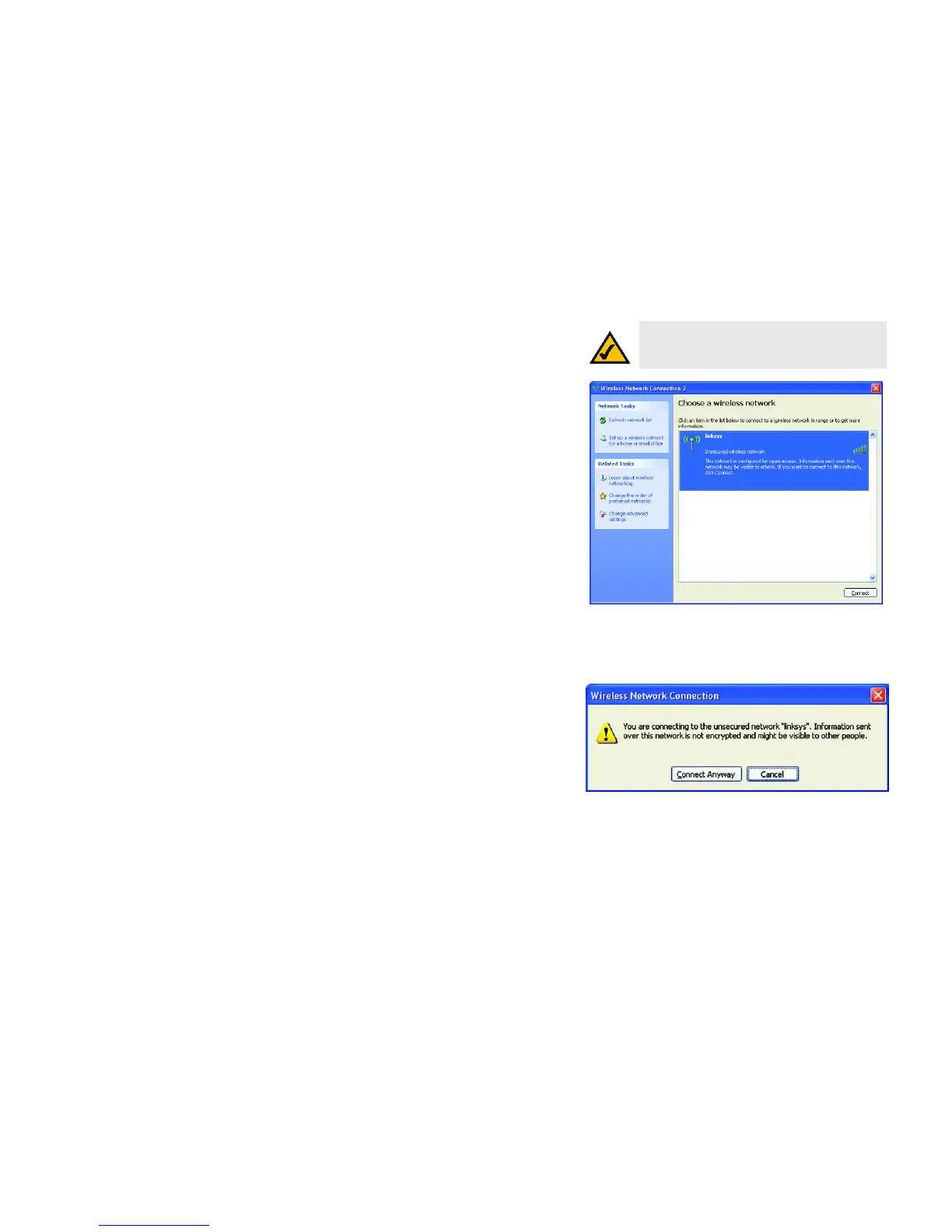
2. The screen that appears will show any available wireless network. Select the network you want. Click the
Connect button.
If your network does not have wireless security enabled, go to step 3.
If your network does have wireless security enabled, go to step 4.
3. If your network does not have wireless security enabled, click the Connect Anyway button to connect the
Adapter to your network.
NOTE: Steps 2 and 3 are the instructions and
screenshots for Windows XP with Service Pack 2
installed.
Figure B-4: Available Wireless Network
Figure B-5: No Wireless Security


 To Next Page
 Loading...