EasyManua.ls Logo

Cisco Linksys PLEK500 - User Manual

Cisco Linksys PLEK500
20 pages
Print Icon
To Next Page IconTo Next Page
Loading...
User
Guide
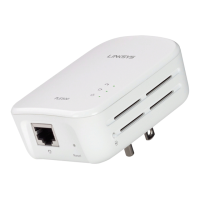
Linksys PLEK500 Powerline Networking Adapter

Questions and Answers

  • R
    rachel35Jul 26, 2025
    How to fix Cisco Adapter when no LEDs turn on?
    • L
      Lori LopezJul 26, 2025
      If none of the LEDs turn on after installing your Cisco Powerline adapter, try the following steps: * Disconnect the adapter from the power outlet. * Disconnect the Ethernet network cable from the adapter. * Wait five seconds. * Reconnect the Ethernet network cable to the adapter. * Reconnect the adapter to the power outlet. If the issue persists, ensure the electrical outlet is working by plugging in another device.
  • T
    Theresa GarciaAug 3, 2025
    How to fix Ethernet LED if it does not light up on Cisco Adapter?
    • S
      sara79Aug 3, 2025
      If the Ethernet LED isn't lighting up on your Powerline adapter, ensure the Ethernet network cable is securely connected to both the adapter and your computer or other network device. Also, verify that the Ethernet adapter on your computer is working correctly; consult Windows Help for further assistance.
  • S
    Sean RiveraAug 10, 2025
    Why is the Ethernet LED not lighting up on my Cisco Adapter?
    • C
      colejasonAug 10, 2025
      If the Ethernet LED on your Cisco Powerline adapter isn't lighting up, ensure the Ethernet network cable is securely connected to both the adapter and your computer or other network device. Also, verify that the Ethernet adapter on your computer is functioning correctly. Refer to Windows Help for more information on checking your computer's Ethernet adapter.
  • S
    Scott McneilAug 17, 2025
    What to do if none of the LEDs turn on after installing Cisco Powerline Adapter?
    • A
      Ashley WilliamsAug 17, 2025
      If none of the LEDs turn on after installing the Powerline adapter, try these steps: First, disconnect the adapter from the power outlet and the Ethernet network cable from the adapter. Wait five seconds. Then, re-connect the Ethernet network cable and the adapter to the power outlet. If this doesn't work, ensure the electrical outlet is functioning correctly by plugging another device into it.

Summary

Linksys PLEK500 Overview and Features

Adapter Features and Indicators

Details the adapter's LEDs, ports, and buttons for operation and configuration.

How Powerline Networking Works

Powerline Adapter Functionality

Explains how the PLE500 uses Ethernet ports and household wiring for networking.

Example Powerline Network Installation

Illustrates a typical setup of Powerline adapters in a home network.

Installing the Powerline Network

Installation Overview and Tips

Provides essential steps and best practices for setting up the Powerline network.

Sharing Internet Access via Powerline

Steps to connect a router to the Powerline network for internet sharing.

Adding More Powerline Adapters

Instructions for connecting additional adapters to expand the network.

Advanced Configuration

Setting Up Advanced Security

Guides on using the HomePlug Simple Connect button for network security.

Installing the Configuration Utility

Instructions for downloading and installing the product's support utility.

Using the Configuration Utility

Steps for navigating and utilizing the utility on Windows and Macintosh.

Troubleshooting Powerline Network Issues

Troubleshooting LED Indicators

Diagnosing issues based on Powerline, Ethernet, and Power LED behavior.

Resolving Connectivity Problems

Steps for when adapters do not power on or connect to the network.

Linksys PLEK500 Specifications

Cisco Linksys PLEK500 Specifications

General IconGeneral
BrandCisco
ModelLinksys PLEK500
CategoryAdapter
LanguageEnglish

Related product manuals