35
Calibrating compass indication
2
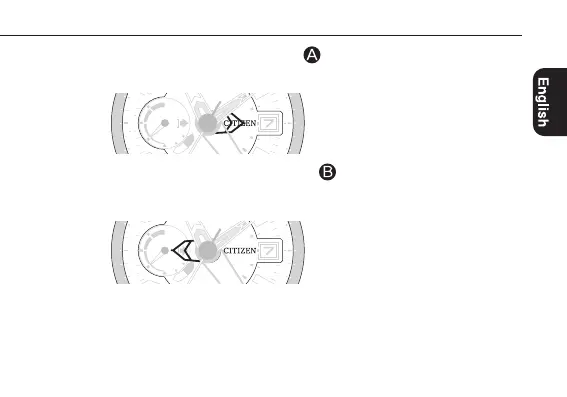
Press and hold the upper left button
for 3 seconds or more.
The compass hand points the 3 o’clock position.
3
Press and release the lower left button
.
The first surrounding environment data is stored and the compass hand turns 180º to
point the 9 o’clock position.
Continued on the next page
-
x 10000 ft.
4000
6000
1
2
W
E
(-300)
(-800)
W
E
(
-
3
0
0
)
8
(
-
8
0
0
)
3
0
-
x 10000 ft.
4000
6000
1
2
W
E
(-300)
(-800)
W
E
(
-
3
0
0
)
8
(
-
8
0
0
)
3




 To Next Page