EasyManua.ls Logo

Citizen JY8078-01L - User Manual

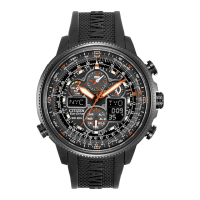
Citizen JY8078-01L
60 pages
Print Icon
To Next Page IconTo Next Page
Loading...
1
Table of Contents
1. Your Watch ................................................................................................. 9
2. Before Use ................................................................................................ 12
• Checking the Reference Position......................................................... 14
3. Basic Watch Operations.......................................................................... 16
Radio Signal Reception
4. Radio Signal Reception ........................................................................... 18
5. Poor Reception Areas.............................................................................. 23
6. Display during Reception........................................................................ 24
7. Confirming Reception Status.................................................................. 26
8. Reception Area Guidelines...................................................................... 28
9. World City Display.................................................................................... 34
10. Charge Level Display............................................................................... 40
English


Questions and Answers

  • A
    Adam MunozAug 8, 2025
    Why has my Citizen JY8078-01L Watch stopped working?
    • S
      Sarah SampsonAug 8, 2025
      If your Citizen watch has stopped, the charge level indicator might be at level 0. To resolve this, charge the watch sufficiently until the charge level indicator reaches level 3, as indicated in 'Guide to Charging Time'.
  • C
    Christine CochranAug 22, 2025
    What to do if the hands or digital displays on my Citizen JY8078-01L are abnormal?
    • C
      candersonAug 23, 2025
      If your Citizen watch hands or digital displays are acting abnormally, try resetting the watch.
  • M
    Mark WilliamsAug 30, 2025
    Why is the second hand on my Citizen Watch moving in 2-second intervals?
    • J
      James PatelAug 31, 2025
      If the second hand on your Citizen watch is moving in 2-second intervals, it could indicate a low charge. Charge the watch sufficiently until the charge level indicator reaches the fully charged level. Alternatively, 'ERR' might be displayed in digital display 1, in this case you should reset the watch and then correct the reference position.
  • P
    Pamela ClarkNov 14, 2025
    Why is my Citizen JY8078-01L Watch not receiving radio signals?
    • V
      vazquezalecNov 14, 2025
      If your Citizen Watch isn't receiving radio signals, several factors could be at play. First, ensure that the home city setting (digital display 2) corresponds to your current reception area by checking the map and adjusting the setting accordingly. Additionally, obstructions or electronic noise could interfere with signal reception; try moving away from potential sources of interference and orient the watch with the 9:00 position facing the radio signal transmitter. Avoid moving the watch while it is receiving a signal. If the second hand is moving at 2-second intervals, charge the watch sufficiently by placing it in direct sunlight. Make sure that the mode is set to TME, CAL, or RX-S by pulling the crown out to position 1 and setting the mode accordingly. If the reception status is NO, c...

Summary

Watch Introduction and Setup

1. Your Watch

Introduces the Citizen Eco-Drive radio-controlled watch.

2. Before Use

Covers initial checks and setup procedures before operating the watch.

Checking the Reference Position

Verifies and corrects the watch hands' alignment to the zero position.

Core Watch Functions

3. Basic Watch Operations

Guides through fundamental watch functions and settings.

4. Radio Signal Reception

Explains how the watch receives and synchronizes with radio time signals.

10. Charge Level Display

Describes how the watch indicates its battery charge level.

Time Management and Features

11. Changing Mode

Details how to switch between the watch's various operational modes.

12. Using Home Time and World Time

Guides on setting and switching between home and world time zones.

14. Setting the Time (TME)

Explains manual time setting when radio reception is unavailable.

15. Setting the Calendar (CAL)

Guides on setting the date, month, and year manually.

Advanced Features and Solar Power

16. Using the Timer (TMR)

Covers the operation and setting of the watch's timer function.

17. Using the Chronograph (CHR)

Details the usage of the stopwatch functionality.

24. Solar Power Function

Explains how the watch utilizes solar energy for power.

25. Characteristics of the Solar Powered Watch

Details watch behavior related to charging, power saving, and warnings.

Troubleshooting and Precautions

Troubleshooting

Addresses common problems and their solutions, especially signal reception.

Precautions

Covers important warnings regarding water resistance, cleaning, and environment.

Specifications

Citizen JY8078-01L Specifications

General IconGeneral
BrandCitizen
ModelJY8078-01L
CategoryWatch
LanguageEnglish

Related product manuals