Citrix ADC MPX
• MPX 26000
For information about upgrading the Citrix ADC appliance, see Upgrade and downgrade a Citrix ADC
appliance
Note
If you cannot log into the LOM GUI on the MPX 5900, MPX 8900, MPX 15000, or MPX 26000, reset
the LOM password by typing shell in the command prompt and then ipmitool user set
password 2 <your preferred password> aer upgrade to 5.56 or 4.61.
Troubleshooting
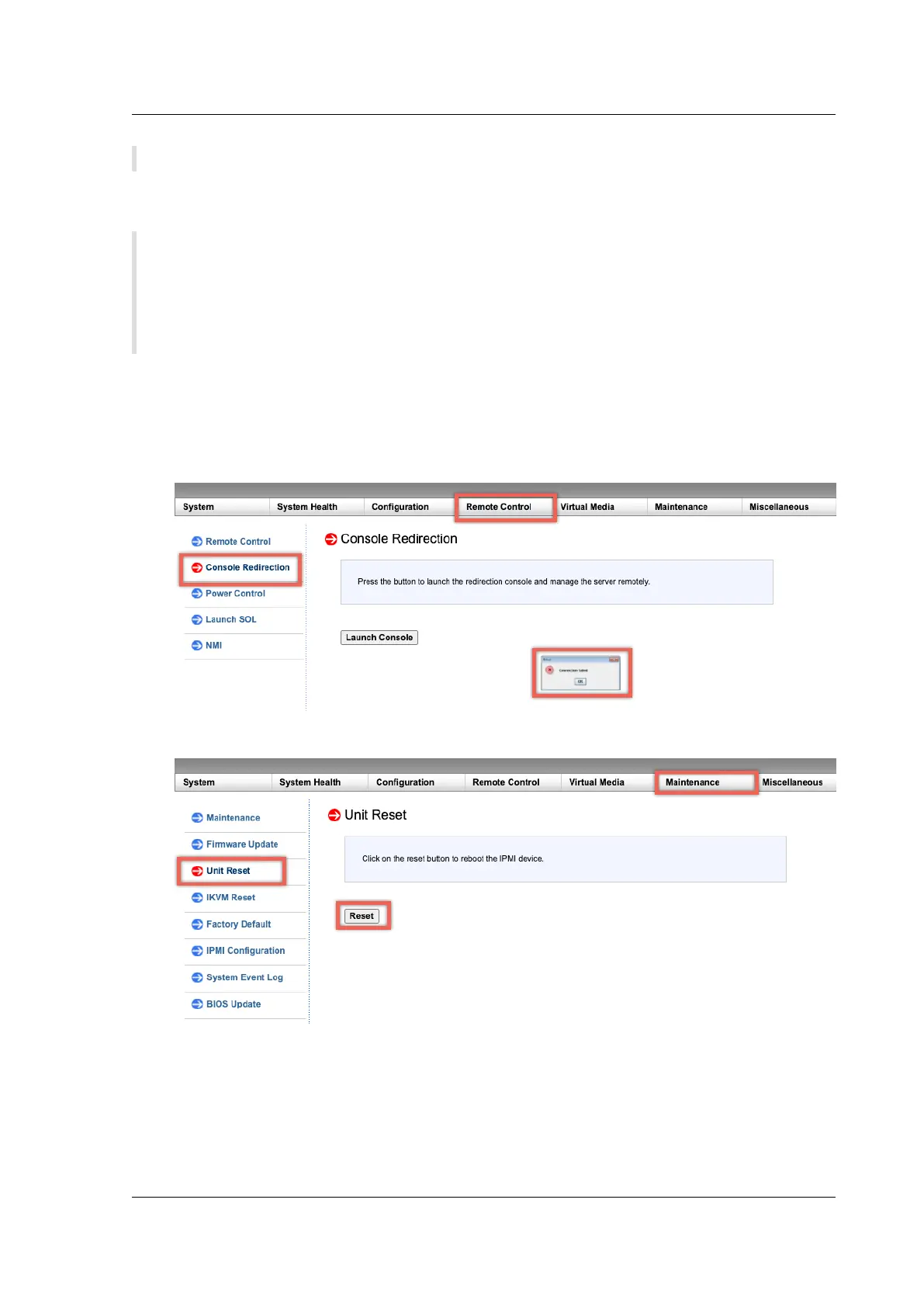
• Console redirection fails aer upgrading the LOM to 4.61 on the MPX 5900 and MPX 8900 plat-
forms or 5.56 on the MPX 15000 and MPX 26000 platforms.
Perform a unit reset from the Maintenance tab, which resets the BMC.
© 1999‒2022 Citrix Systems, Inc. All rights reserved. 177



 To Next Page
 Loading...
