Citrix ADC MPX
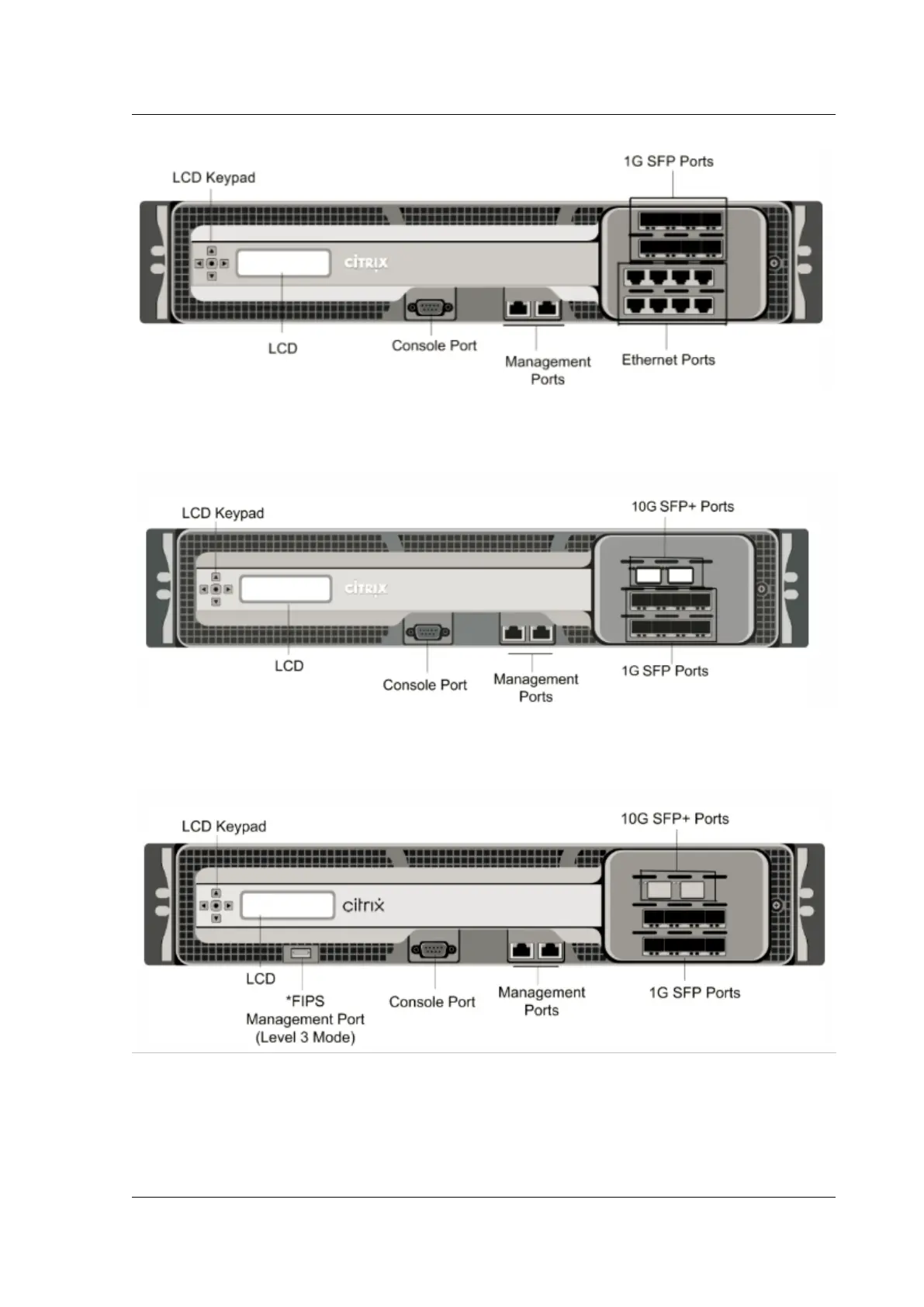
The following figure shows the front panel of the MPX 9700/10500/12500/15500 10G.
Figure 2. Citrix ADC MPX 9700/10500/12500/15500 10G, front panel
The following figure shows the front panel of the MPX 9700/10500/12500/15500 FIPS.
Figure 3. Citrix ADC MPX 9700/10500/12500/15500 FIPS, front panel
*The FIPS Management Port (Level 3 Mode) is reserved for a future release.
Caution: Do not insert a USB device into the FIPS Management Port. Doing so causes the FIPS card to
fail.
© 1999‒2022 Citrix Systems, Inc. All rights reserved. 44



 To Next Page
 Loading...
