Connecting a NetScaler SDX Appliance to the
Network
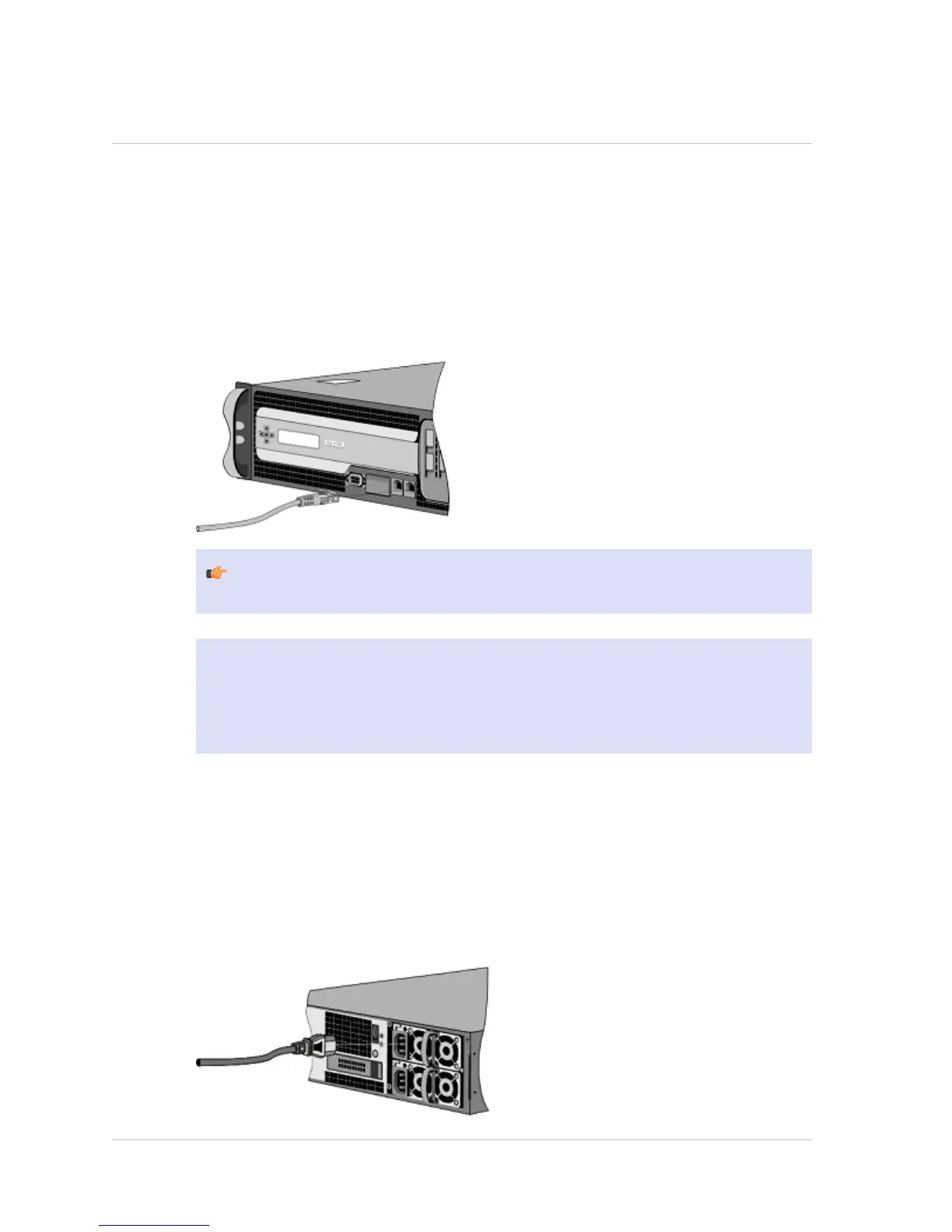
Connect the interfaces on the appliance to the network ports on the appropriate
switches by using Ethernet/fiber optic cables.
Figure 1-4. Connecting a Citrix NetScaler SDX appliance to the network
Warning: Connecting multiple network ports to the same switch or VLAN can
result in a network loop.
Note: By default, the NetScaler SDX appliance is configured to use auto-negotiation.
When you install a NetScaler appliance for the first time, be sure to configure your
other equipment to use auto-negotiation for the ports that are connected to the
NetScaler appliance. After initial logon and configuration, you can choose to disable
auto-negotiation.
Connecting an SDX Appliance to a Power Source
Connect the power cable to one of the inlet receptacles on the back of the appliance
and connect the other end of the power cable to a power outlet. If your appliance has
more than one power supply, repeat this process. All models function properly with a
single power supply. The extra power supply on some models serves as a backup.
Figure 1-5. Connecting a Citrix NetScaler SDX appliance to a power source
Citrix NetScaler 10 Quick Start Guide: SDX 11500/13500/14500/16500/18500/20500 Platform
7


 To Next Page