DRZ9255 75 DRZ9255 6 DRZ9255
English
English
Français
Español
English
4. NOMENCLATURE
Note:
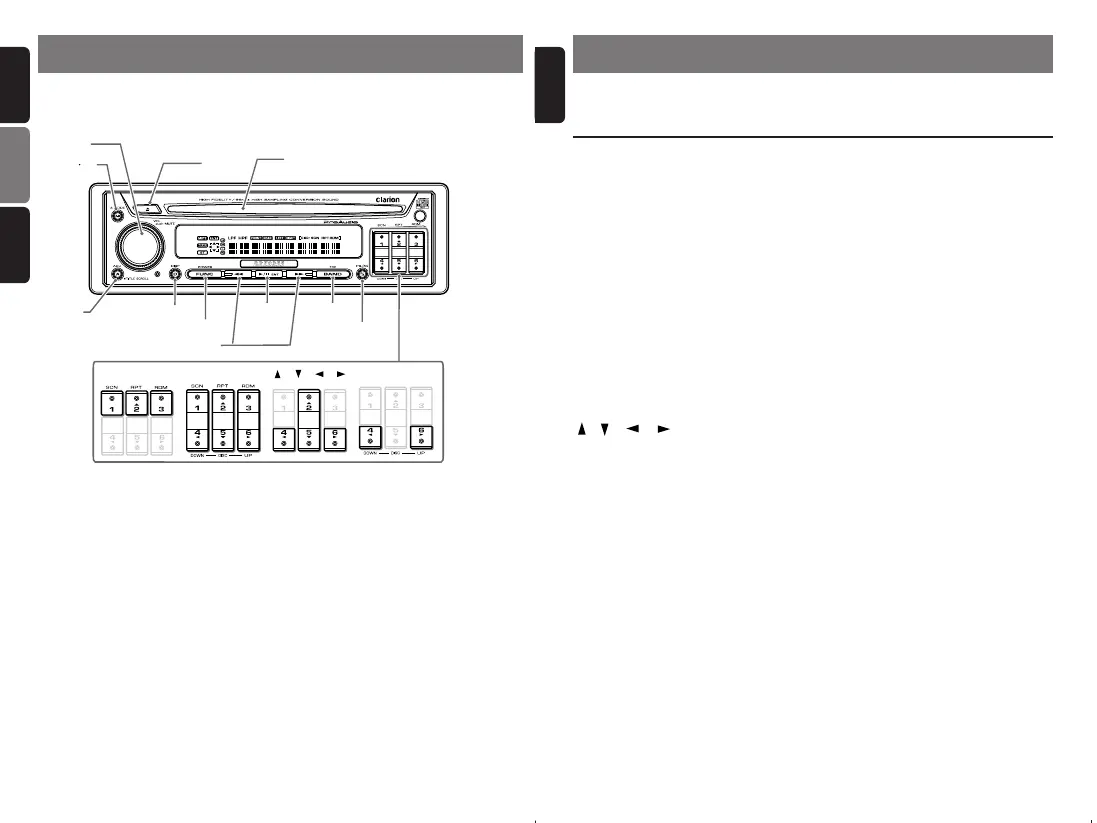
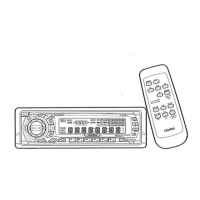
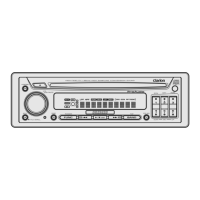
• Be sure to read this chapter referring to the front diagrams of chapter “3. CONTROLS” on page 5 (unfold).
Names of the Buttons and their Functions
Major Button Operations when External Equipment is
Connected to this Unit
3.CONTROLS / LES COMMANDES / CONTROLES
● When the CD/DVD changer is
connected
∗ For details, see the section “CD changer
operations”. For the DVD changer, refer to
the Owner’s Manual provided with the
DVD changer.
[SCN] button
• Perform scan play for 10 seconds of each
track. Disc scan play is performed when the
button is pressed and held.
[RPT] button
• Perform repeat play. When this button is
pressed and held, disc repeat play is
performed.
[RDM] button
• Perform random play. Also perform disc
random play when the button is pressed and
held.
[UP], [DOWN] buttons
• Select the disc.
[BAND] button
• Move the next disc in increasing order.
[A], [D] buttons
• Select a track when listening to a disc.
• Press and hold the button for 1 second or
longer to switch the fast-forward/fast-
backward.
[s] button
• Play or pause a CD or DVD.
[DISP] button
• Press and hold the button to switch between
the user titles or track titles, etc. while in the
CD changer mode.
[
ROTARY
]
[
ADJ
]
Source unit / Appareil pilote / Unidad fuente
Note: Be sure to unfold this page and refer to the front diagrams as you read each chapter.
Remarque: Veuillez déplier cette page et vous référer aux schémas quand vous lisez chaque chapitre.
Nota: Cuando lea los capítulos, despliegue esta página y consulte los diagramas.
[
A M
]
[
CD SLOT
]
[
DISP
]
[
FUNC
]
[
P/A
]
[
SCN
][
RPT
][
RDM
]
[
BAND
]
[
DIRECT
]
[
DOWN
], [
UP
] [
], [
], [
], [
]
[s]
[A], [D]
[Q]
[ROTARY] knob
• Adjust the volume by turning the knob
clockwise or counterclockwise.
• Mute the sound. When the knob is pressed
and held for 1 second or longer, the volume is
changed from 1db steps to 0.5db steps.
[Q] button
• Eject a CD when it is loaded into the unit.
[CD SLOT]
• CD insertion slot.
[SCN] button
• Perform scan play for 10 seconds of each
track while in the CD mode.
[RPT] button
• Repeat play while in the CD mode.
[RDM] button
• Perform random play while in the CD mode.
[DIRECT] buttons
• Store a station into memory or recall it
directly while in the radio mode.
[ ], [ ] , [ ] , [ ] buttons
• Select items in the Adjust mode.
[UP], [DOWN] buttons
• Select the disc.
[P/A] button
• Perform preset scan while in the radio mode.
When the button is pressed and held, auto
store is performed.
[BAND] button
• Switch the band, or seek tuning or manual
tuning while in the radio mode.
• Play a first track while in the CD mode.
[A], [D] buttons
• Select a station while in the radio mode or
select a track when listening to a CD. These
buttons are used to make various settings.
• Press and hold the button for 1 second or
longer to switch the fast-forward/fast-
backward.
[s] button
• Play or pause a CD while in the CD mode.
[FUNC] button
• Press the button to turn on the power.
Press and hold the button for 1 second or
longer to turn off the power.
• Switches the operation mode among the
radio mode, etc.
[DISP] button
• Switch the display indication (Main display,
Sub display, Clock display).
[ADJ] button
• Press the button to enter the adjust mode.
• When the button is pressed and held for 1
second or longer, the title is scrolled.
[A-M] button
• Use the button to switch to the audio mode
(bass/treble, balance/fader)
• Hold down for at least one second to turn the
display OFF.
● When the TV is connected
∗ For details, see the section “TV
operations”.
[DIRECT] buttons
• Store a station into memory or recall it
directly.
[P/A] button
• Perform preset scan while in the TV mode.
When the button is pressed and held, auto
store is performed.
[BAND] button
• Switch the band.
• Press and hold the button to switch between
seek tuning or manual mode.
[A], [D] buttons
• Select a station.
[s] button
• Switch the TV picture mode or VTR (external)
picture mode.



 To Next Page