EasyManua.ls Logo

Clarion DRX6575z - User Manual

Clarion DRX6575z
20 pages
Print Icon
To Next Page IconTo Next Page
Loading...
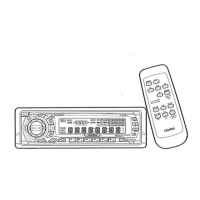
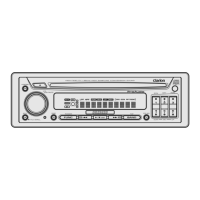
AM/FM CD PLAYER
WITH CD/MD CHANGER CONTROL
LECTEUR CD AM/FM AVEC
COMMANDE DE CHANGEUR CD/MD
RADIO DE AM/FM Y REPRODUCTOR DE DISCOS
COMPACTOS CON CONTROL DE CAMBIADOR
DE DISCOS COMPACTOS/MINIDISCOS
Owner’s manual
Mode d’emploi
Manual de instrucciones
DRX6575z
All Rights Reserved. Copyright © 1998: Clarion Co., Ltd.
Printed in China / Imprimé en Chine / Inpreso en China
1998/11 (S·C)
PE-2189B
280-7223-00
Clarion Co., Ltd.

Questions and Answers

  • T
    Toni FletcherJul 29, 2025
    What to do if buttons don't work on my Clarion DRX6575z Car Receiver?
    • A
      Andrew WellsJul 29, 2025
      If the buttons on your Clarion Car Receiver aren't responding or the display is inaccurate, it could be due to a microprocessor malfunction caused by noise. Try turning off the power, pressing the OPEN button, removing the DCP, and then using a thin rod to press the reset button for about 2 seconds. Alternatively, the DCP or source unit connectors may be dirty. Clean them with a soft cloth moistened with cleaning alcohol.
  • K
    Kenneth HenryAug 3, 2025
    Why won't my Clarion DRX6575z turn on?
    • T
      thomasveronicaAug 3, 2025
      If your Clarion Car Receiver isn't producing sound and the power won't turn on, the fuse may be blown. Replace it with a fuse of the same amperage. If it blows again, consult your store of purchase. Also, check for incorrect wiring and consult your store of purchase.
  • J
    Jeffery WadeAug 8, 2025
    How to fix sound skipping on my Clarion DRX6575z?
    • K
      kimberlywilsonAug 8, 2025
      If you're experiencing skipping or noisy sound on your Clarion Car Receiver, the compact disc may be dirty. Clean it with a soft cloth. If the disc is heavily scratched or warped, replace it with one that is not scratched.
  • C
    Charles RyanAug 13, 2025
    What to do if there is no sound with amplifiers on Clarion DRX6575z?
    • G
      gphillipsAug 13, 2025
      If you're getting no sound output from your Clarion Car Receiver when using amplifiers or a power antenna, it's possible the power antenna lead is shorted to ground or excessive current is required. First, turn the unit off. Remove all wires attached to the power antenna lead and check each wire for a short to ground using an ohm meter. Then, turn the unit back on. Reconnect each amplifier remote wire to the power antenna lead one by one. If the amplifiers turn off before all wires are attached, use an external relay to provide remote-on voltage.
  • C
    Chad OrtizAug 18, 2025
    What to do if my Clarion DRX6575z Car Receiver won't load a CD?
    • A
      Andrew HernandezAug 18, 2025
      If your Clarion Car Receiver is having trouble loading a compact disc, it might be because another disc is already inside. Eject the current disc before trying to load a new one.
  • J
    John RomeroAug 23, 2025
    Why does my Clarion DRX6575z Car Receiver sound bad when first turned on?
    • D
      denise47Aug 23, 2025
      If the sound quality of your Clarion Car Receiver is poor immediately after turning it on, it's possible that water droplets have formed on the internal lens due to humidity. Allow the unit to dry for about 1 hour with the power on.

Summary

FEATURES

Key Features Overview

Lists main functionalities like illuminated search key, detachable face, CD TEXT, Z-Enhancer, CeNET, MAGI-TUNE, 8-Times Oversampling, Zero-Bit Detector, 4V RCA output, 160W power.

PRECAUTIONS

BASIC OPERATION MODES

Power, Volume, and Display Adjustment

How to turn the unit on/off, adjust volume, and switch display modes.

RADIO OPERATION AND TUNING

FM Reception and Changing Reception Area

Explains FM performance features and how to change frequency intervals for different regions.

CD PLAYER FUNCTIONS

Loading, Pausing, Ejecting, and Track Selection

Step-by-step instructions for CD playback operations.

ACCESSORY OPERATIONS

CD Changer Control and Selection

Operating an external CD changer, including selecting discs and tracks.

MD CHANGER CONTROL

TV TUNER OPERATIONS

TROUBLESHOOTING

Problem Diagnosis and Solutions

Common issues like no power, no sound, and display problems with their respective fixes.

ERROR DISPLAYS

Understanding and Resolving Error Codes

Explains error messages for CD, CD changer, and MD changer and provides solutions.

Clarion DRX6575z Specifications

FM Tuner IconFM Tuner
frequency range87.9 MHz to 107.9 MHz
usable sensitivity11 dBf
50dB quieting sensitivity17 dBf
alternate channel selectivity75 dB
stereo separation (1 kHz)35 dB
frequency response (±3 dB)30 Hz to 15 kHz
AM Tuner IconAM Tuner
frequency range530 kHz to 1710 kHz
usable sensitivity25 µV
CD Player IconCD Player
systemCompact disc digital audio system
usable discsCompact disc
frequency response (±1 dB)10 Hz to 20 kHz
signal to noise ratio (1 kHz)100 dB
dynamic range (1 kHz)95 dB
harmonic distortion0.01%
Audio IconAudio
maximum power output160 W (40 W × 4 ch) (EIAJ)
continuous average power output14 W × 4, into 4 Ω, 20 Hz to 20 kHz, 1%THD
bass control action (30 Hz)±15 dB
treble control action (10 kHz)±10 dB
line output level (CD 1 kHz)4 V
General IconGeneral
power supply voltage14.4 V DC (10.8 to 15.6 V allowable), negative ground
current consumptionLess than 15 A
speaker impedance4 Ω (4 Ω to 8 Ω allowable)
weight of source unit3.75 lb. (1.7 kg)
weight of remote control unit1 oz. (30 g) (including battery)
dimensions of source unit7" (Width) × 2" (Height) × 6-1/8" (Depth) [178 (W) × 50 (H) × 155 (D) mm]
dimensions of remote control unit1-3/4" (Width) × 4-5/16" (Height) × 1-1/8" (Depth) [44 (W) × 110 (H) × 27 (D) mm]

Related product manuals