EasyManua.ls Logo

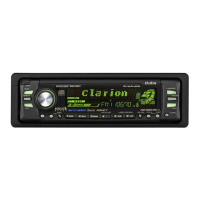
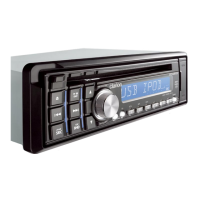
Clarion DXZ389RGUSB - User Manual

Clarion DXZ389RGUSB
43 pages
Print Icon
To Next Page IconTo Next Page
Loading...
CD/USB/MP3/WMA/AAC RECEIVER WITH CeNET CONTROL
AUTORADIO CD/USB/MP3/WMA/AAC / AVEC COMMANDE CeNET
CD/USB/MP3/WMA/AAC-RECEIVER MIT CeNET-STEUERUNG
SINTOLETTORE CD/USB/MP3/WMA/AAC CON CONTROLLO CeNET
CD/USB/MP3/WMA/AAC-RADIO-COMBINATIE MET CeNET-BEDIENING
RECEPTOR
CD/USB/MP3/WMA/AAC
CON CONTROL CeNET
CD/USB/MP3/WMA/AAC-RADIO MED CeNET-KONTROLL
RECEPTOR CD/USB/MP3/WMA/AAC COM CONTROLO CeNET
DXZ388RUSB
DXZ389RUSB
DXZ389RGUSB
Owner’s manual
Mode d’emploi
Bedienungsanleitung
Istruzioni per l’uso
Gebruiksaanwijzing
Manual de instrucciones
Bruksanvisning
Manual de instruções

Questions and Answers

  • R
    Robert ClementsAug 14, 2025
    Why does my Clarion Car Stereo System have no power and no sound?
    • A
      Andrew StevensAug 14, 2025
      Your Clarion Car Stereo System might not be turning on, resulting in no sound, because the fuse is blown. Replace it with a fuse of the same amperage. If it blows again, consult your store of purchase. Another possible cause is incorrect wiring, in which case you should also consult your store of purchase.
  • J
    Joseph RileyAug 17, 2025
    What to do if there is no sound from Clarion DXZ389RGUSB Car Stereo System with amplifiers or power antenna?
    • K
      Keith AliAug 18, 2025
      If you're getting no sound output from your Clarion Car Stereo System when using amplifiers or a power antenna, it could be due to the power antenna lead being shorted to ground or excessive current being required. Here's what to do: 1. Turn the unit off. 2. Remove all wires attached to the power antenna lead and check each wire for a short to ground using an ohm meter. 3. Turn the unit back on. 4. Reconnect each amplifier remote wire to the power antenna lead one by one. If the amplifiers turn off before all wires are attached, use an external relay to provide remote-on voltage.
  • W
    wwarnerAug 21, 2025
    Why is there no sound coming from my Clarion Car Stereo System?
    • V
      Vanessa WilliamsAug 21, 2025
      If you're not hearing any sound from your Clarion Car Stereo System, the speaker protection circuit might be operating. Try turning down the sound volume. You can also try turning the power off and on again to restore function. If the sound is muted again, consult our service department.
  • V
    Victoria HebertAug 25, 2025
    Why is there no sound from my Clarion DXZ389RGUSB when playing files?
    • J
      John KellyAug 25, 2025
      If you're not hearing any sound from your Clarion Car Stereo System when playing files, ensure that MP3/WMA/AAC files are written onto the disc properly. Also, make sure that the files are recognized as MP3/WMA/AAC files encoded properly and that you are using the correct file system (ISO9660 level 1, 2 or JOLIET or Romeo or APPLE ISO file system).
  • V
    Valerie BrownAug 27, 2025
    What to do if my Clarion DXZ389RGUSB Car Stereo System buttons don't work and the display is inaccurate?
    • J
      jennagibsonAug 28, 2025
      If the buttons on your Clarion Car Stereo System aren't working and the display is inaccurate, it could be due to a microprocessor malfunction. To resolve this, turn off the power, then press the Reset button [RELEASE] button and remove the DCP. Press the reset button for about 2 seconds with a thin rod. Another possible cause is dirty DCP or main unit connectors. Wipe the dirt off with a soft cloth moistened with cleaning alcohol.
  • M
    Melissa ShannonAug 31, 2025
    How to fix sound skipping or noisy Clarion DXZ389RGUSB Car Stereo System?
    • T
      Todd GrayAug 31, 2025
      If your Clarion Car Stereo System is skipping or producing noisy sound, the compact disc might be dirty. Clean it with a soft cloth. Alternatively, the compact disc could be heavily scratched or warped, in which case you should replace it with one that has no scratches.
  • J
    Jesse GatesSep 3, 2025
    Why does my Clarion Car Stereo System sound cut or skip and generate noise?
    • D
      debramartinSep 3, 2025
      If the sound from your Clarion Car Stereo System is cutting, skipping, or generating noise, it's possible that the MP3/WMA/AAC files are not encoded properly. Ensure that you are using MP3/WMA/AAC files encoded properly.
  • L
    Larry StaffordSep 6, 2025
    Why does my Clarion Car Stereo System sound bad right after turning it on?
    • C
      Connie BarrettSep 7, 2025
      If your Clarion Car Stereo System sounds bad immediately after being turned on, water droplets may have formed on the internal lens due to humidity. Let it dry for about 1 hour with the power on.
  • J
    Janet MillerSep 9, 2025
    What to do if I cannot insert a device into my Clarion DXZ389RGUSB?
    • A
      Andrew WongSep 9, 2025
      If you cannot insert a device into your Clarion Car Stereo System, it may have been inserted improperly. Try reversing the connection direction of the device, usually the brand name surface should be facing left. If that doesn't work, the connector may be broken, and you should replace it with a new device.

Clarion DXZ389RGUSB Specifications

General IconGeneral
BrandClarion
ModelDXZ389RGUSB
CategoryCar Stereo System
Detachable FaceYes
CD PlaybackYes
CD-R/RW PlaybackYes
USB PortYes
MP3 PlaybackYes
WMA PlaybackYes
TunerYes
Preset Stations18 FM, 6 AM
Subwoofer OutputYes
AUX InputYes
HD RadioNo
Satellite RadioNo
Remote ControlYes
DIN Size1 DIN
Radio TunerAM/FM
Display TypeLCD

Related product manuals