EasyManua.ls Logo

Clarion MAX685BT - User Manual

Clarion MAX685BT
83 pages
Print Icon
To Next Page IconTo Next Page
Loading...
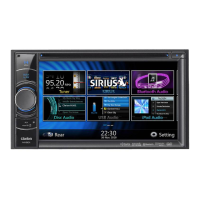
2-DIN DVD MULTIMEDIA STATION WITH CeNET &
7-inch TOUCH PANEL CONTROL
STATION MULTIMEDIA DVD 2 DIN AVEC COMMANDE
PAR ECRAN TACTILE 7 pouces & CeNET
EQUIPO DVD MULTIMEDIA 2-DIN CON CeNET y
PANEL DE CONTROL TÁCTIL DE 7 pulgadas
Owner’s manual & Installation manual
Mode d’emploi et manuel d’installation
Manual de instrucciones y de instalación
MAX685BT

Table of Contents

Questions and Answers

  • S
    sean18Aug 20, 2025
    Why is my Clarion Car Stereo System not turning on?
    • N
      Nathan GibsonAug 20, 2025
      Your Clarion Car Stereo System may not be turning on because the fuse is blown. Replace it with a fuse of the same amperage. If it blows again, consult your store of purchase. Another potential cause is incorrect wiring, in which case you should also consult your store of purchase.
  • S
    Steven CarterAug 22, 2025
    What to do if my Clarion MAX685BT Car Stereo System remote control unit does not work?
    • L
      Lindsey JacobsAug 22, 2025
      If your Clarion Car Stereo System remote control unit isn't working, check if direct sunlight is falling on the light-receptive part of the unit, as this can interfere with its operation. Also, verify the remote's battery; it may be dead or missing.
  • O
    Olivia ValdezAug 25, 2025
    Why is there no sound heard with the display 'NO FILE' shown on my Clarion MAX685BT?
    • J
      Jeremy McdonaldAug 25, 2025
      If you hear no sound and the display shows 'NO FILE' on your Clarion Car Stereo System, it means that no MP3/WMA/AAC file is stored in the USB device. Store these files properly in the USB device.
  • C
    Corey SwansonAug 26, 2025
    Why does my Clarion MAX685BT Car Stereo System sound skip or is noisy?
    • I
      Isaiah LeeAug 27, 2025
      If your Clarion Car Stereo System sound skips or is noisy, it could be that the MP3/WMA/AAC files are not encoded properly. Use MP3/WMA/AAC files encoded properly.
  • D
    dmcgeeAug 28, 2025
    What to do if the Clarion Car Stereo System display is dark?
    • Z
      Zachary ShieldsAug 28, 2025
      If the display on your Clarion Car Stereo System is dark, it could be due to several reasons. First, the dimmer control might be set too low, so adjust it properly. Second, the temperature inside the vehicle may be too low; try setting it to an appropriate temperature, around 25°C, and check again. Finally, the display may be intentionally darkened at night to prevent glare when the vehicle's headlights are on.
  • K
    Kristin RileyAug 30, 2025
    What to do if my Clarion MAX685BT Car Stereo System disc cannot be loaded?
    • D
      Deborah HarrisAug 30, 2025
      If your Clarion Car Stereo System disc cannot be loaded, first ensure that another disc is not already inside; eject it before loading a new one. Also, check for any foreign matter obstructing the loading mechanism and forcibly eject it.
  • M
    Michael HoffmanSep 1, 2025
    What to do if my Clarion MAX685BT Car Stereo System is not recognizing USB device?
    • J
      Joshua LopezSep 1, 2025
      If your Clarion Car Stereo System is not recognizing the USB device, disconnect it and reconnect it. If the device is still not recognized, try replacing it with a different USB device. Also check if connectors are loose.
  • M
    michaelgeorgeSep 3, 2025
    What to do if nothing happens when buttons are pressed on my Clarion Car Stereo System?
    • M
      Matthew LewisSep 3, 2025
      If nothing happens when you press the buttons on your Clarion Car Stereo System and the display is not accurate, the microprocessor may have malfunctioned due to noise. Turn off the power and open the operation panel. Then, press the reset button with a thin rod. Note that when the reset button is pressed, frequencies of radio stations stored in memory will be cleared.
  • D
    Debbie FoleySep 5, 2025
    Why is the sound bad directly after my Clarion MAX685BT power is turned on?
    • S
      Steve EricksonSep 5, 2025
      The sound may be poor immediately after turning on your Clarion Car Stereo System because water droplets may have formed on the internal lens when the car was parked in a humid place. To resolve this, let the unit dry for about 1 hour with the power on.
  • T
    Tammy WebbSep 7, 2025
    Why is the image not displayed on my Clarion MAX685BT?
    • M
      Matthew MooreSep 7, 2025
      If the image is not displayed on your Clarion Car Stereo System, ensure that the parking brake is engaged.

Summary

1. FEATURES

Playable discs

Lists supported disc types.

DVD video features

Features of DVD video playback.

Expanding Systems

Details on system expansion capabilities.

2. PRECAUTIONS

Operation panel;Generalities

Cautions regarding operation panel and general usage.

Cleaning

Instructions for cleaning the unit.

About the registered marks, etc.

Information on trademarks and copyrights.

3. CONTROLS

Functions of Buttons

Explains the functions of various buttons.

Operation panel

Overview of the unit's operation panel.

Outline of Button and Touchkey Operation

Describes how to operate buttons and touchkeys.

Remote Control Unit

Details about the remote control unit.

4. BASIC OPERATIONS

Turning On and Off the Power

How to turn the unit on and off.

Opening the operation panel and adjusting the angle

How to open and adjust the operation panel.

Setting;Ejecting a Disc

Procedures for inserting and ejecting discs.

Connecting;Disconnecting an USB Media Device

How to connect and disconnect USB devices.

Selecting a Media Source

How to choose audio/video sources.

2 Zone Function

Explanation of the 2Zone function.

5. SOURCE OPERATIONS

Radio Operations

Instructions for radio operation.

DVD Video Operations

Instructions for DVD video playback.

Audio CD Operations

Instructions for Audio CD playback.

MP3;WMA;AAC Operations

Instructions for MP3/WMA/AAC file playback.

DivX Operations

Instructions for DivX file playback.

6. SOURCE OPERATIONS (ACCESSORIES)

XM Satellite Radio Operations

How to operate XM Satellite Radio.

iPod Operations

How to operate an iPod.

iPod Menu Operation

Operations for navigating the iPod menu.

Viewing video data in the iPod

How to view video content from an iPod.

MTP Audio Player Operations

How to operate MTP audio players.

Bluetooth Audio Player Operations

How to operate Bluetooth audio players.

Bluetooth Telephone Operations

How to operate Bluetooth telephones.

AUX Operations

How to operate AUX input.

7. SYSTEM SETTINGS

Audio Settings

Settings for audio customization.

General Settings

General system configuration options.

Adjusting the Monitor

How to adjust monitor settings.

8. TROUBLESHOOTING

General

Troubleshooting for general issues.

DVD Player

Troubleshooting specific to the DVD player.

USB Devices

Troubleshooting related to USB devices.

9. ERROR DISPLAYS

DVD Player

Error displays related to the DVD player.

USB Devices

Error displays related to USB devices.

10. SPECIFICATIONS

DVD Player

Technical specifications for the DVD player.

USB

Technical specifications for USB functionality.

Bluetooth

Technical specifications for Bluetooth connectivity.

1. SAFETY PRECAUTIONS

Symbol Identification

Explains symbols and icons used in the installation manual.

Before Use

Important safety warnings before starting installation.

Installation Precautions

Cautions to observe when installing the unit.

Connection Notes

Important notes regarding wiring and connections.

2. BEFORE STARTING

PACKAGE CONTENTS

List of items included in the product package.

GENERAL CAUTIONS

General safety and handling precautions.

5. CAUTIONS ON INSTALLATION

Installation Precautions

Cautions to observe when installing the unit.

Connection Notes

Important notes regarding wiring and connections.

6. INSTALLING THE MAIN UNIT

Mounting Screw Holes (Side View of the Main Unit)

Diagrams showing screw hole positions for mounting.

Installing the Main Unit in a NISSAN Vehicle

Step-by-step guide for installing the unit in Nissan vehicles.

Installing the Main Unit in a TOYOTA Vehicle

Instructions for installing the unit in Toyota vehicles.

Removing the Main Unit

Procedure for safely removing the main unit.

7. CAUTIONS ON WIRING

Fuse Replacement

Procedure for replacing the unit's fuse.

CeNET Extension Cable Connection

Instructions for connecting the CeNET extension cable.

8. WIRE CONNECTION

Connecting the parking brake cord

How to connect the parking brake cord.

Connecting the Accessories

Instructions for connecting optional accessories.

9. SAMPLE SYSTEM

Clarion MAX685BT Specifications

General IconGeneral
BrandClarion
ModelMAX685BT
CategoryCar Stereo System
LanguageEnglish

Related product manuals