Pod Symbols and Functions 3-13
Section 3. Operator Compartment and Controls
− Maintenance period setting
− Operating time display
− The entire signal input ON/OFF can be checked in real time for
immediate maintenance.
− The fuel and temp gauge output can be checked in real time.
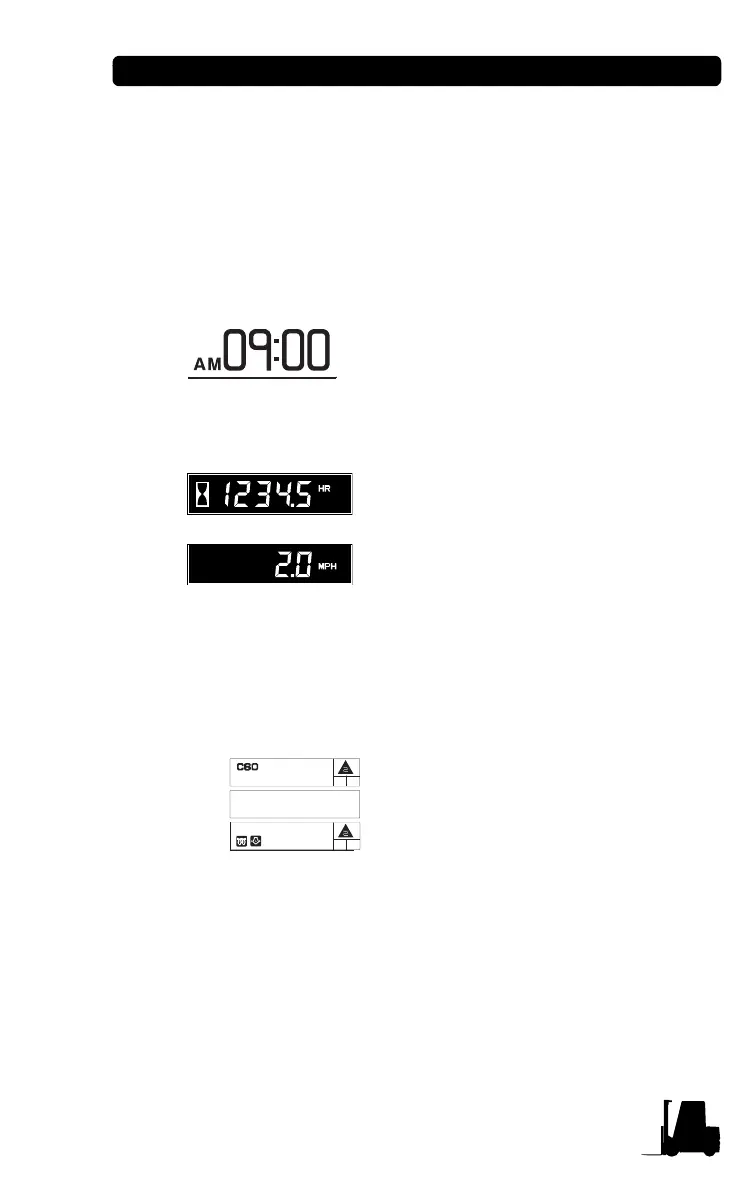
• Date & Time (C40-80)
It displays current date and time.
• Hourmeter & Speed (C40-80)
It displays the accumulated operating
hour and traveling speed of truck.
When the traveling speed is less than
0.5km/h, it displays the accumulated
operating hour.
When the traveling speed is more than
0.5km/h, it displays the traveling speed.
It can be dispayed in the of km/h or MPH.
• Message display (C40-80)
The model name, POWER selection,
travel direction, warning and error
message are displayed.
In normal operating condition: Model
name/Travel direction
When several messages are
simultaneously displayed, it will be displayed in the order of
Error, Warning and Normal condition.
If many error conditions are simultaneously occurred, the
priority 2 Errors will be displayed. (The priority means Error
number)
When failure and warning are caused at the same time, the
content of failure will be displayed on top row and the
warning icon at below row.
29MAR06[WED]
Normal
Error
Warning
01 : E.SHUT COIL S/C
03 : ST.RELAY S/C
DR A2
DR A2


 To Next Page