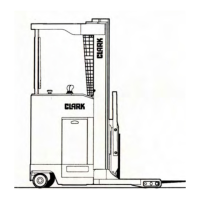
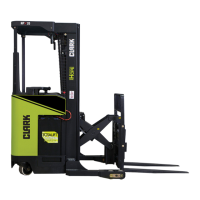
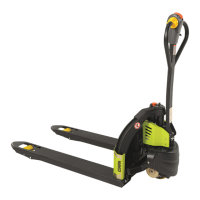
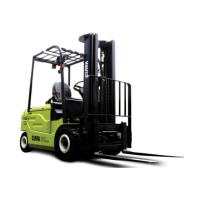
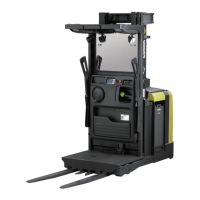
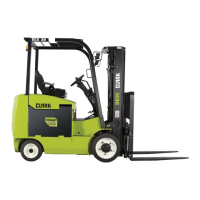
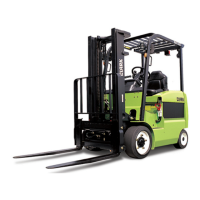
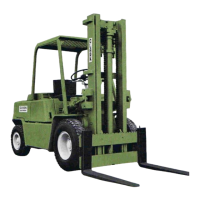
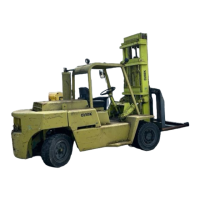
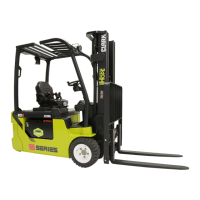
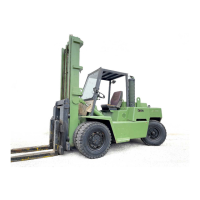
This manual describes the operation and maintenance of the Clark NP 300/500-NS 300 Narrow Aisle Truck, which is a powered industrial lift truck designed for use in narrow aisles. The truck is available with or without a reach mechanism, indicated by "W/WO REACH" in the title. It has rated capacities ranging from 2000 to 4500 lbs.
Function Description:
The Clark Narrow Aisle Truck is designed for lifting, moving, and stacking loads in confined spaces, such as warehouses with narrow aisles. It is an electric-powered truck, as indicated by the "ELECTRICS ONLY" and "BATTERY" sections on the capacity plate. The NP models feature a pantograph mechanism for extending the forks, allowing for deeper reach into racking systems, while NS models are typically non-reach. The truck is operated by a trained operator from a dedicated compartment, utilizing a steering handwheel, various control levers for lift, lower, reach (NP models), and tilt (optional), and a directional/speed control knob.
Important Technical Specifications:
- Models: NP 300/500 (with reach) and NS 300 (without reach).
- Rated Capacities: 2000, 3000, and 4000 lbs. (for NS/NP300 models) and 2000 through 4500 lbs. (general range).
- Power Source: Electric (battery-powered).
- Key Components: Overhead Guard, Upright Assembly, Load Backrest Extension, Fork Carriage, Load Wheels, Load Forks, Pantograph Mechanism (NP only), Swivel Caster, Battery Compartment, Operator's Compartment and Controls.
- Safety Features: Includes an overhead guard and load backrest extension for operator protection. The truck is equipped with a horn, brakes, steering, hydraulic controls, directional controls, and speed controls, all of which must be checked for proper operation before use. A data capacity plate provides critical information such as model number, serial number, attachments, load center of gravity (C.G.), capacity with attachments/forks, approximate weight (less battery and with max battery), battery weight, and battery capacity (AH, Volts).
Usage Features:
- Operator's Compartment and Controls: The operator's compartment includes a steering handwheel, a reach control lever (NP models only, with optional additional hydraulic control levers), a battery charge indicator, a key switch, an hour meter, a horn button, a forward/reverse and speed control knob, and a lift/lower control arm.
- Pre-Operation Checks: Before operation, the operator must complete a daily checklist, visually inspect the truck for damage and leaks, check the condition of drive/steer wheels and tires (including idler steer wheel for NP500), inspect the spring-loaded swivel caster wheel and tire (NS & NP300), verify battery retainers, check lift chains, hoses, sheaves, and retainers, inspect load wheels and tires, and ensure overhead guard and load backrest extension are properly positioned and secured.
- Starting the Truck: Remove blocks from the drive wheel, enter the operator's compartment carefully (avoiding the brake pedal), check the battery connector, insert and turn the key switch to "on," test the horn, check the hour meter, and verify the battery charge indicator is in the green area.
- Fork and Carriage Operation:
- Reach (NP models): Push forward on the "reach" control lever to extend the carriage and forks, observing forward clearance. Pull back to retract.
- Lift/Lower: Pull up on the lift/lower control arm to lift the upright, push down to lower.
- Tilt (optional): Pull back on the tilt control lever to tilt the carriage back, push forward to tilt forward.
- Driving: Place the left foot on the brake pedal and push it to the floorboard to release the brake and activate the power circuit. Turn the directional/speed control knob (clockwise for forward, counterclockwise for reverse) to select direction and increase speed.
- Load Handling: Always check for unobstructed overhead clearance before lifting. Ensure loads are well-stacked and evenly positioned across both forks. Travel with the load near the floor, and tilt the carriage back to cradle the load if equipped with tilt. Never lift or lower loads while the truck is in motion.
- Safety Rules: Emphasizes operation by qualified personnel only, adherence to safety rules posted on the truck, wearing of "hard hats," safety glasses, and safety shoes, avoiding wet/greasy hands/shoes, looking around before moving, operating in designated routes, slowing down for turns/ramps/bumps, sounding the horn, obeying traffic signs, being aware of rear end swing, ensuring proper vehicle entry into trailers, knowing the truck's rated capacity, inspecting loads for stability, and never carrying unauthorized passengers or engaging in stunt riding/horseplay.
Maintenance Features:
- Daily Checklist: Operators are required to complete a daily check list provided by the Clark Dealer, noting any damage or leaks.
- Scheduled Maintenance: The manual stresses the importance of following a scheduled maintenance and lubrication program.
- Reporting Malfunctions: Any unusual or improper operation, erratic behavior, or damage must be reported immediately to designated authority for adjustments or repairs by thoroughly trained and qualified personnel.
- Battery Servicing: Batteries should only be serviced or recharged in designated charging areas by trained personnel.
- Data Capacity Plate: The truck's data capacity plate (item 20, page 8) provides essential information for safe operation and maintenance, including load center, capacity, and battery specifications.
Parking Procedures:
- Park in designated areas only.
- Lower forks to the floor.
- If equipped with tilt, push forward on the tilt control lever to place fork tips on the floor.
- Turn the key switch counterclockwise to "off" and remove the key.
- Carefully dismount from the truck.
- Block the drive wheel securely to prevent accidental roll.

 Need help?

 To Next Page
 General