13
English
12
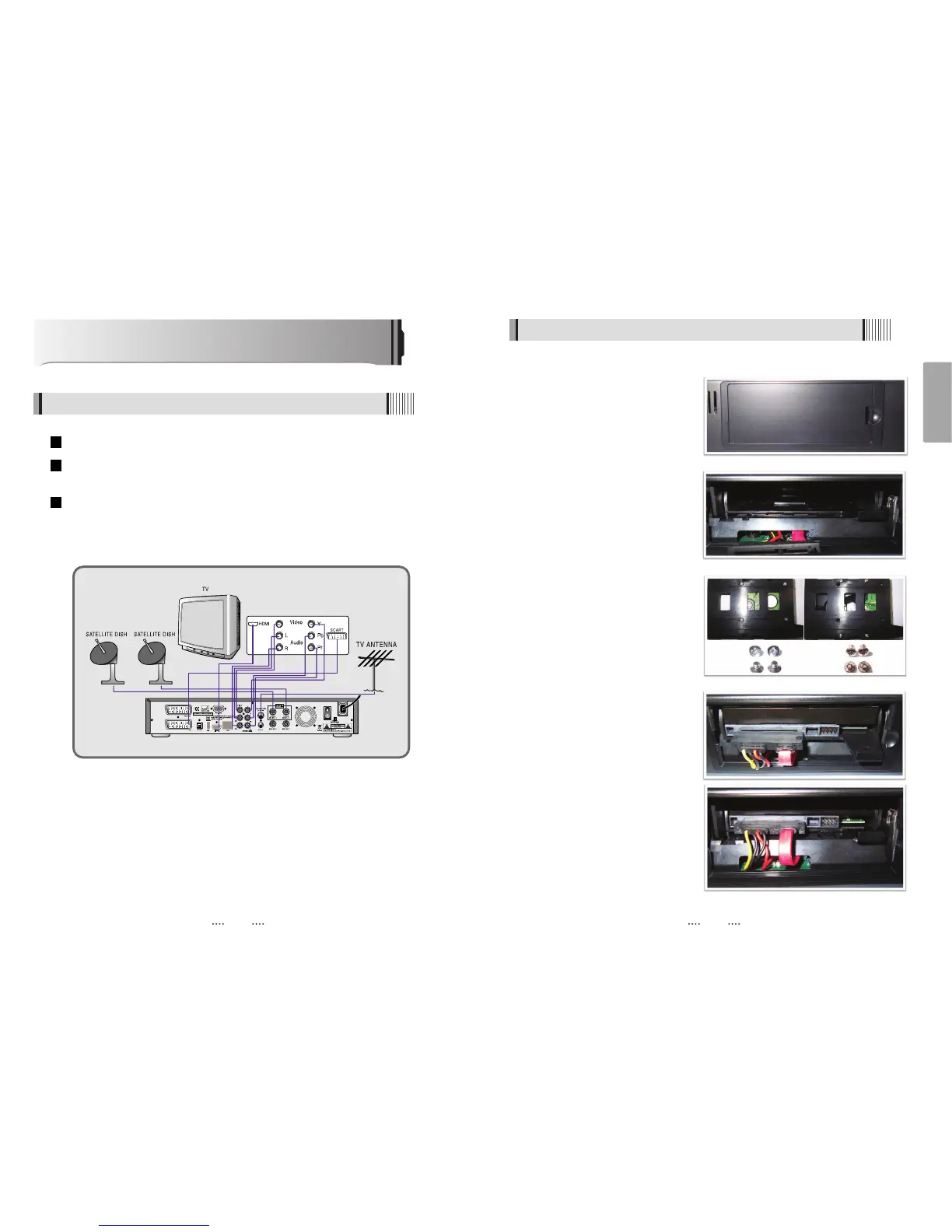
How to Connect
When Connecting the Receiver to a TV with RF connectors
Connect the TV antenna to TV ANT IN
Connect the Video and Audio of the TV to Video and Audio: connect the red and white
connectors to Audio R and Audio L, and the yellow connector to Video
Connect your satellite dish
3
2
1
1. Turn off AC power.
2. Open the HDD SLOT cover.
3. Remove HDD Bracket .
ƍ Push no.1 and pull no 2.
4. Screw & assemble HDD and HDD
Bracket.
5. Assemble HDD Bracket at the HDD
SLOT.
ҫ
Note : For PVR Mode, Please go to
Page 50
ى
و
ى
و
ى
و
ى
و
ى
Խ
Ծ
ى
و
2.5inch HDD
& SCREW
3.5inch HDD
& SCREW
3.5”, 2.5” SATA HDD Assembly Instruction



 To Next Page