- 5 -
Assembly item numbers in brackets refer to parts list on page 7.
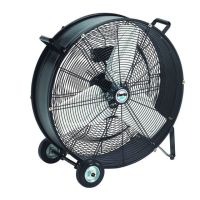
Some assembly is required before using the fan.
Floor Mounting
1 Fit handle (item 13) to the fan housing (item 11) using screws x 2 (item 12).
2 Fit wheels x 2 (item 22) to the frame using shoulder screws x 2 (item 20) and washers
x 2 (item 21).
3 Fit feet brackets x 2, (item 27) using screws x 4 (item 28) and washers x 4 (item 29).
4 Fit feet x 2 (item 26) onto brackets using screws x 2 (item 24) and washers x 2 (item
25).
5 Plug in and switch on, adjust the fan speed to suit.
WARNING
NEVER OPERATE THE FAN WITH EITHER FRONT OR REAR GRILLS REMOVED.


 To Next Page