EasyManua.ls Logo

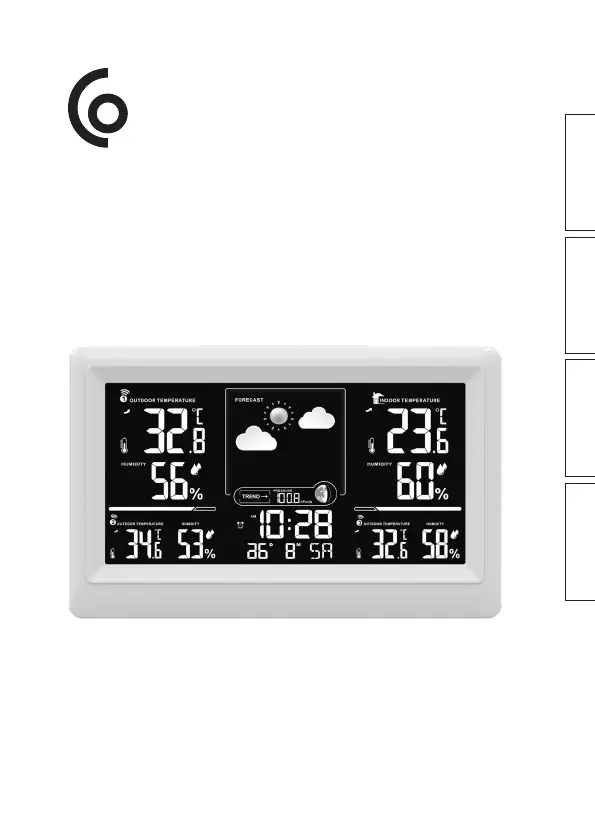
Clas Ohlson S5045NH - User Manual

Clas Ohlson S5045NH
48 pages
Print Icon
To Next Page IconTo Next Page
Loading...
EnglishSvenskaNorskSuomi
Weather Staon
SE | Väderstaon
NO | Værstasjon
FI | Sääasema
Art.no. Model
36-8991 S5045NH Ver. 20230908

Questions and Answers

  • D
    David HudsonAug 19, 2025
    Why is Clas Ohlson Weather Station showing the wrong temperature?
    • R
      Richard GarciaSep 12, 2025
      If your Clas Ohlson Weather Station shows incorrect temperature or precipitation, try the following: * Remove the batteries, wait a moment, and then reinsert them. Start a new sensor scan by holding the [ CH ] button for 3 seconds. * Ensure the units are away from heat sources, air conditioning units, or similar sources of interference.
  • K
    Kara WallAug 27, 2025
    How to fix the poor contrast on Clas Ohlson S5045NH?
    • C
      Cory LewisAug 27, 2025
      If the display of your Clas Ohlson Weather Station has poor contrast or shows no information, replace the batteries in the main unit.
  • L
    Lisa SchwartzSep 2, 2025
    What does “LL.L” or “HH.H” mean on Clas Ohlson Weather Station?
    • A
      Andrew AlvaradoSep 2, 2025
      The display shows “LL.L” or “HH.H” if the sensor of your Clas Ohlson Weather Station is outside of its measuring range.
  • M
    Margaret LynchNov 10, 2025
    What to do if wireless sensor not sending data to Clas Ohlson S5045NH Weather Station?
    • W
      William BrayNov 11, 2025
      If the wireless sensors aren't sending data to the main unit of your Clas Ohlson Weather Station, and the display reads "—.-", this indicates the main unit hasn't received signals from a sensor for 3 minutes, triggering an automatic scan. If the scan lasts an hour without finding a sensor, "—.-" is displayed. Here’s what you can do: * Remove the batteries from the sensor, wait, and reinsert them. * Replace the sensor batteries with new, high-quality alkaline batteries. * Manually scan for the sensor by holding the [ CH ] button for 3 seconds (note: this will delete any saved maximum/minimum values). * Ensure the sensor is 1.5 to 30 meters from the main unit. * Check for interference from metal structures. * Move the main unit away from electronic devices like routers, computer...

Clas Ohlson S5045NH Specifications

General IconGeneral
BrandClas Ohlson
ModelS5045NH
CategoryWeather Station
TypeDigital
DisplayLCD
Temperature displayYes
Humidity displayYes
Weather forecastYes
Radio controlled clockYes
Outdoor sensorYes
Humidity Range20% to 95%
Transmission Range30 meters
Power SourceBattery
Temperature Range-20°C to +60°C

Related product manuals