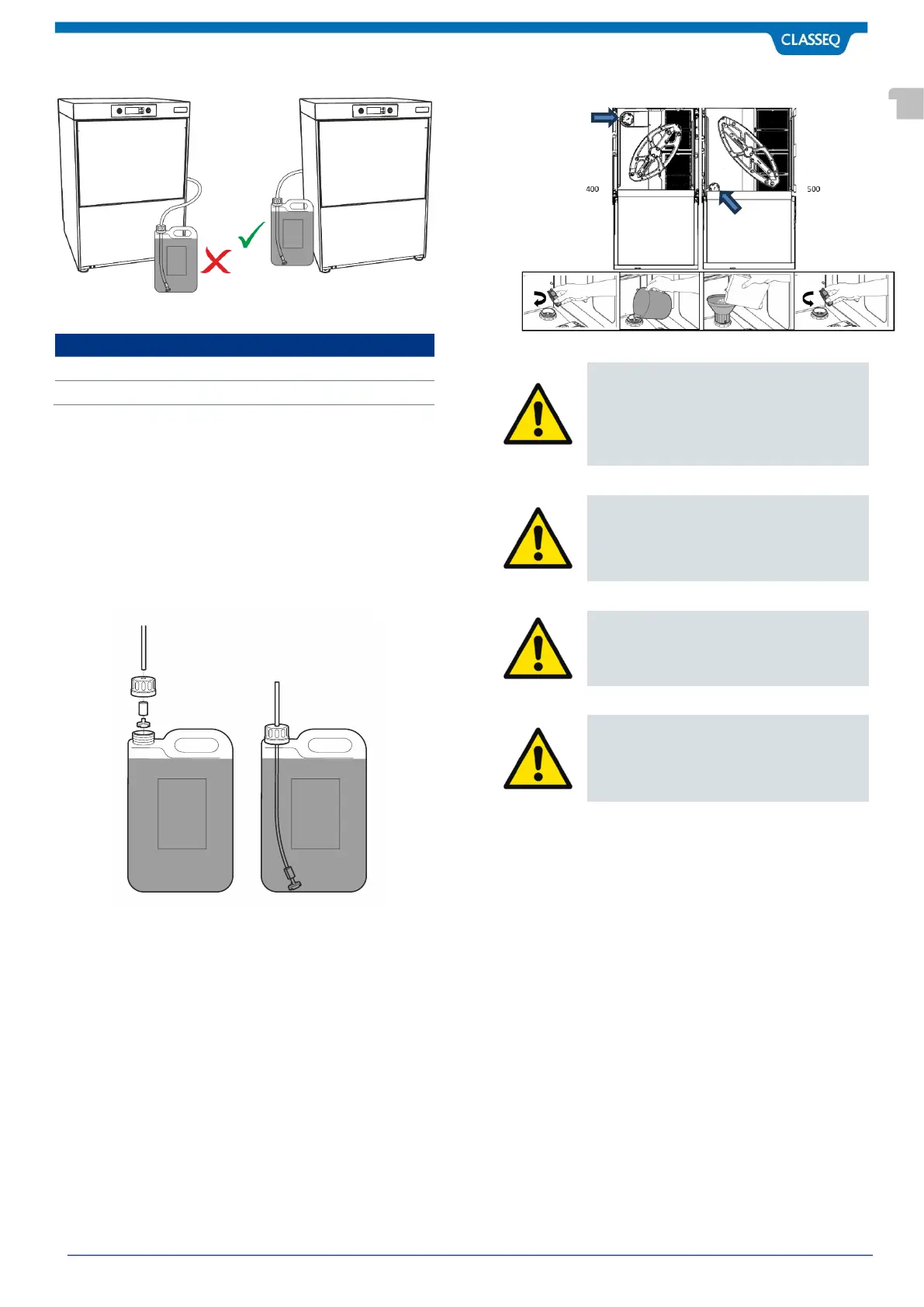
4.7.1 Preparing the bottles
1. Remove the cap from the chemical bottle.
2. Using the drill and 8mm bit, carefully drill a hole in the
centre of the cap.
3. Feed the tube through the hole.
4. Fit the bottle weight over the tube and then attach the
end of the tube to a filter.
5. Feed the filter and bottle weight into the bottle and
screw on the cap.
4.8 Integral Water Softener (if fitted)
To commission the Water Softener unit, follow the instructions
below:
1. Open the door to the warewasher.
2. Remove the Salt Reservoir Cap:
C400WS- Back left-hand corner of the Wash Chamber.
C500WS – Front left-hand corner of the Wash Chamber.
3. Fill the Reservoir with fresh water.
4. Using the Water Softener Funnel supplied, fill the
Reservoir with approximately 1.5kg of granulated salt.
5. Wipe away any excess or spilt salt from the Wash
Chamber and the Reservoir opening.
6. Refit the Salt Reservoir Cap, ensuring that the Cap is
fitted flat and secure.
7. Do not overtighten the Salt Reservoir Cap.
Caution
DO NOT run the warewasher if there is no
salt in the salt reservoir, as this will allow
limescale to build up. Limescale deposits in
the warewasher will invalidate the warranty.
Caution
DO NOT add any chemicals, such as
detergent or rinse aid to the reservoir. These
will cause damage to the warewasher.
Caution
If the Reservoir Cap is not properly secured,
water and/or chemicals can leak in or out of
the unit causing damage to the warewasher.



 To Next Page