17 18
MAINTENANCEMAINTENANCE
Trouble Shooting
• Only authorised technicans can carry out repairs.
• Before you call service,
fault yourself or if you have followed the user instructions.
• A technician will charge you for advice, even during the warranty period.
please check if you have dealt with the
Warning!
!
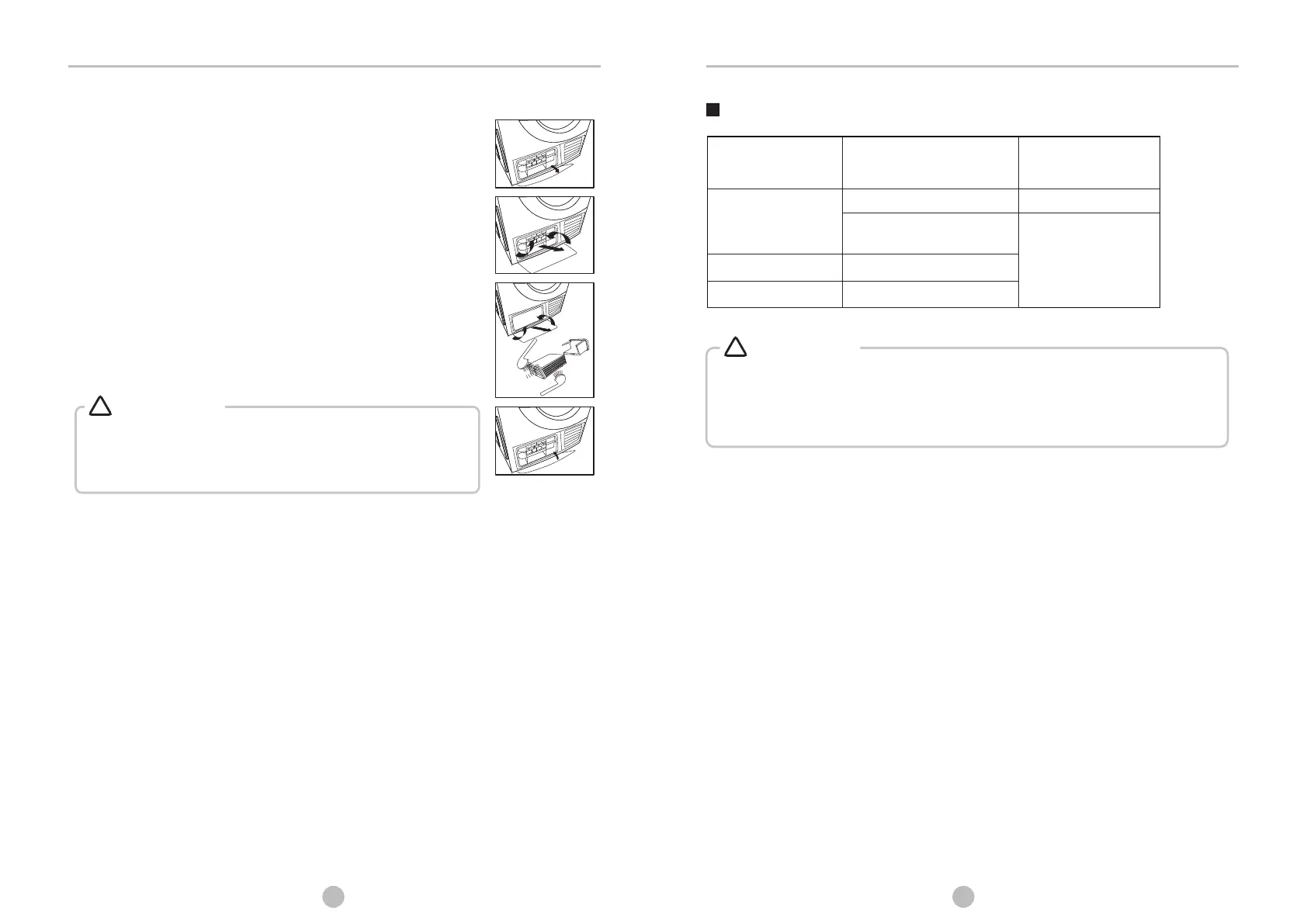
Wash air condenser
Leave the dryer to cool down.
Residual water may escape, place an absorbent
cloth under the maintenance cover.
1. Unlock the maintenance cover.
2. Completely open maintenance cover.
3. Screw both locking levers towards each other.
4. Pool out the air condenser.
5. Clean the air condenser completely, drain thoroughly.
6. Clean the seals.
7. Re-insert the air condenser, handle at the bottom!
8. Unscrew both locking levers.
9. Cloth the maintenance cover until it locks into position.
Please clean the air condenser approx, once every 3
months if frequently used.
Do not damage the air condenser!
• Clean with water only; do not use hard/sharp-edged objects!
Do not operate the dryer without the air condenser!
• During drying, water may collect between the window and the
seal, but this does not affect the function of your dryer!
Warning!
!
Empty container
Dispiay
Reason
Solutions
Container is full
Water pump failure or water
level sensor failure
P lease contact your
local service center
if the problem
persists
Humidity sensor error
“Full” LED on
permanently
Child Lock + 9h
Child Lock + 6h
Temperature sensor error


 To Next Page