6
To use your cooker hood:
1) Make sure it has been properly installed.
2) Find the CONTROL PANEL. It is located on the hood’s front
surface near the upper right corner of the unit.
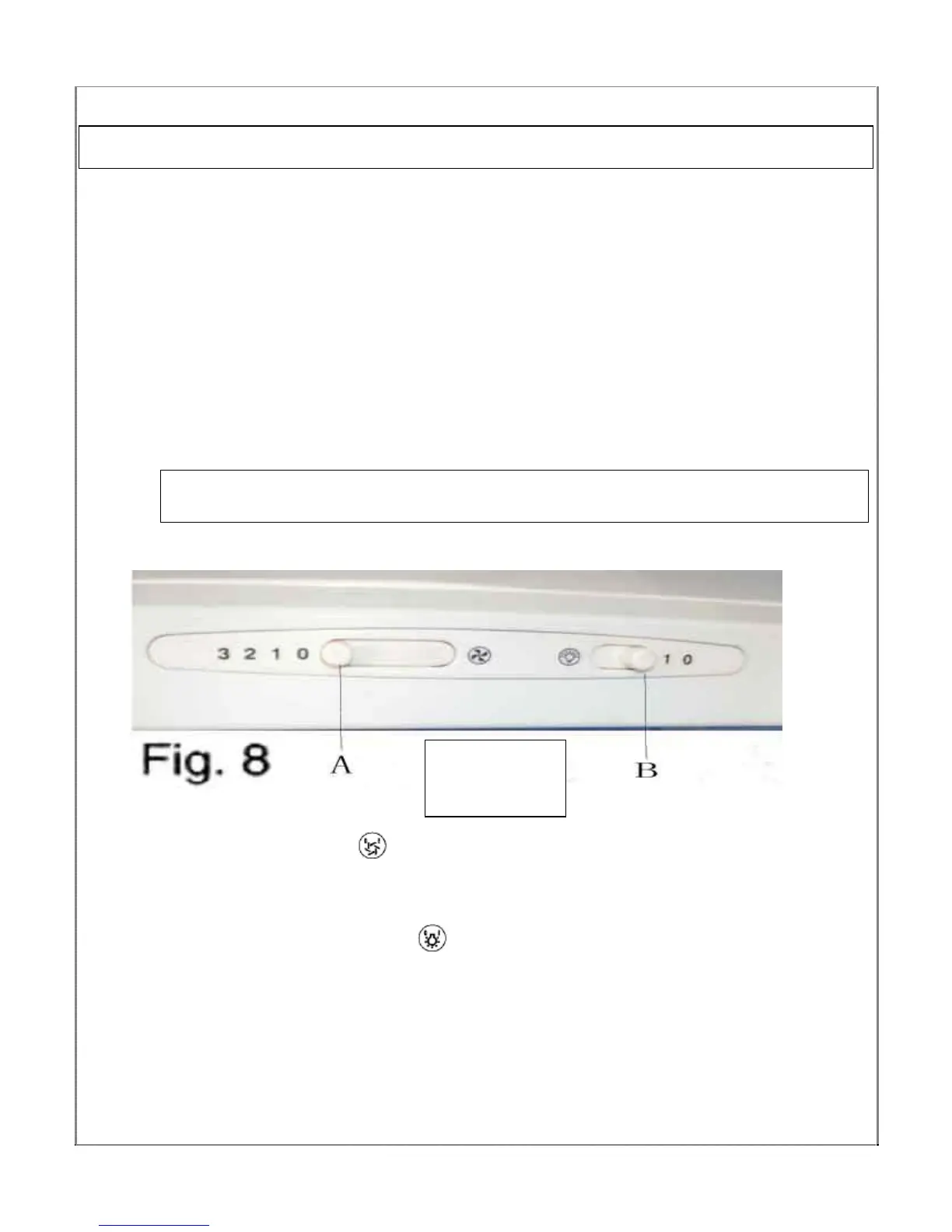
3) The CONTROL PANEL contains switches as shown in the Figure below.
These perform separate functions. You will need to understand what
both switches do before you attempt to use your cooker hood.
Note: The hood should be switched on at least as soon as you start
cooking.
*Slider switch:
MOTOR ON /OFF switch – the ‘
’ switch (‘A’ in figure above) turns the motor
on and off and adjusts its speed. There are three speeds, pushing the switch to
the right increases the speeds.
LIGHT ON/OFF switch - Pressing the ‘
’ switch (‘B’ in figure above) turns your
cooker hood’s light on and off.
Using your Cooker Hood:
Your Cooker
Hood’s
Control Panel



 To Next Page