EasyManua.ls Logo

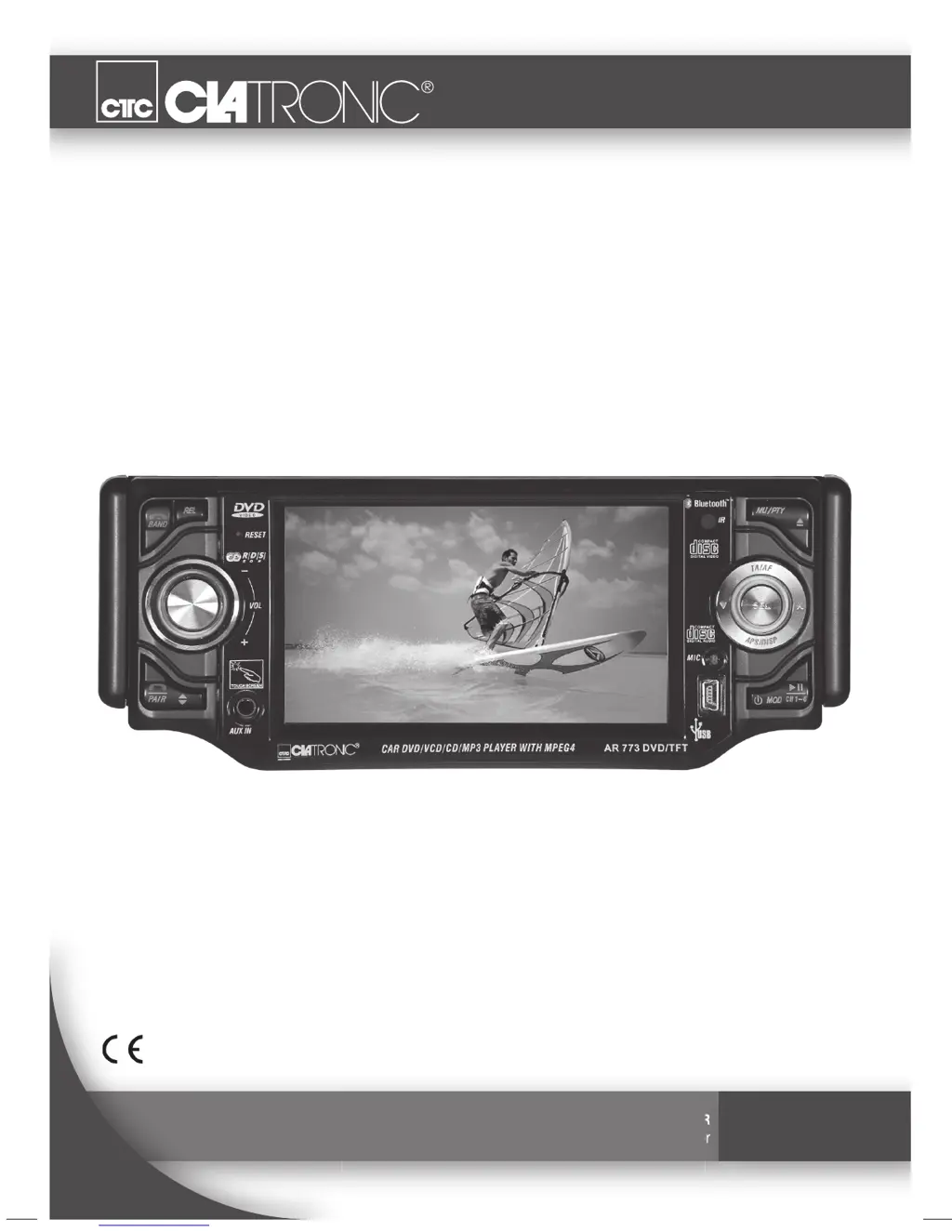
Clatronic AR 773 DVD/TFT - User Manual

Clatronic AR 773 DVD/TFT
50 pages
Go to English
Print Icon
To Next Page IconTo Next Page
Loading...
Bedienungsanleitung/Garantie
Instruction Manual/Guarantee
STEREO-AUTORADIO MIT DVD & TFT-MONITOR
Stereo Car Radio with DVD & TFT Monitor
AR 773 DVD/TFT
05-AR 773 DVD_D.indd 105-AR 773 DVD_D.indd 1 19.10.2007 14:13:06 U04.12.2007 14:10:00 Uhr_TH

Questions and Answers

  • D
    Diane BensonAug 13, 2025
    What to do if my Clatronic AR 773 DVD/TFT CD works intermittently?
    • S
      Steven GonzalezAug 13, 2025
      If your CD is skipping, there could be several reasons: * The road surface may be uneven; wait until it smooths out. * The device might not be firmly installed; ensure it is, using the rear attachment if needed. * The CD could be damaged; try another CD. * The CD might be dirty; clean it. * The device may be installed at an incorrect angle; ensure it doesn't exceed a 20° inclination.
  • M
    mgrahamAug 16, 2025
    What to do if my Clatronic AR 773 DVD/TFT Car Stereo System shows 'NO DISC'?
    • S
      Sarah PhillipsAug 16, 2025
      If the display shows 'NO DISC', it likely means the CD is inserted the wrong way round. Eject the CD and re-insert it with the correct side facing up.
  • N
    nshortAug 20, 2025
    What to do if my Clatronic AR 773 DVD/TFT Car Stereo System cannot be switched on?
    • J
      Jessica JoyceAug 20, 2025
      If your device isn't powering on, make sure the ignition key is turned to the 'ON' or 'ACC' position. Also, check the fuses and replace any blown fuses with a 5 A / 0,5 A fuse.
  • B
    Bruce MitchellAug 25, 2025
    What to do if my Clatronic AR 773 DVD/TFT cannot be operated and freezes?
    • J
      johnnywestAug 25, 2025
      If the device freezes, it could be due to voltage issues in the car's electrical system. Try pressing the RESET button.
  • R
    Richard SuttonAug 27, 2025
    Why are CDs only drawn halfway into my Clatronic AR 773 DVD/TFT?
    • D
      Douglas LopezAug 28, 2025
      If CDs are only being drawn in halfway, it's likely that the transport screws haven't been removed. Remove the transport screws to allow CDs to load properly.
  • A
    Angela MillerSep 1, 2025
    Why is the radio reception poor on my Clatronic AR 773 DVD/TFT Car Stereo System?
    • C
      Cathy EspinozaSep 1, 2025
      If you're experiencing poor radio reception, your vehicle may have a special antenna (phantom-powered antenna). Please contact your car workshop or a vehicle specialist. (For other manufacturers there are specific phantom power supply adapters and voltage adapters available.)
  • M
    Matthew ScottSep 4, 2025
    Why can't I select CD using the MOD(E) button on my Clatronic AR 773 DVD/TFT Car Stereo System?
    • M
      melaniegutierrezSep 4, 2025
      If you can't select the CD using the MOD(E) button, it could be because no CD is inserted. Insert a CD. Alternatively, if a USB storage medium is connected, remove it and try again.
  • K
    Katie AshleySep 8, 2025
    What to do if the Clatronic AR 773 DVD/TFT Car Stereo System doesn't stop at a station in automatic search mode?
    • G
      george05Sep 8, 2025
      If the radio doesn't stop at a station during automatic search, the transmission signals might be too weak. Try tuning in to a radio station manually.

Summary

Remote Control Functions

Safety Guidelines

Device, Laser, and Child Safety

General device safety, laser precautions, and child safety measures.

Road Safety and Driving Awareness

Emphasizes safe driving practices and situational awareness while using the radio.

Installation and Connection Safety

Critical safety information for installing and connecting the car radio.

Installation Procedure

Device Wiring and Connections

Wiring Diagram Overview

Illustrates the ISO connection, antenna, power, speaker, and RCA cable connections.

Connection Notes and Camera Functionality

Important notes on loudspeaker impedance, subwoofer connection, and reverse camera setup.

Installation Guidelines

Installation Considerations and Warnings

Covers transport screws, ISO connection, wiring, inclination, interference, and cooling.

Remote Control Operation

Battery Installation and Range

Instructions for remote control battery installation, replacement, and effective range.

Connectivity and Time Settings

USB and AUX Input Operations

Instructions for connecting and using USB storage media and external AUX devices.

Bluetooth Telephony Operations

Call Management and Transfer

Instructions for initiating, receiving, and transferring calls via Bluetooth.

Device Registration and Pairing

Step-by-step guide to pairing and registering mobile devices with the car radio.

Bluetooth Call Handling

Menu Navigation and Settings

Default Settings Adjustment

How to change default settings via the screen menu for permanent changes.

Display and Audio Configuration

Advanced Display and Audio Options

Parental Control System

Child Protection Setup and Ratings

Explains how to set up and use child protection with various rating options.

System Management

Password and Default Settings

Instructions for changing or resetting passwords and returning to default settings.

Troubleshooting Guide

Common Device and Reception Issues

Addresses faults like device operation, radio reception, and CD playback problems with solutions.

Connection and Power Troubleshooting

Solutions for connection errors, ignition issues, and blown fuses.

Warranty and After-Sales Service

Clatronic AR 773 DVD/TFT Specifications

General IconGeneral
Resolution480 x 234 pixels
Power Supply12V DC
Aspect Ratio16:9
Display Size7 inches
Media Formats SupportedDVD, CD, MP3, JPEG, WMA
ConnectivityUSB, SD card slot
Screen TypeTFT

Related product manuals