EasyManua.ls Logo

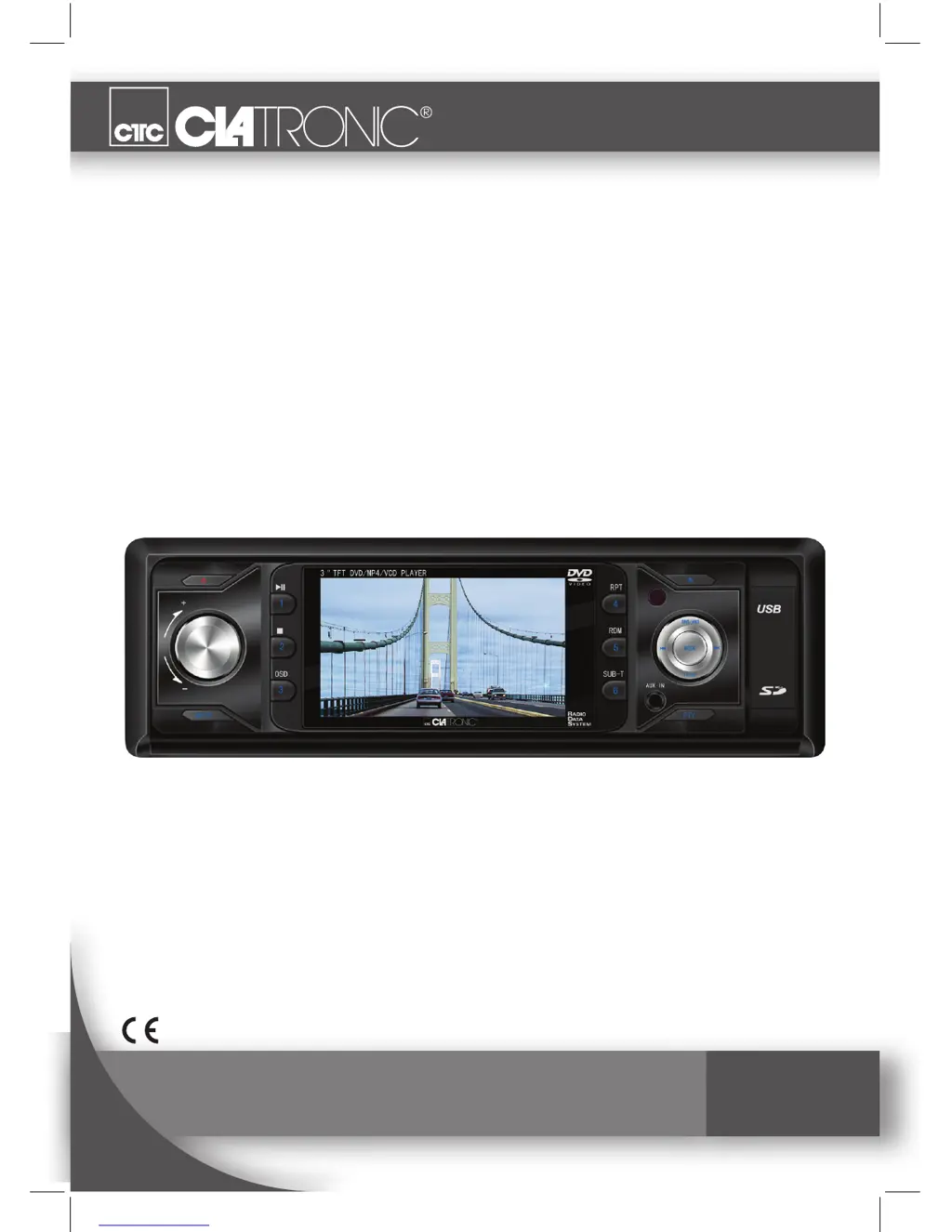
Clatronic AR 829 DVD - User Manual

Clatronic AR 829 DVD
38 pages
Go to English
Print Icon
To Next Page IconTo Next Page
Loading...
Bedienungsanleitung/Garantie
Instruction Manual
St e r e o -Au t o r A d i o m i t dVd/3” LCd-mo n i t o r /uSB
Stereo car radio with DVD/3” LCD-Monitor/USB
Ar 829 dVd/LCd

Questions and Answers

  • J
    Jacob GonzalezAug 10, 2025
    What to do if the CD does not play in my Clatronic AR 829 DVD Car Stereo System?
    • S
      Sheila Gonzalez DDSAug 11, 2025
      If your Clatronic Car Stereo System doesn't play CDs after insertion, first, make sure the volume isn't too low by turning it up. If that's not the issue, check that the +12 V and earth connections are correctly connected.
  • M
    Michael SaundersAug 17, 2025
    Why does my Clatronic AR 829 DVD Car Stereo System CD skip?
    • J
      Jennifer HernandezAug 17, 2025
      If your Clatronic Car Stereo System CD works intermittently, it may be due to a few reasons. If the road is uneven, wait until it becomes smoother. Also, ensure the device is firmly installed, using the rear attachment if needed. Finally, the CD might be damaged, so try another CD to see if that resolves the issue.
  • R
    richardlandryAug 22, 2025
    Why does my Clatronic AR 829 DVD Car Stereo System switch to radio when I insert a CD?
    • A
      Ana RhodesAug 23, 2025
      If your Clatronic Car Stereo System automatically switches to Radio mode after inserting a CD, the CD may be inserted the wrong way. Insert the CD right way round.
  • D
    Darren AndersonAug 28, 2025
    What to do if CD cannot be selected on Clatronic Car Stereo System?
    • W
      William BeltranAug 28, 2025
      If the CD cannot be selected using the MODE button on your Clatronic Car Stereo System, it might be because there is no CD inserted. Insert a CD.
  • M
    moralesjoshuaSep 3, 2025
    How to fix CDs being drawn only halfway into the Clatronic AR 829 DVD CD tray?
    • T
      Tammy AllenSep 4, 2025
      If CDs are only drawn halfway into the CD tray of your Clatronic Car Stereo System, it is likely that the transport screws have not been removed. Remove the transport screws.

Clatronic AR 829 DVD Specifications

General IconGeneral
CategoryCar Stereo System
Resolution800 x 480 pixels
DVD PlayerYes
USB PortYes
SD Card SlotYes
FM RadioYes
BluetoothYes
TouchscreenYes
Remote ControlYes
ModelAR 829 DVD
Supported formatsDVD, CD, MP3, WMA
Screen size7 inch

Related product manuals