EasyManua.ls Logo

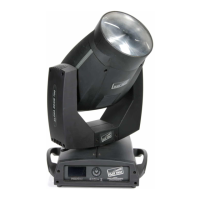
Clay Paky ALPHA SPOT QWO 800 - User Manual

Clay Paky ALPHA SPOT QWO 800
36 pages
Print Icon
To Next Page IconTo Next Page
Loading...
1
INSTRUCTION MANUAL
Congratulations on choosing a Clay Paky product!
We thank you for your custom.
Please note that this product, as all the others in the rich Clay
Paky range, has been designed and made with total quality to
ensure excellent performance and best meet your expectations
and requirements.
Carefully read this instruction manual in its entirety and keep it
safe for future reference. It is essential to know the information
and comply with the instructions given in this manual to ensure
the fitting is installed, used and serviced correctly and safely.
CLAY PAKY S.p.A. disclaims all liability for damage to the fitting
or to other property or persons deriving from installation, use and
maintenance that have not been carried out in conformity with this
instruction manual, which must always accompany the fitting.
CLAY PAKY S.p.A. reserves the right to modify the
characteristics stated in this instruction manual at any time and
without prior notice.
ENGLISH
C61380
C61381
ALPHA SPOT QWO 800
ALPHA SPOT QWO 800
ST
INDEX
Page Contents
2 Safety Information
3 Unpacking and preparation
4 Installation and start-up
5 Control panel
7 Menu setting
15 Maintenance
24 Optional accessories
26 Technical information
26 Cause and solution of problems
27 Channel functions
Question and Answer IconNeed help?

Do you have a question about the Clay Paky ALPHA SPOT QWO 800 and is the answer not in the manual?

Summary

Safety Information

Unpacking and Preparation

Installation and Start-up

Control Panel

Control Panel Overview and Operation

Provides an overview of the control panel and its operational features.

Button Functions and Menu Navigation

Explains the functions of control panel buttons and how to navigate the projector's menu system.

Setting Addresses and Options

Details how to set DMX address and other options when the projector is disconnected.

Menu Setting

Set Up Menu Configuration

Details settings for DMX Address, Channel Mode, Fixture ID, and Ethernet interface configuration.

Options Menu - Pan;Tilt and Color Settings

Covers Pan/Tilt inversion, homing, and color mixing settings within the Options menu.

Options Menu - Shutter and Auto-focus Settings

Details Shutter, Dimmer, and Auto-focus modes within the Options menu.

Options Menu - Macro Effects and Display Settings

Covers Macro effects, display brightness, and preset saving/loading in the Options menu.

Information Menu

System Errors and Diagnostics

Lists system errors and displays board diagnostic status for troubleshooting.

Usage Counters and System Version

Displays fixture hours, lamp hours, lamp strikes, and system version information.

Monitor and Network Parameters

Displays DMX levels, fan speeds, sensor status, and network parameters.

Manual Control Functions

Lamp, Reset, and Channel Control

Control lamp power, reset projector, and adjust channel levels directly from the panel.

Test Menu Procedures

Executing Effect Tests

Run test sequences for various projector effects like Pan/Tilt, Color, and Gobo.

Advanced Menu Operations

Firmware Upload and Model Setup

Transfer firmware to fixtures and change the default projector model.

Calibration and Factory Defaults

Adjust effects for uniformity and restore all channel values to factory defaults.

Maintenance Procedures

Head and Lamp Compartment Access

Procedures for opening and closing the head and lamp compartments.

Lamp Replacement and Regulation

Steps for replacing and adjusting the projector lamp.

Gobo Replacement Procedures

Instructions for replacing fixed and rotating gobos, including specifications.

Periodical Cleaning and Servicing

Guidelines for periodic cleaning and annual servicing by a qualified technician.

Effect Module Extraction and Insertion

Procedures for Module Removal

Detailed steps for safely extracting effect modules from the projector using figures 20, 21, 22.

Battery Removal and Disposal

Optional Accessories

Diffuser Filter Assembly

Instructions for assembling the diffuser filter accessory.

Diffuser Filter Installation Details

Further details and notes for assembling the diffuser filter.

Technical Information

Projector Specifications

Details power, lamp, motors, optical unit, inputs, and physical characteristics.

Troubleshooting Guide

Channel Functions

Channel Overview, Modes, and Color Functions

Overview of channels, modes, color mixing, CTO, and color wheel details.

Movement, Focus, and Gobo Functions

Details for pan, tilt, zoom, focus, gobo, and macro channels.

Special Effects and System Control Functions

Details for strobe, dimmer, iris, prism, frost, animation, reset, and lamp control.

Timing Channels

Timing Channel Functions and Values

Details timing channels for Pan/Tilt, Color, Beam, Gobo, and their corresponding BIT values.
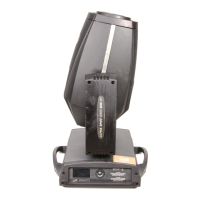
Clay Paky ALPHA SPOT QWO 800 Specifications

General IconGeneral
BrandClay Paky
ModelALPHA SPOT QWO 800
CategorySpeakers
LanguageEnglish

Related product manuals