V600+
Caution
1) When using product for the first time or storing for an extended period, please charge the battery fully.
2) Overheating due to continuous use for an extended time may cause safety accidents such as product failure, fire, etc.
After 3-4 hours of continuous use, give some time to allow product to cool down.
3) Do not put objects or fingers into the operating fan. (Be careful of hair getting caught.)
4) Keep it out of the reach of children. (For children under the age of 10, please use under adult supervision.)
5) Do not disassemble, modify, or repair on your own.
6) Be careful in wet environments (bathrooms). Discontinue use if it has water damage.
7) If the temperature rises or the outer appearance deforms during charging, discontinue use and contact a customer center.
8) Do not use it in high-temperature environments (near fires or heating appliances).
It may cause an explosion or ignition.
9) Do not bend more than the permitted angle adjustment. This may cause damage to the product.
10) Do not use if it exceeds the operating temperature range (-10°C-40°C).
11) Avoid storing or using in vehicles that are exposed to direct sunlight.
It may cause explosion or product malfunction.
12) Do not charge it in contact with easily flammable materials like carpets or blankets.
13) After use, be sure to turn off the power for storage.
14) If the product is dropped or exposed to physical shock, damage may accumulate inside the product and
unexpected malfunctions may occur even during normal use. Be careful not to apply physical shocks to the main unit.
PAGE
01www.claymoreoutdoor.com
Contents
V600+ Tripod Stand Case
USB charging cable
(USB Type-C)
Components
WARM GRAYSAND BEIGE
No. Name
Fan power Wind speed control button
Wind speed indicator
Timer setting button
Timer indicator Battery check
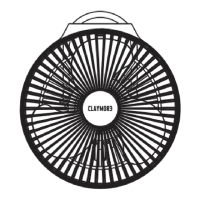
Safety cage
Handle wire
1
2
3
4
5
6
Charging indicator
7
Power In port (for charging main body)
8
Tripod connection
9
Tripod socket (1/4 inch)
10
8
6
9
10
7
1 2
5
3
4
※ The components of some products may differ from the content.


 To Next Page

 General