CABLE BOX SETUP
You must first complete TV setup before proceeding. (See Page 1)
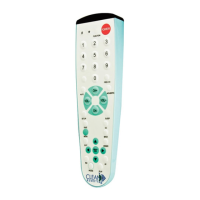
1) With the cable box ON, Press and Hold Down both the SETUP and ENTER buttons at the same
time,until the LED light turns on and remains ON.
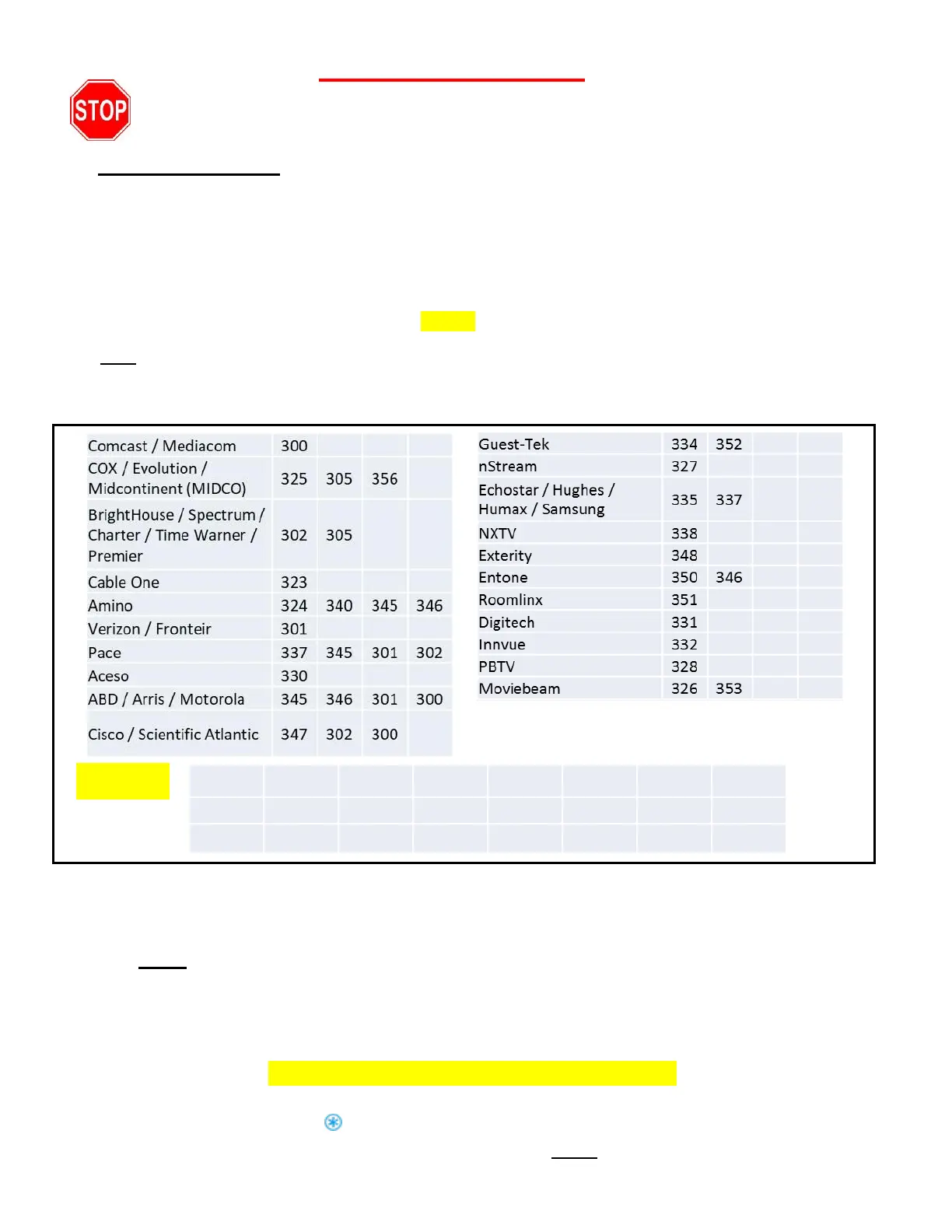
2) Enter the three digit direct access number for your brand from the list below; the LED light will then
turn off confirming it was accepted.
Now test the remote: Point the remote toward the Cable Box and TV and try the CH+ and CH- buttons as
well as the the channel numbers. If the channels change correctly, make sure VOL+ , VOL- and TV power
(ON and OFF) work. If they do, you are done. If not, repeat these steps with all the access numbers listed
for your brand before trying the numbers listed as “Other”.
Hint: If your Cable Provider is not listed, please search by the manufacturer of your cable box.
Trouble Shooting
Important Note: If you think you missed the TV code or you intend to use the remote on a different
brand TV:
R
eset
the remote back to the beginning of the code search: Press and hold the SETUP button
down, then press and hold the CC button down at the same time until the red LED light blinks quickly 3
times, then release both buttons. You have now reset the code list back to the beginning. Then see Easy
TV Setup on page 1.
Reset remote to work TV only without a cable box.
If you’ve already set up the remote to work both a TV and a Cable Box and now wish to operate TV only
without a cable box. Hold down the button and SETUP button together until the remote blinks 3 times
quickly and immediately release both buttons. Then follow the Reset instruction in the above paragraph.
PAGE 2
Copyright© 2017, Starlight Electronics LLC, Command In Hand Inc. rev.04-11-2019



 To Previous Page
 Loading...