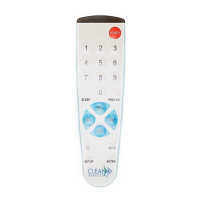
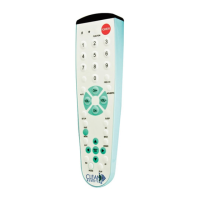
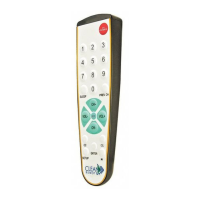
INSTRUCTIONS FOR CR2M * CLEAN REMOTE®
Works over 250 brands of commercial and retail TVs and most Pay-Per-View systems
No codes needed for TVs NOT connected to Pay-Per-View Movie systems. Simple ONE TOUCH set-up
IMPORTANT--- PAY-PER-VIEW MOVIE SYSTEMS DO REQUIRE CODE ENTRY
;
After Installing 2 AAA
batteries
SEE BACK PAGE
Battery Installation:
1. Open cover: With keypad facing you, first slide dark lens cover away from you (photo A, step 1)
and then lift lid upward from the back (photo A, step 2)
2. When placing AAA batteries in the compartment note the
+
and
-
symbols on the metal hinge
should make contact with the corresponding + and - end of each battery (photo B).
3. Closing cover:
With keypad facing away from you
gently close cover by pressing downward
(photo C, step 1) and sliding it toward the front (keypad) until it is aligned. (photo C, step 2)
4. Test remote by pressing the POWER button; the LED should light indicating that the batteries are in
correctly. If the LED doesn’t light, then the batteries are either in wrong or the batteries are bad.
Photo A Photo B Photo C
Open with keypad facing you Close with keypad facing away from you
NO CODE ENTRY/ONE STEP PROGRAMMING
For all TVs NOT connected to Pay-Per-View Movie systems
1. For TVs connected to Pay-Per-View movie systems turn over page for Instructions.
2. For TVs
not connected
to Pay-Per-View movie systems: Turn on the TV and then stand back
about 5 feet from TV. Point the remote at the CENTER of the front panel of the TV. It will not be
necessary to point the remote at that exact area once the remote is set-up.
3. Press and firmly hold down the SETUP button, do not release. The LED will blink once and then
after 7 seconds it will initiate code search. The LED will continue to blink every 2 seconds. Once
your TV shuts off immediately remove your finger from the SETUP button. The code automatically
locks in.
4. Test the remote. If basic functions work, you are done. Menu functions will only work with Pay-Per-
View systems.
Not all buttons will work because this is universal remote. If the main functions are
not working properly, you may not have an exact code match. Start again at step #1. The code
search will continue where it left off.
Important Note: If you think you missed the code or are testing remote on different
brand TVs:
Reset the remote back to the beginning of the code search. First press and hold the
SETUP button for 3 seconds and then while still pressing SETUP, press and hold the CC button
down at the same time until the red LED light blinks quickly 3 times. You have now reset the code
list back to the beginning. Go back to step 1.

 Need help?
 General

 To Next Page