10
Removing and Reinstalling the Battery
NOTE: Turn the vacuum off. If the battery charger
is plugged into the charge point on the vacuum,
remove the charger from the charge point before
removing the battery.
The battery can be removed and charged
independently from the vacuum.
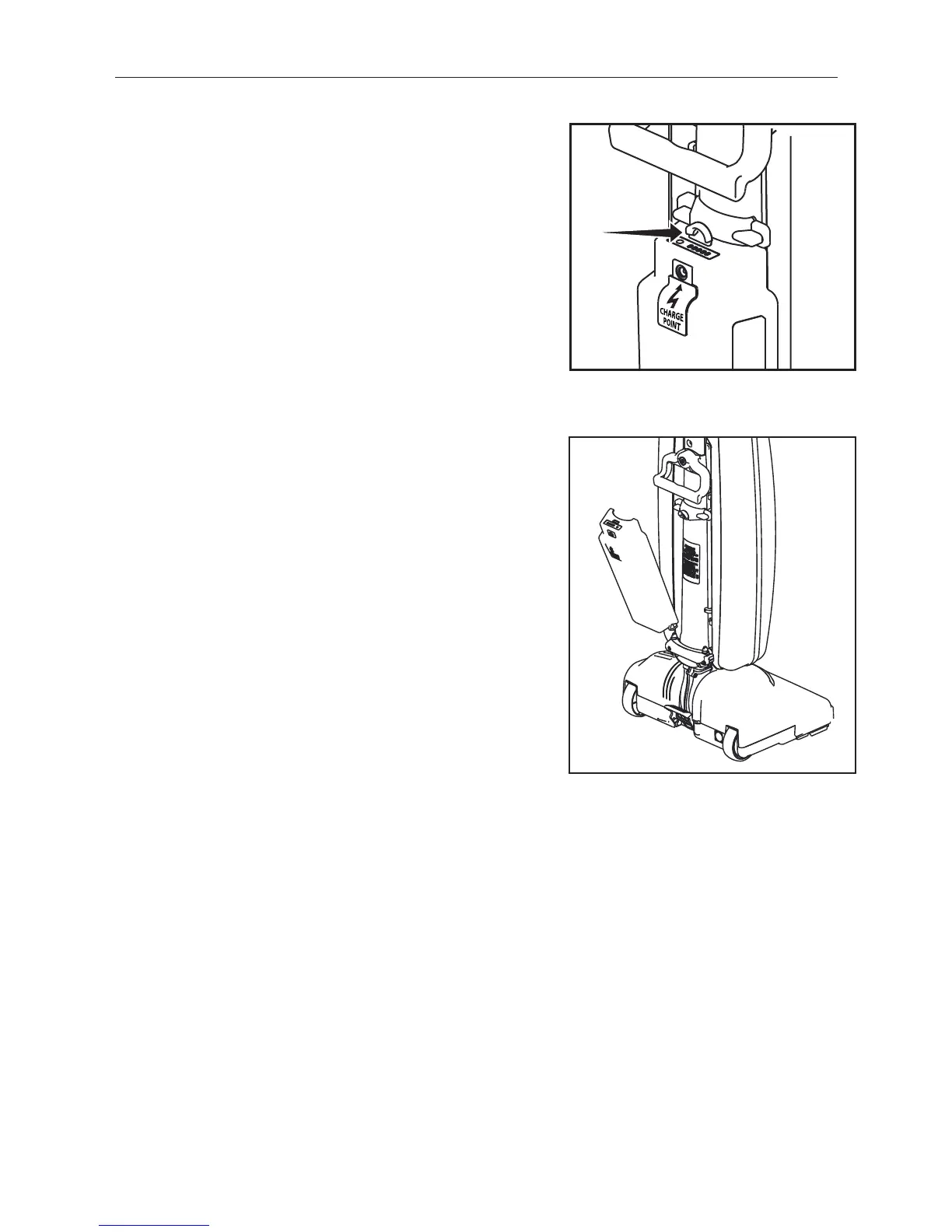
• To remove the battery push up on the release
button and lift the battery off (Fig. 1).
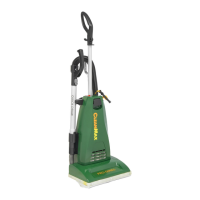
• To replace the battery, line up the bottom of the
battery with the posts at the base of the battery
mount. Push the battery in until it clicks (Fig. 2).
Fig. 1
Fig. 2
MATERIAL
DRAWN
ISSUED
SCALE
FINISH
DATE
DATE
DO NOT SCALE
UNLESS OTHERWISE SPECIFIED
DESCRIPTION
DRAWING SIZE:C
PART NUMBER
SHEET 9 OF 9
TACONY CORPORATION CLAIMS PROPRIETARY
RIGHTS IN THE MATERIAL DISCLOSED HERE IN.
THIS DRAWING IS ISSUED FOR ENGINEERING
INFORMATION ONLY. IT MAY NOT BE REPRO-
DUCED, NOR MAY THE INFORMATION HERE IN
BE USED FOR MANUFACTURING PURPOSES
WITHOUT WRITTEN PERMISSION FROM TACONY
CORPORATION.
0.250
TACONY CORPORATION
1760 Gilsinn Lane, Fenton, MO 63026
DESCRIPTION OF CHANGE
REV
PART NUMBER
SHEET
9 OF 9
X.X .5 mm RADII X.X .5mm
X.XX .25mm X.XX .25mm
X.XXX .12mm MACHINE SURFACE
X.XXXX .012mm BREAK SHARP CORNERS TO .25mm MAX
0 30" COMMON TO BE CONCENTRIC TO .05mm
BYECN NODATEREV



 To Next Page