EasyManua.ls Logo

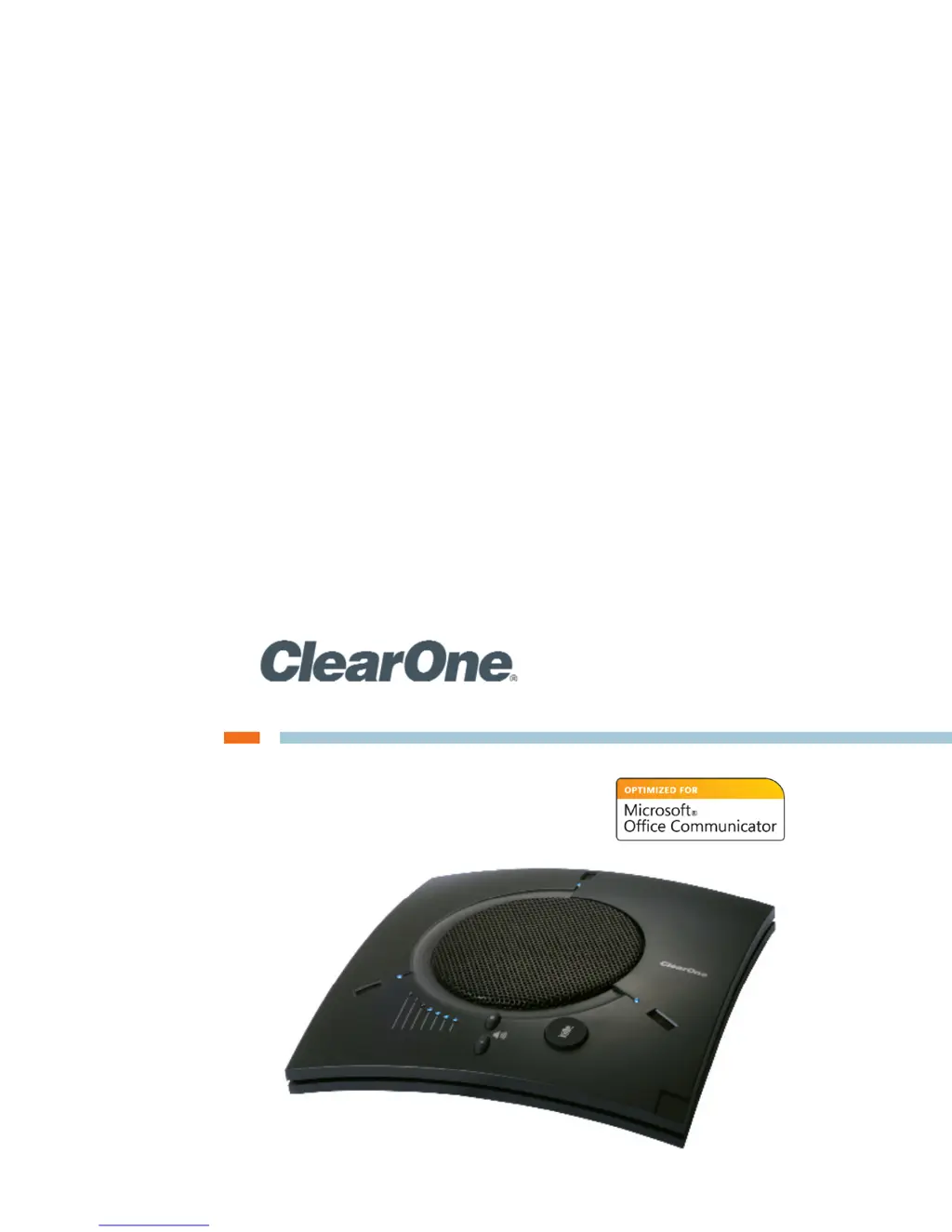
Clear One Chat 170 - User Manual

Default Icon
35 pages
Print Icon
To Next Page IconTo Next Page
Loading...
USER’S MANUAL
CHAT
®
170 - Group Speaker Phone for Office Communicator

Table of Contents

Questions and Answers

Summary

Chapter 1: Introduction

Product Overview

Details the features and purpose of the ClearOne CHAT 170 speakerphone.

Service and Support

Provides contact information and encourages user feedback for product improvement.

Technical Support

Lists telephone, fax, email, and website for obtaining technical assistance.

Sales and Customer Service

Provides contact details for inquiries related to sales and customer service.

Product Returns

Explains the procedure and requirements for returning a product.

Unpacking

Describes the contents of the CHAT 170 box and advises on handling shipment damage.

Replacement Parts & Accessories

Lists available parts and accessories for the CHAT 170 and how to purchase them.

Chat 170 Configurations

Outlines different configurations of the CHAT 170 and their respective usage profiles.

Chapter 2: Getting Started

Chat 170 Controls

Introduces the physical controls and buttons on the CHAT 170 speakerphone.

LED Indicators

Explains the function and meaning of the various LED lights on the CHAT 170.

Volume and Mute Buttons

Details how to use the volume adjustment and mute buttons on the device.

Headset Button

Describes the function of the headset button on the phone breakout box.

VC Breakout Box

Explains the role and functionality of the VC Breakout Box.

Installing the Chat Software for Windows

Provides step-by-step instructions for downloading and installing the CHAT software.

Connecting the Chat 170 to a PC

Guides users on how to physically connect the CHAT 170 to a computer via USB.

Connecting the Chat 170 to External Devices

Introduces connections to devices other than a PC, like telephones and VC systems.

Connecting to a Telephone

Details how to connect the CHAT 170 to enterprise telephone handsets.

Connecting to a Video Conferencing Device

Explains the process of connecting the CHAT 170 to video conferencing systems.

CHATAttach: Connecting Two CHAT Devices

Describes how to link two CHAT devices for larger conference setups using CHATAttach.

CHATAttach Working Modes

Outlines the different operational modes of the CHATAttach accessory.

CHATAttach Troubleshooting

Provides solutions for common issues encountered with the CHATAttach accessory.

Chapter 3: Configuring the Chat 170

Configuring Your Chat 170

Explains how to configure the CHAT 170 for specific connected devices using the CHAT software.

Device Setup

Details the steps within the CHAT software to set up connected devices.

Optimizing Sound Quality

Provides guidance on adjusting audio settings for optimal sound quality.

Using with Pre-Defined Device Settings

Describes how to use pre-configured device settings for good sound quality.

Applying Audio Settings to the Chat 170

Explains how to apply custom audio settings to the CHAT 170 device.

My Devices

Manages configured devices and allows switching between saved settings.

Chapter 4: Using the Chat Application

Using the Chat Application

Guides users on operating the CHAT 170 through its dedicated software application.

Using A Third-Party Application

Advises on using the CHAT 170 with applications like Skype or Cisco Communicator.

Update Firmware & Database

Explains how to update the CHAT 170's firmware and device database.

Check for Firmware Updates

Details the process for checking and applying automatic firmware and database updates.

Manual Updates

Provides instructions for manually updating firmware or database packages.

Help

Access online help, product information, and registration details.

Advanced

Accesses advanced settings for audio configuration, database management, and logs.

Advanced Settings: Audio Settings

Allows adjustment of microphone, speaker, input, and output audio levels.

Advanced Settings: Database

Enables viewing, editing, and managing the CHAT 170 device database.

Edit Custom Audio Setting

Describes how to edit or delete custom audio settings previously saved.

Advanced Settings: LOG

Displays a log of actions taken by the CHAT 170 with timestamps.

Chapter 5: Maintenance

Caring for the Chat 170

Provides instructions on how to properly clean and maintain the CHAT 170.

Troubleshooting

Offers solutions for common audio and connectivity problems.

Interrupted Firmware Update Recovery

Guides users on recovering the CHAT 170 from interrupted firmware updates.

Chapter 6: Appendix

Specifications

Lists the technical specifications, including connections, audio, power, and OS support.

Compliance

Presents information regarding regulatory compliance and declarations of conformity.

European Compliance

Details CE marking and conformity with relevant EU directives.

FCC Part 15;ICES-003 Compliance

States compliance with FCC and Industry Canada limits for Class B digital devices.

FCC Part 15.19(A) (3) Compliance

Provides the required FCC statement regarding device operation and interference.

Warranty

Outlines the product warranty, including coverage and limitations.

Clear One Chat 170 Specifications

General IconGeneral
ConnectivityUSB, Bluetooth
Speaker OutputFull Duplex
Echo CancellationYes
Noise ReductionYes
Microphone Range360 Degrees
CompatibilityMac
Frequency Response100 Hz
Power SourceUSB