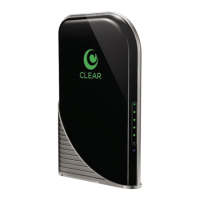
Need help?
Do you have a question about the Clear G SERIES and is the answer not in the manual?
Lists the items included with the CLEAR Modem.
Explains the function of the Modem's LED lights.
Provides safety and handling instructions for the Modem.
Guides on optimal placement for the Modem.
Instructions for connecting the Modem's cables.
Details on establishing a connection to the CLEAR 4G network.
Steps to complete the setup and connect to the internet.
Introduces the Modem Home Page and its capabilities.
Describes the Home Tab, showing signal and device settings.
Details the Device Status Tab and its displayed information.
Continues detailing the Device Status Tab information.
Instructions for setting or changing the Modem's login password.
How to set the Modem's time zone and Daylight Saving Time.
Guide to changing the Modem's device name.
Explains how to reset the Modem to factory default settings.
Instructions for setting the user interface language.
Details on configuring the Modem's firewall settings.
Explains Internet Protocol settings like DHCP and Host Name.
Guide to setting up Dynamic Domain Name Service (DDNS).
Covers UPnP IGD and DMZ IP Address for port forwarding.
Details on adding/deleting IP addresses for port forwarding.
Configuration of DHCP server settings for IP address assignment.
Displays active DHCP leases and lease duration.
Manages lease reservations for consistent IP addresses.
Explains the meaning of different LED indicators on the Modem.
Tips for improving the CLEAR 4G signal strength.
Troubleshooting steps for internet browsing issues.
Instructions for connecting to a home wireless network.
Procedures for resetting the Modem to its default state.
Information regarding account status and payments.
Lists hardware details, requirements, and specifications of the Modem.
Information on accessing FAQs and live chat support.
Contact details for telephone support services.
Guidance on managing bills and payments.
Reference to a separate document with regulatory and safety info.
Details on the product's warranty.
Legal notices, trademarks, and terms of service.
 General
| Type | 4G LTE |
|---|---|
| Max Download Speed | 150 Mbps |
| Max Upload Speed | 50 Mbps |
| Wi-Fi Standard | 802.11 b/g/n |
| Model | G SERIES |
| Network Type | 4G LTE |
| Frequency Band | B1/B3/B5/B7/B8/B40 |
| SIM Slot | 1 |


 To Next Page