4
Set up the Modem
Place the Modem on a Flat, Stable Surface
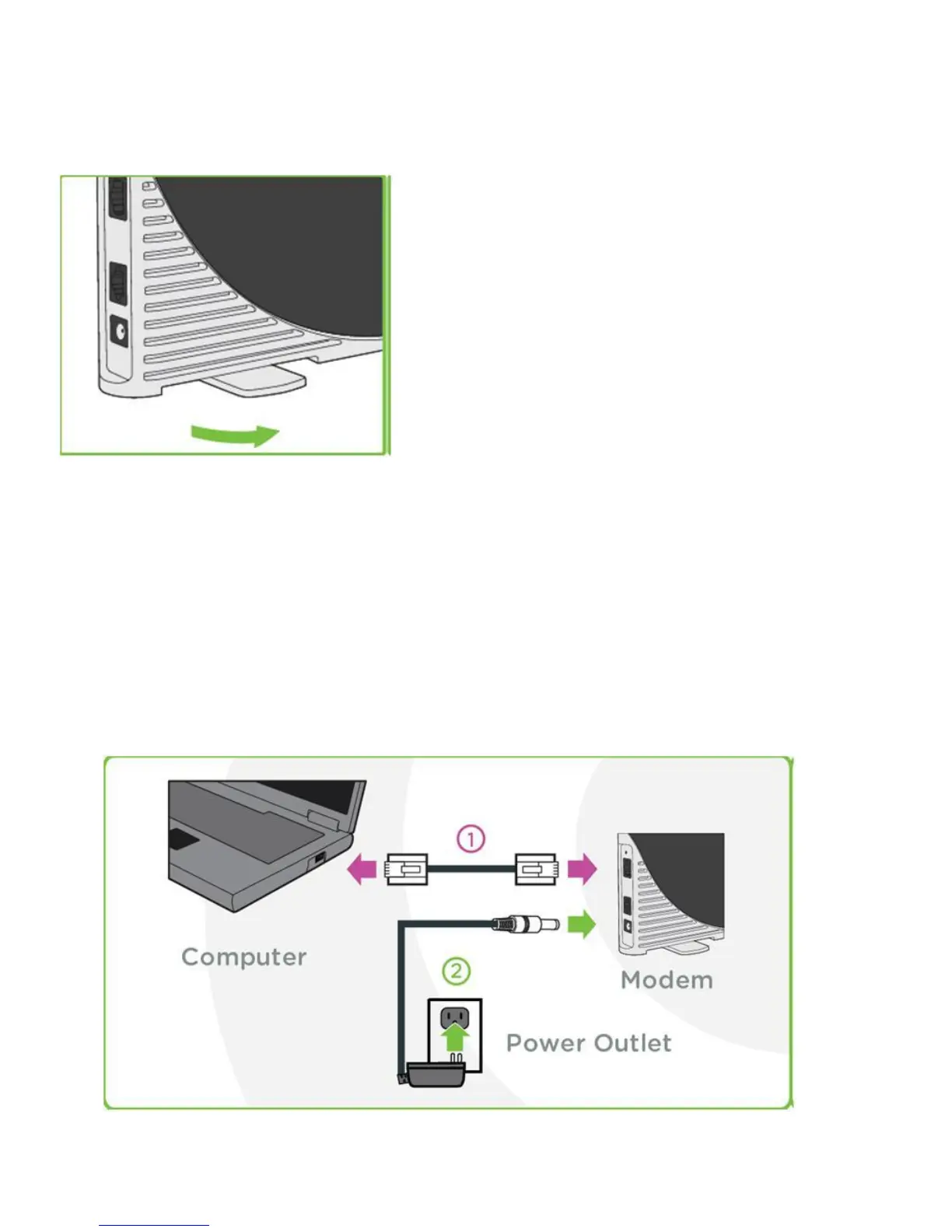
Rotate the foot of the Modem and place it upright on a flat, stable surface.
Do not place the Modem on its side or block the top air vents. The preferred location is near a
window and away from obstructions.
Plug in the Cables
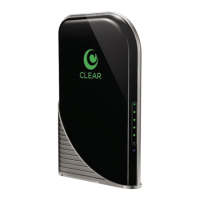
1) Plug one end of the Ethernet Cable into the ethernet port on your computer and plug the other end
into the Modem.
2) Plug one end of the Power Adapter into the AC Power Port on the Modem and plug the other end
into a power outlet.



 To Next Page