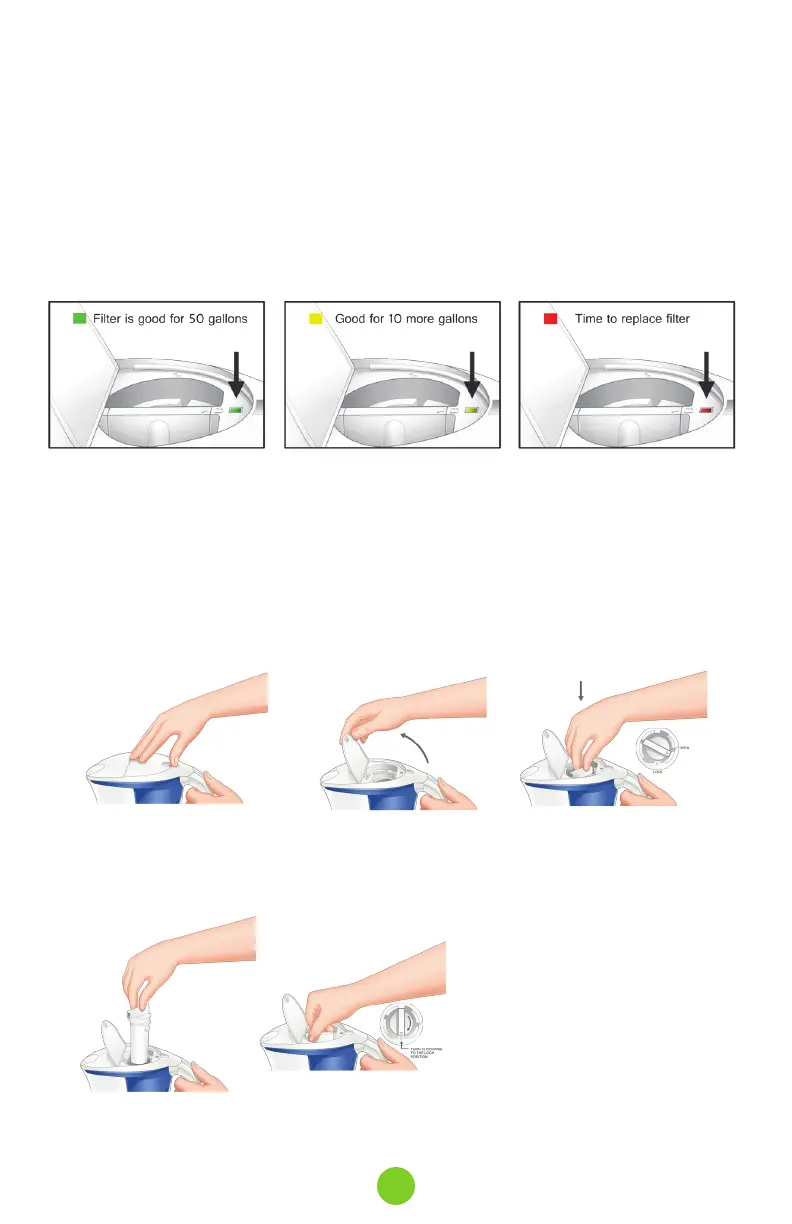
Your unit has an Intelligent Filter Indicator built into the filter cover that automatically activates
the flow meter indicator and resets it every time you install a new filter. This makes it easy to
know exactly when to replace the filter.
1. Once the filter is installed, the indicator will be green for 50 gallons of water consumption.
1. Hold pitcher with one
hand and with the other
use your index fingers to
open lid
2. Lift the pitcher lid to
open upwards.
3. Remove filter by turning
counter clockwise
5. Insert the new filter into the filter
reservoir by lining the arrow on the
filter bar with unlock symbol on the
lid. Turn the bar clockwise to the
locked symbol position. The top of
the filter must be fully aligned with
locked position.
Filter must be locked in place.
6. Close the filter lid.
2. Then it changes to yellow for 10 more gallons of water.
3. Once indicator changes to red, it’s time to replace the filter.
4. Do not unlock the filter unless you are replacing it.
Unlocking the filter will reset the filter indicator.
Intelligent Filter Indicator
Replacing A New Filter
4. Pull filter up to remove.
9



 To Next Page