User manual / Bedienungsanleit ung
Made in Germany 13
5.6 Fine adjustment of the tracking force
Set t he cor r ect t racking for ce of you r car t r i dge accor di n g t o t he man u f act ur er s in st r uct i on s.
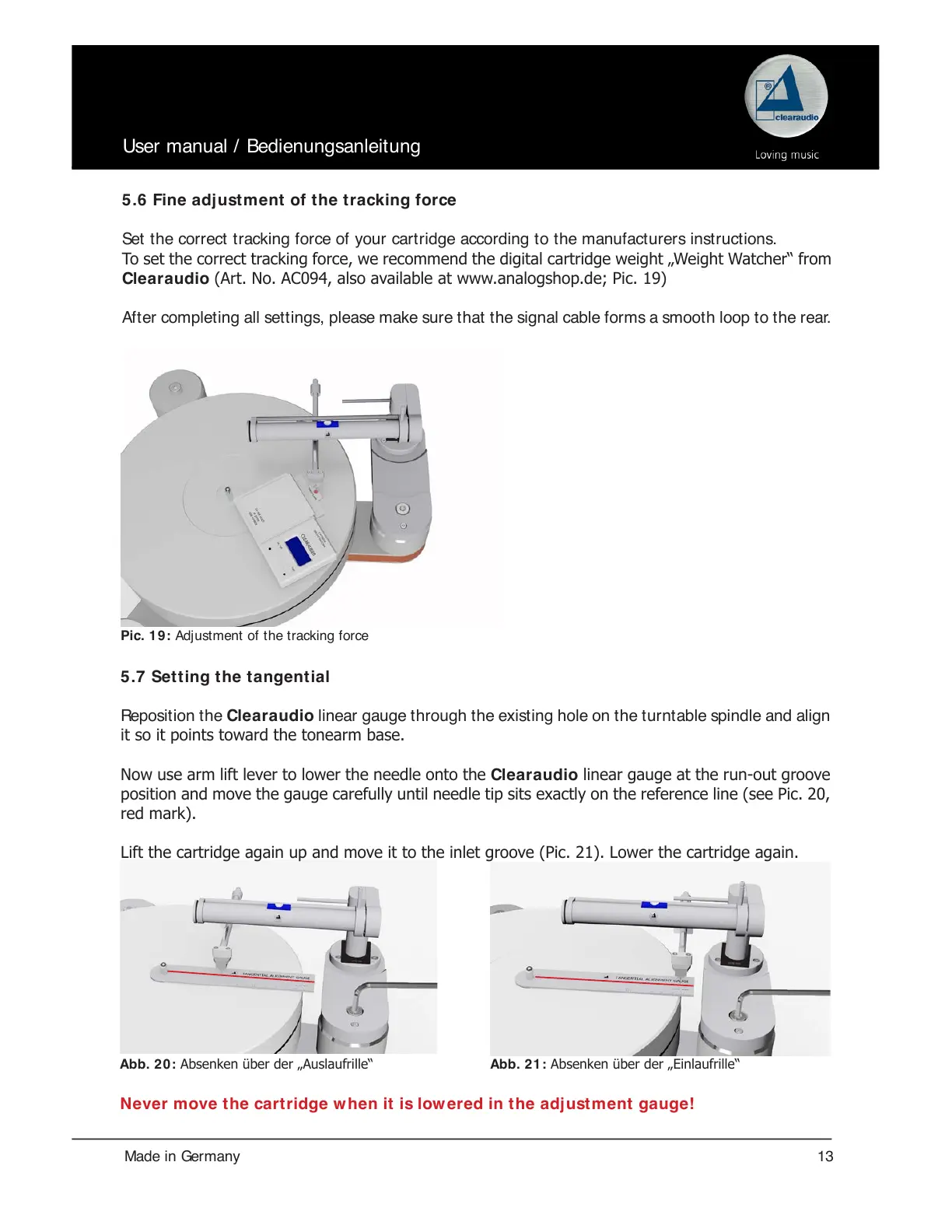
To set the correct tracking force, we recommend the digital cartridge weight „Weight Watcher“ from
Clearaudio (Art. No. AC094, also available at www.analogshop.de; Pic. 19)
Aft er complet ing all sett ings, please make sure t hat t he signal cable forms a smoot h loop t o t he rear.
Pic. 19: Adj ust ment of t he tracking force
Abb. 2 0 : Absenken über der „Auslaufrille“ Abb. 2 1 : Absenken über der „Einlaufrille“
5.7 Setting the tangential
Rep o si t i on t h e Clear audio linear gauge through the existing hole on the turntable spindle and align
it so it points toward the tonearm base.
Now use arm lift lever to lower the needle onto the Clearaudio linear gauge at the run-out groove
position and move the gauge carefully until needle tip sits exactly on the reference line (see Pic. 20,
red mark).
Lift the cartridge again up and move it to the inlet groove (Pic. 21). Lower the cartridge again.
Never move the cartridge when it is lowered in the adjustment gauge!


 To Next Page