Home
ClearClick
Scanner
QuickConvert 2.0
Page 12
ClearClick QuickConvert 2.0 - Page 12
26 pages
Manual
Save Page as PDF
To Next Page
To Next Page
To Previous Page
To Previous Page
Loading...
12
f.
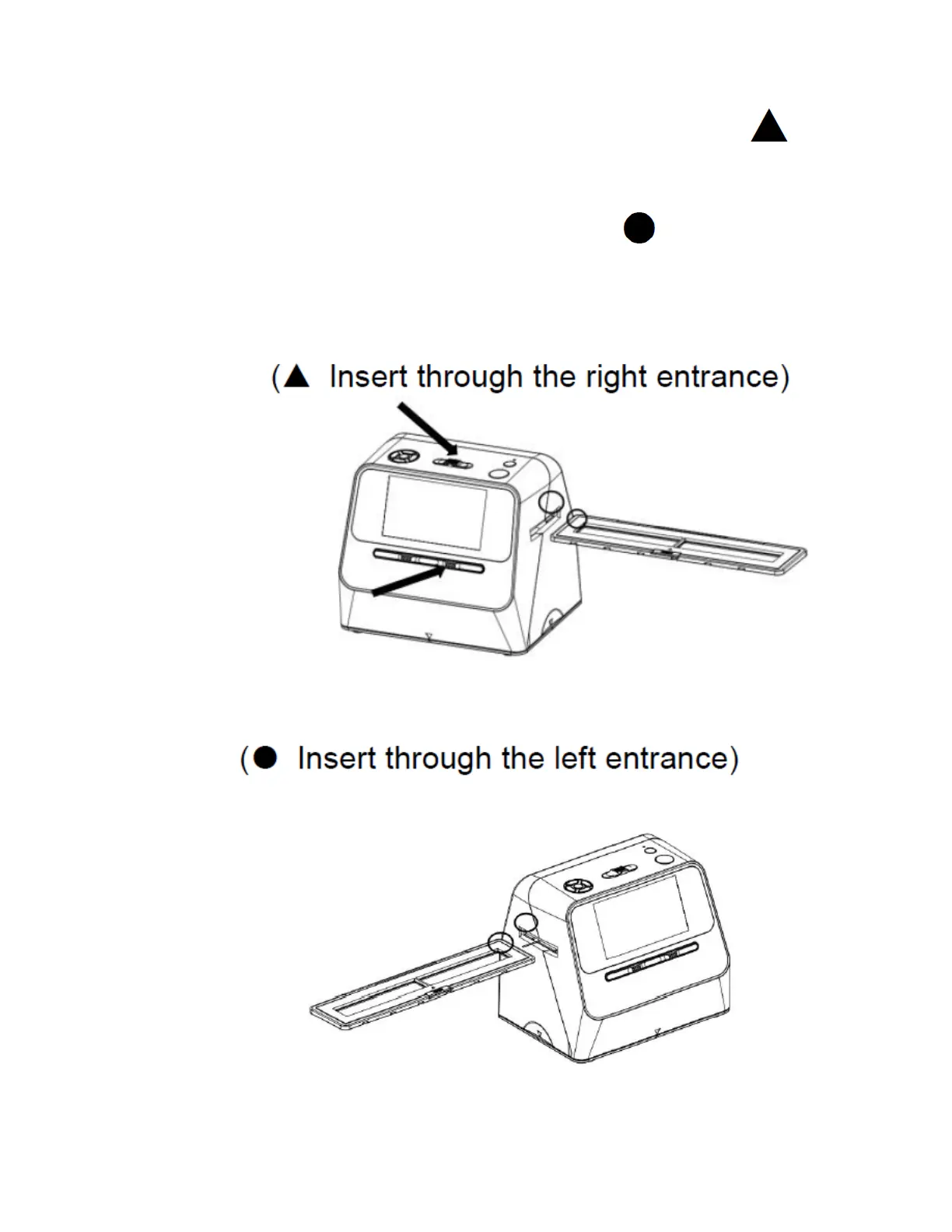
Insert the slide or negative holder into the
scanner. If the holder is marked with a
,
insert it through the right side of the scanner.
If the holder is marked wi
th a
, insert it into
the left side of the scanner.
11
13
Other manuals for ClearClick QuickConvert 2.0
Quick Start Guide And User Manual
20 pages
Related product manuals
ClearClick Virtuoso 2.0
20 pages
PORTABLE PHOTO & DOCUMENT SCANNER
34 pages


 To Next Page