Clear-Com Intercom Systems KB-212 Speaker Station
© Clear-Com Intercom Systems 2000
9
Rev. B
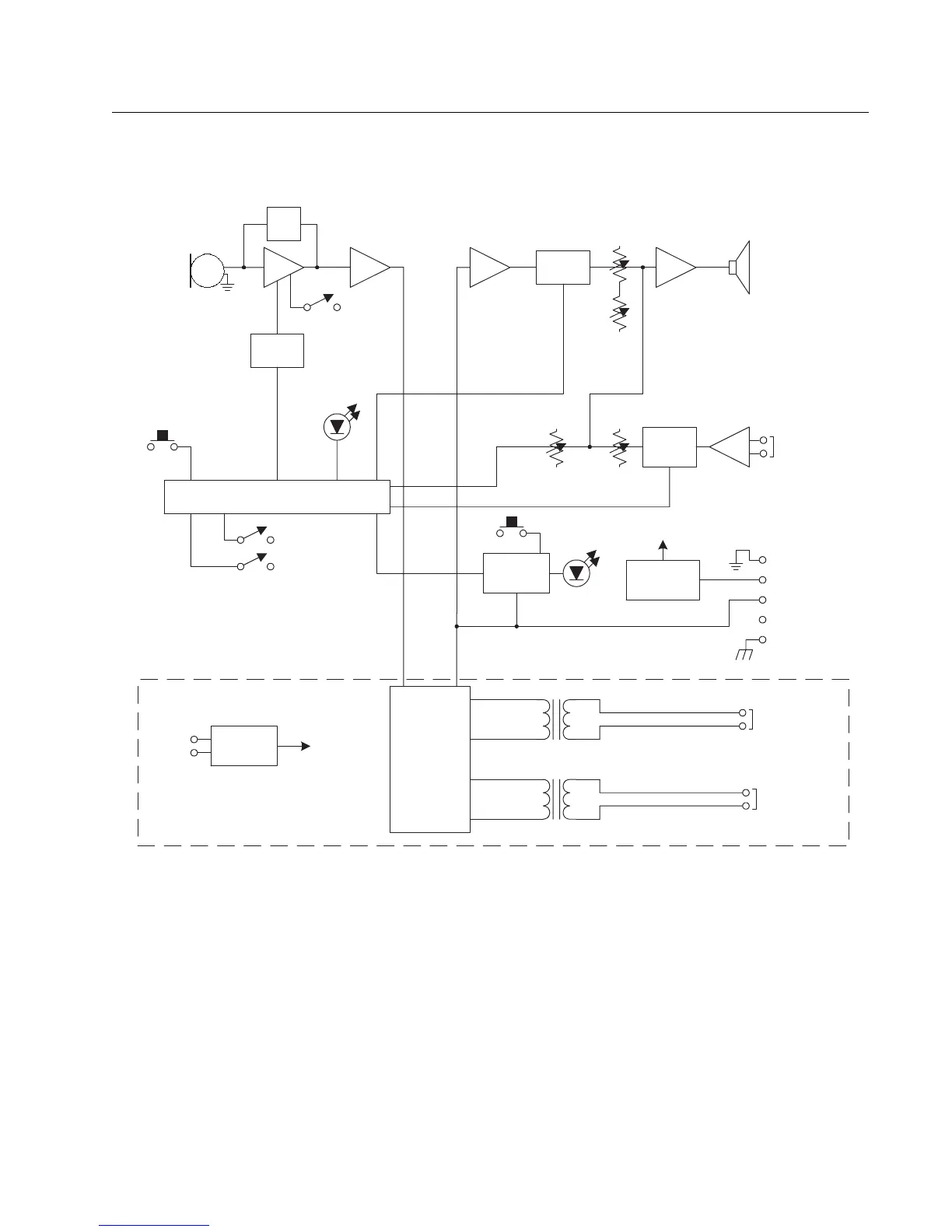
FIGURE 5: KB-212 Block Diagram
Troubleshooting
•
System does not operate. The Talk Light does not come on when
Talk button is pressed
.
Scenario 1
No intercom connection to the KB-212. If the EB-4W 4-Wire Option Module is
connected, no AC power to the KB-212.
EQ/
LIM
Talk
Min
Vol
Call
Light
Call
Intercom
Volume
TW Option
Intercom
Speaker
Power
(NC)
Call Send &
Receive
Microprocessor
Talk
Balanced
Program
Input
Speaker
Mute
Program
Mute
Mic Mute
Common
+30 VDC
Ground
Operating
Mode
Options
Mic Gain
Program
Level
Call Alert
Tone Level
4-Wire
Input
4-Wire
Output
2-Wire / 4-Wire
Select
Rectifier
16 VAC
Power
4-Wire
Option
Panel Mic



 To Next Page