EU +44 118 324 1242 | Germany +49 361 7473 4613
www.clearlight-saunas.eu
27
Assembly Instructions Cont’d
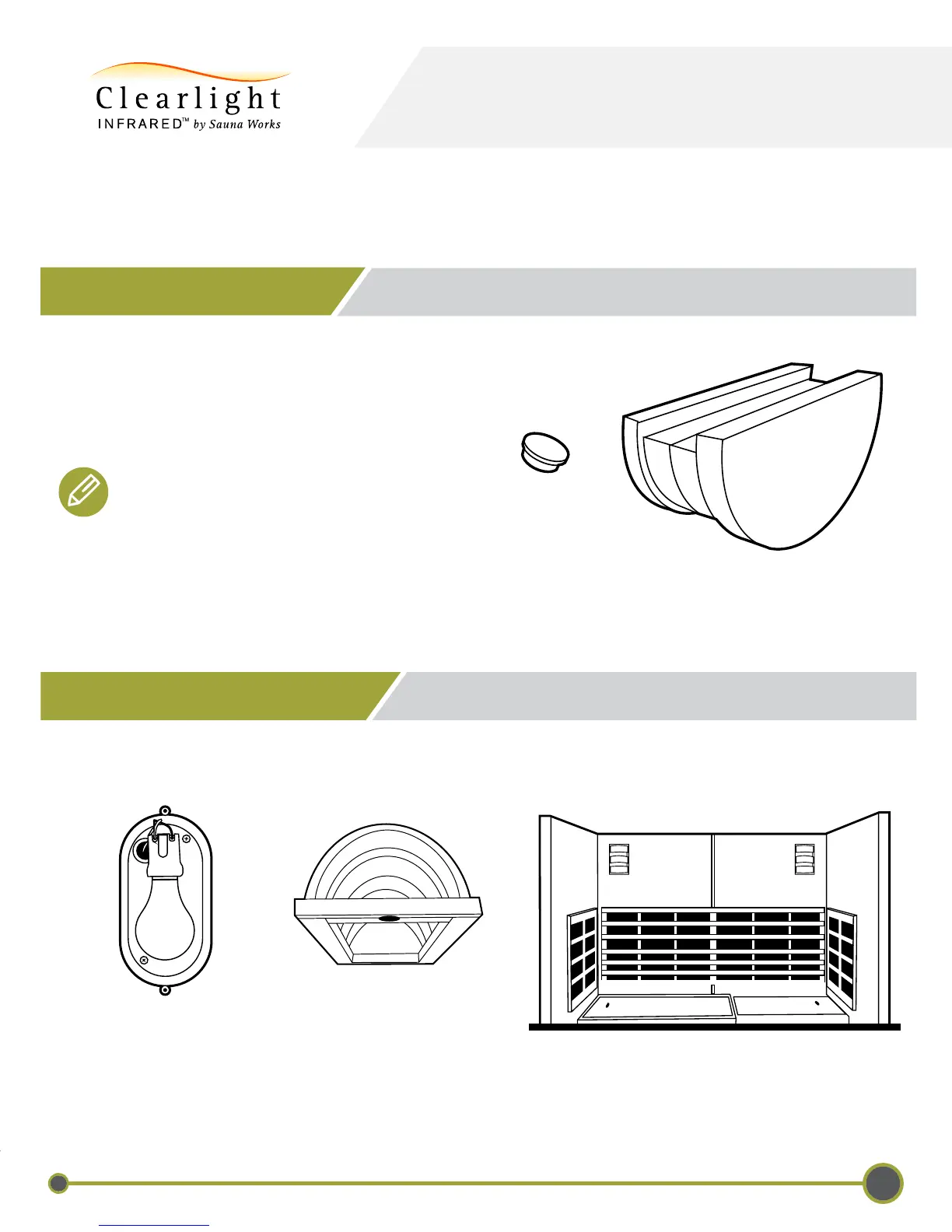
1. Locate the door handle.
2. Attach the door handle using the enclosed bolts.
3. Insert the included decorative mushroom caps
in the screw hole to cover the screws.
12 - INSTALLING DOOR HANDLE
Note: If you are using a tablet or smartphone,
the door handle will act as both the door
handle and tablet/smartphone holder when
the door is closed.
PREMIER IS-5
13 - INSTALLING WOOD LIGHT SHADE
1. Plug in the light xture to the left back wall plug and screw the light xture in place.
2. Place the wooden light shade over the installed light xture. The light shade will attach by the installed magnets.
Light Fixture
Light Shade



 To Next Page