Getting Started Guide
MAX WIRELESS SETUP
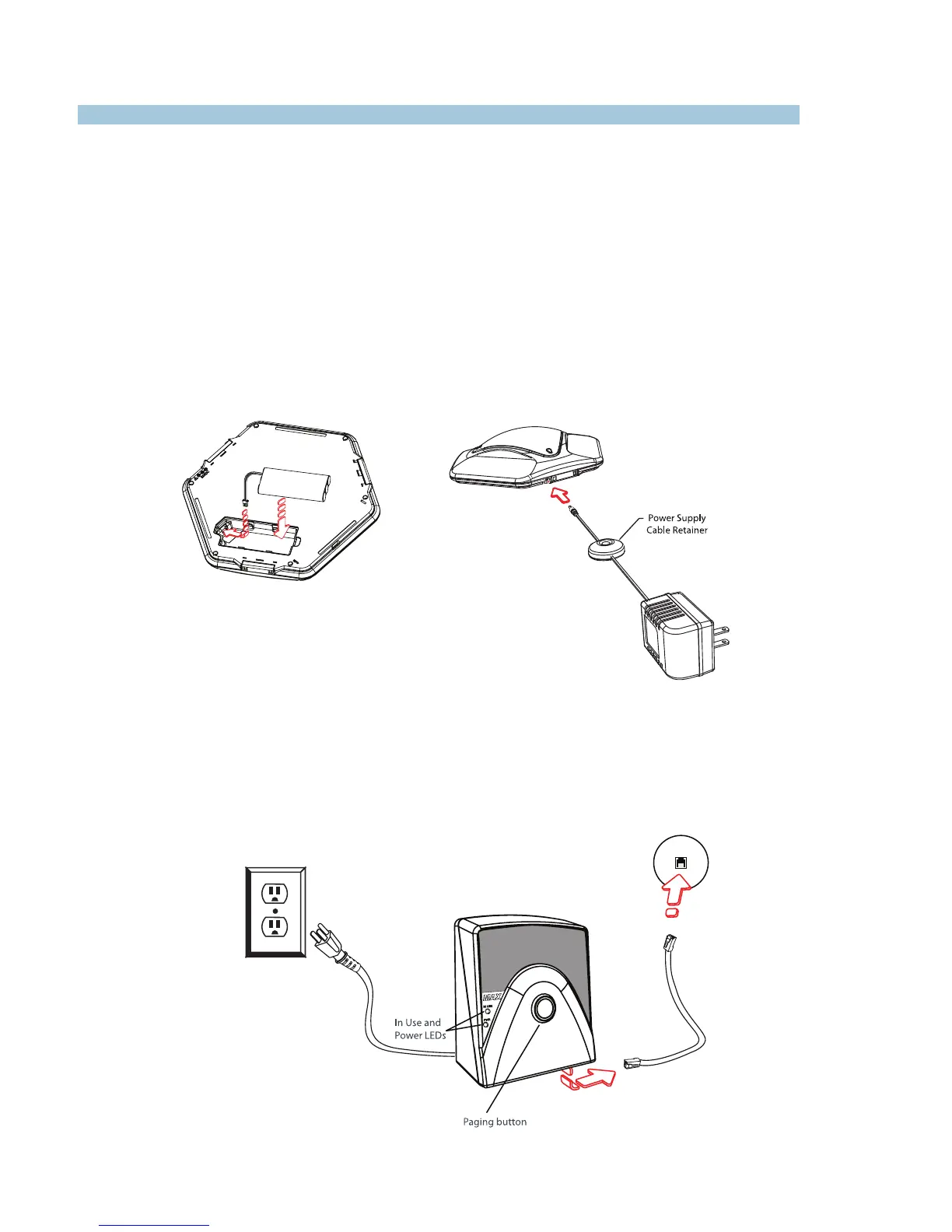
To Connect and Charge the Battery Pack
1. Slide the cover off the battery compartment on the bottom of the pod.
2. Insert the battery pack plug into the connector inside the battery compartment, then place
the battery in the compartment.
3. Replace the battery compartment cover.
To Connect the Base Unit
1. Connect one end of the telephone cable into the phone jack on the back of the base unit
and the other end into a wall jack.
2. Connect a recording device to the 2.5mm audio jack (optional).
3. Connect the power cord to the base unit and plug it into an electrical outlet.
CLEARONE DOCUMENT 800-158-002-00
(REVISION 1.2) August 2012.
IMPORTANT: The battery must charge
for at least 15 hours before first use.


 To Next Page