EasyManua.ls Logo

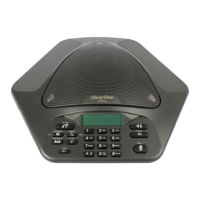
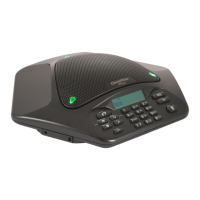
ClearOne MAX EX - User Manual

ClearOne MAX EX
22 pages
Print Icon
To Next Page IconTo Next Page
Loading...
MAX™ EX
INSTALLATION & OPERATION MANUAL

Other manuals for ClearOne MAX EX

Question and Answer IconNeed help?

Do you have a question about the ClearOne MAX EX and is the answer not in the manual?

Summary

Introduction

Product Returns

Information on returning products, requiring a return materials authorization (RMA) number.

Unpacking

Instructions for unpacking the MAX EX model and its expansion kit, and placing components.

Important Safety Information

Crucial safety instructions for using the conferencing phone, including warnings about water, ventilation, and electrical hazards.

Getting Started

Connecting MAX EX to an Analog Phone Line

Procedure and diagram for connecting the MAX EX to an analog phone line.

Connecting MAX EX Expansion Pods

Steps to link additional MAX EX phones to expand coverage.

Connecting MAX EX to a Digital (PBX) Phone Line

Guide for connecting the MAX EX to a digital (PBX) phone line using a converter.

Using Your MAX EX Phone

Instructions on basic phone operations: making calls, answering, ending, redialing, volume, and mute.

User Options

Calling Features

Overview of additional calling functions like pulse dialing, flash signals, and volume adjustment.

Programming Features

Guide to customizing settings such as ringer melody, dialing mode, and flash duration.

Alert Tones

Description of various alert tones used by the MAX EX system for different events.

Maintenance

Caring for MAX EX Phones

Guidelines for cleaning and maintaining the MAX EX conferencing phone and its components.

Electrical Considerations

Advice on using the correct power adapter and avoiding electrical issues.

Troubleshooting

Checklist and table to diagnose and resolve common malfunctions and connection issues.

Appendix

Specifications

Technical details including dimensions, weight, environmental conditions, power, connections, and audio characteristics.

Compliance

Information regarding FCC and IC compliance, including regulatory notices and connection requirements.

Warranty

Details on the product warranty, coverage, and where to find more information.

Summary

Introduction

Product Returns

Information on returning products, requiring a return materials authorization (RMA) number.

Unpacking

Instructions for unpacking the MAX EX model and its expansion kit, and placing components.

Important Safety Information

Crucial safety instructions for using the conferencing phone, including warnings about water, ventilation, and electrical hazards.

Getting Started

Connecting MAX EX to an Analog Phone Line

Procedure and diagram for connecting the MAX EX to an analog phone line.

Connecting MAX EX Expansion Pods

Steps to link additional MAX EX phones to expand coverage.

Connecting MAX EX to a Digital (PBX) Phone Line

Guide for connecting the MAX EX to a digital (PBX) phone line using a converter.

Using Your MAX EX Phone

Instructions on basic phone operations: making calls, answering, ending, redialing, volume, and mute.

User Options

Calling Features

Overview of additional calling functions like pulse dialing, flash signals, and volume adjustment.

Programming Features

Guide to customizing settings such as ringer melody, dialing mode, and flash duration.

Alert Tones

Description of various alert tones used by the MAX EX system for different events.

Maintenance

Caring for MAX EX Phones

Guidelines for cleaning and maintaining the MAX EX conferencing phone and its components.

Electrical Considerations

Advice on using the correct power adapter and avoiding electrical issues.

Troubleshooting

Checklist and table to diagnose and resolve common malfunctions and connection issues.

Appendix

Specifications

Technical details including dimensions, weight, environmental conditions, power, connections, and audio characteristics.

Compliance

Information regarding FCC and IC compliance, including regulatory notices and connection requirements.

Warranty

Details on the product warranty, coverage, and where to find more information.

ClearOne MAX EX Specifications

General IconGeneral
TypeConference Phone
Acoustic Echo CancellationYes
SpeakerphoneYes
Noise ReductionYes
Microphone Range20 ft
Power SupplyAC Adapter
Expansion MicrophonesYes
Coverage Area20 ft diameter
ConnectivityAnalog, USB

Related product manuals