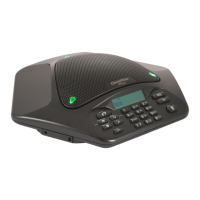
PROGRAMMING FEATURES
To allow for individual preferences and enhanced usability, MAX EX provides the following programmable features:
Ringer Melody
Dialing Mode
Flash Duration
Local Phone Number
Speed Dial Numbers
Service Center Number
AGC/ALC (Automatic Gain Control/Automatic Level Control)
You may also restore factory defaults. The following sections describe how to program these features.
Entering Programming Mode
Press and hold the REDIAL/PROG key until the program icon appears on the LCD screen (as shown below).
Programming mode icon
To Change Ringer Melody
Press the 1 numeric key to enter the ringer melody menu. There are five available melodies.
Press REDIAL/PROG. The current melody selection will flash.
Press numeric keys 1–5 to play the corresponding melody. The selected melody will play once.
Press REDIAL/PROG to save the selection.
Press CLEAR to exit programming mode.
To Change Dialing Mode
Press and hold the REDIAL/PROG key until the program icon appears on the LCD screen.
Press the 2 numeric key to enter the dialing mode menu. There are two dialing modes: tone and pulse. The
current dialing mode will be displayed (T for tone, P for pulse).
Press REDIAL/PROG. The current mode will flash.
Press the 1 numeric key to select tone dialing, or 2 to select pulse dialing.
Press REDIAL/PROG to save the selection.
Press CLEAR to exit programming mode.
To Change the Flash Duration
Press and hold the REDIAL/PROG key until the program icon appears on the LCD screen.
Press the 3 numeric key to enter the flash duration menu. The current duration will be displayed in
milliseconds. There are five duration settings: 600, 300, 150, 100 and 80.
Press REDIAL/PROG. The current duration will flash.
Press the 1–5 numeric keys to select a new duration setting.
Press REDIAL/PROG to save the selection.
Press CLEAR to exit programming mode.
•
•
•
•
•
•
•
1.
1.
2.
3.
4.
5.
1.
2.
3.
4.
5.
6.
1.
2.
3.
4.
5.
6.
Chapter 3 : User Options 9


 To Next Page