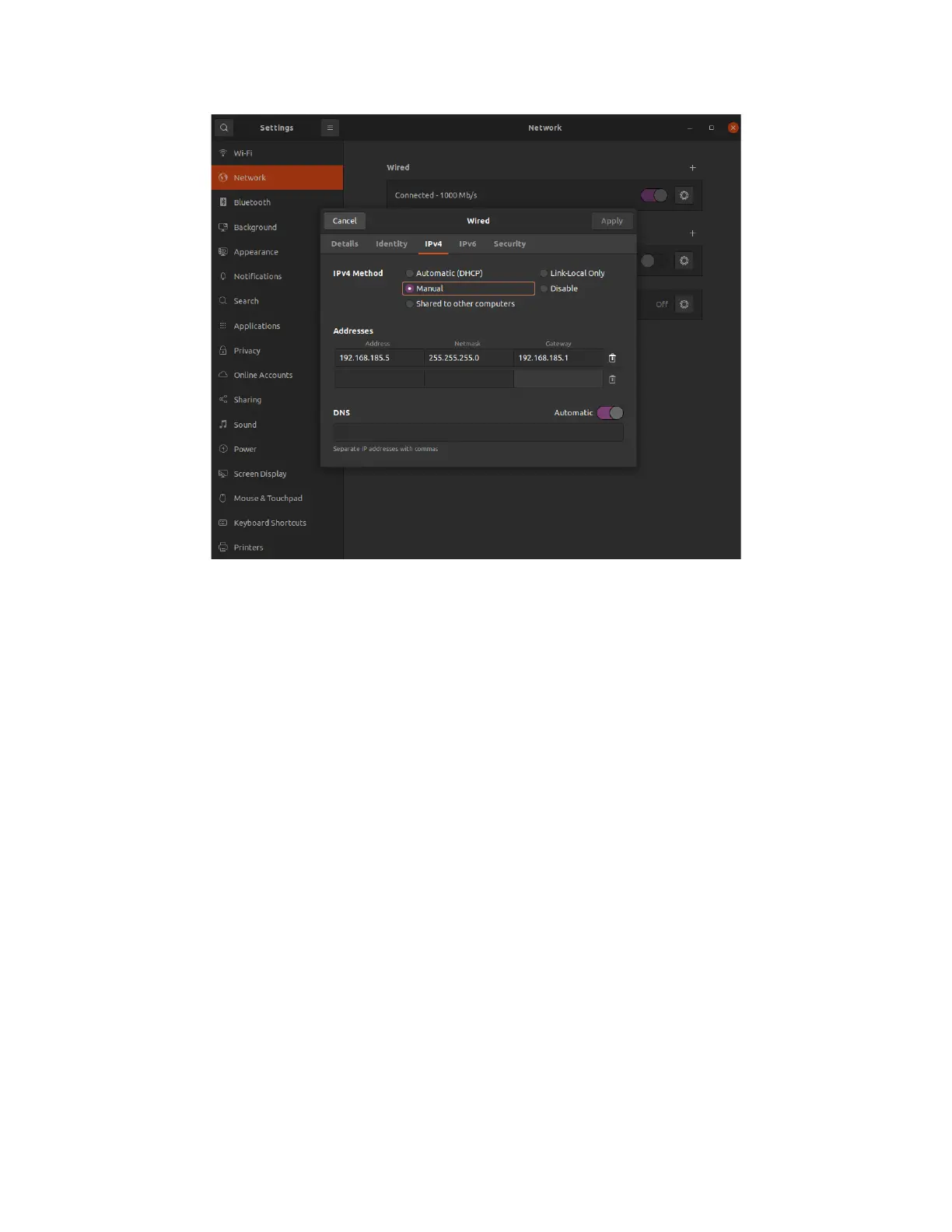
Configure your PC's wired IP
● Click ‘Apply'
You can now go to your terminal and SSH into the robot by typing:
ssh ubuntu@192.168.185.3
1. Waiting to connect to bluetoothd…
This issue is usually a result of the bluetooth service being stopped.
To start the service again, run sudo systemctl start bluetooth.
2. No default controller available
This error occurs if you are attempting to connect a bluetooth device to the Raspberry Pi with
sudo bluetoothctl and the hciuart service throws errors.
To fix this, call sudo systemctl disable hciuart and then reboot the Pi with sudo reboot.
Once the Pi has restarted, call sudo systemctl restart hciuart. Now you can run sudo
bluetoothctl again and the bluetooth controller should be found.



 To Next Page