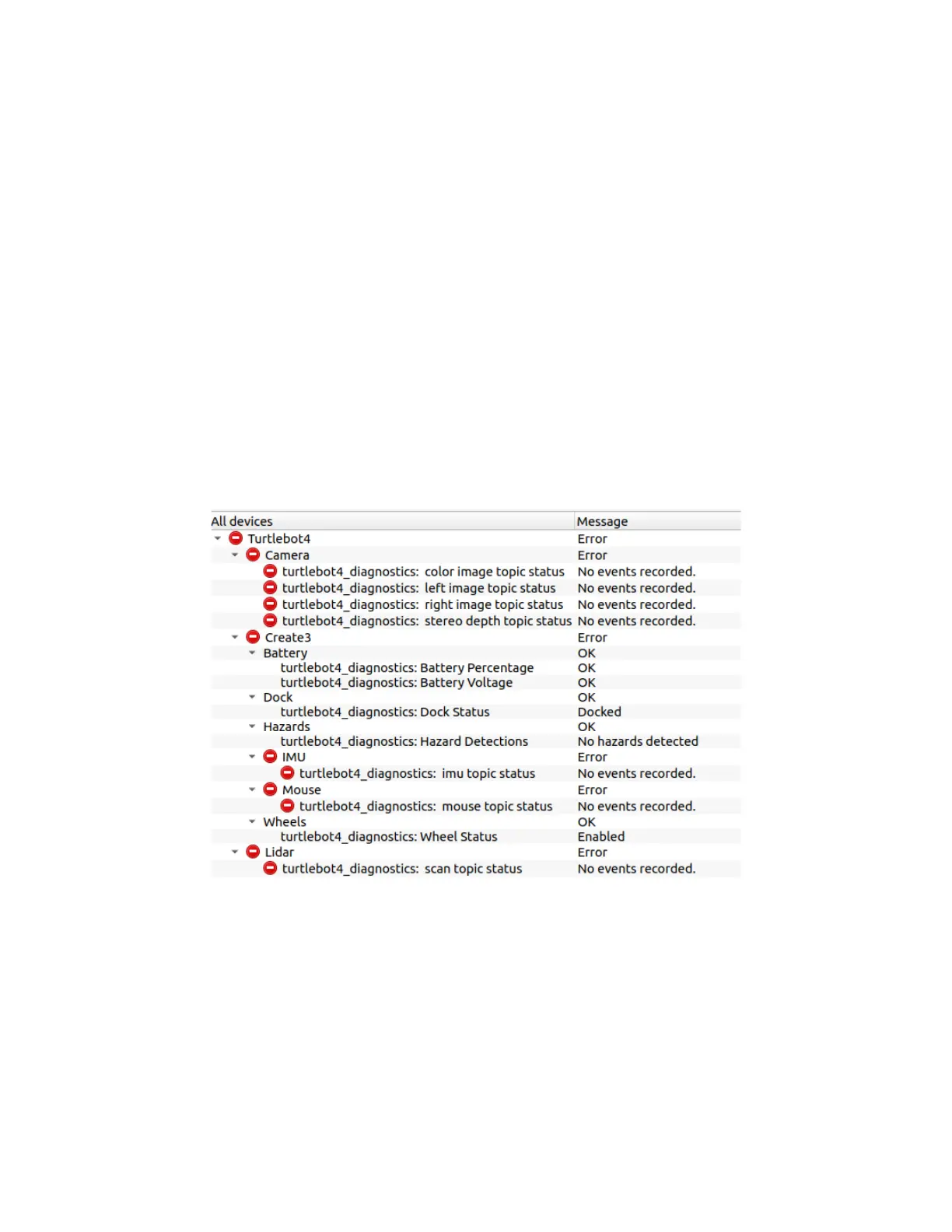
Diagnostic topics:
● /battery_state: Check battery voltage and percentage.
● /wheel_status: Check if wheels are enabled.
● /dock: Check if the robot is docked.
● /scan: Check the frequency of laser scans from the RPLIDAR.
● /left/image: Check the frequency of images from the left OAK-D camera.
● /right/image: Check the frequency of images from the right OAK-D camera.
● /color/image: Check the frequency of images from the OAK-D colour sensor.
● /stereo/image: Check the frequency of depth images from the OAK-D.
● /hazard_detection: Check for detected hazards.
● /imu: Check the frequency of IMU messages.
● /mouse: Check the frequency of Mouse messages.
Viewing diagnostics:
ros2 launch turtlebot4_viz view_diagnostics.launch.py
Diagnostics data captured with rqt_robot_monitor
Tests
The turtlebot4_tests packages contains the source code for the TurtleBot 4 system test scripts.
These scripts test basic functionality of the robot and are useful for troubleshooting issues.



 To Next Page