14
To program your one-touch memory dial buttons please follow instructions below:
1. Lift the handset.
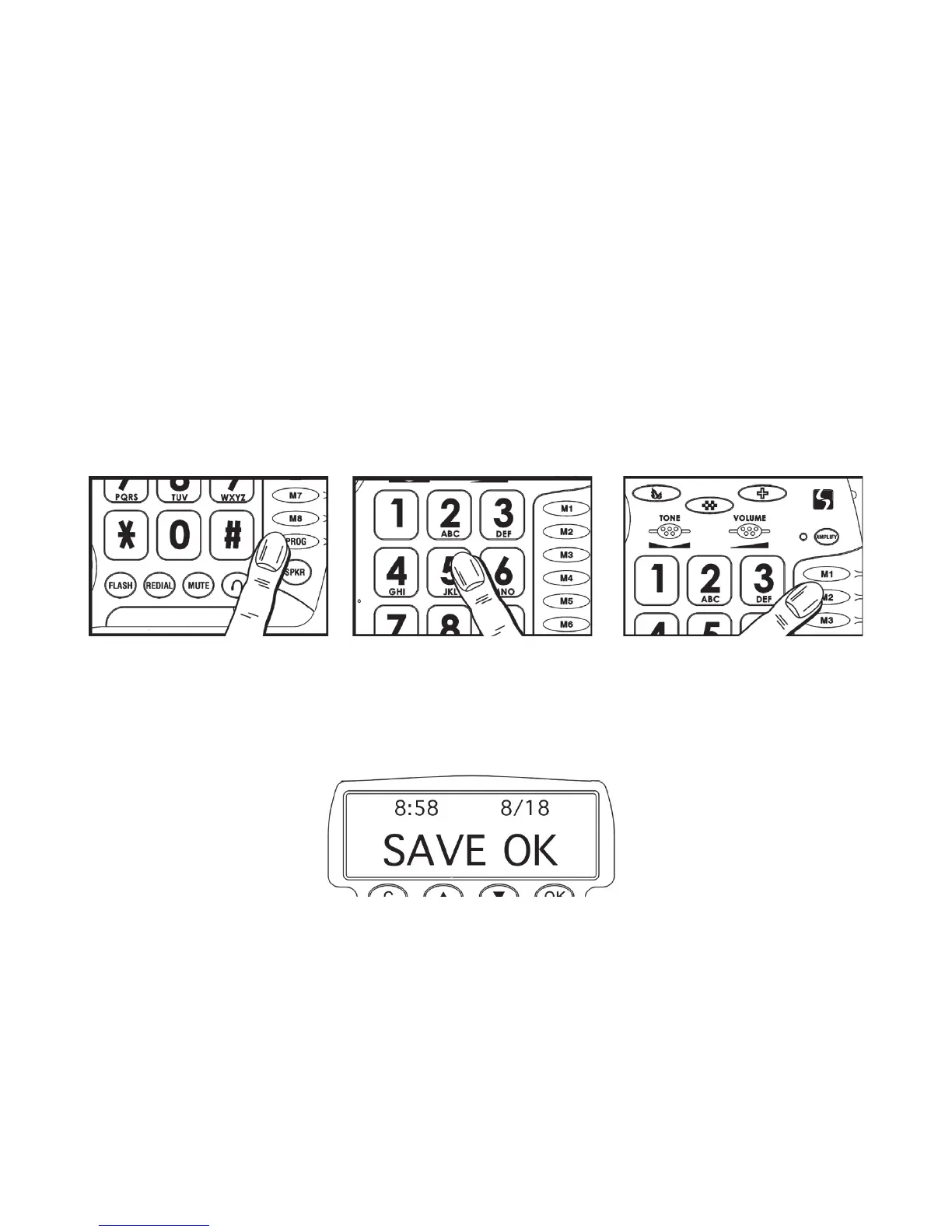
2. Press the PROG (program) button (See figure #13).
3. Using the keypad, dial the number you would like to save, including “1” and the area
code (if applicable). (See figure #14).
4. Press one of the Priority or Memory Dial buttons (M1 – M8) located on top of the
phone
(See figure #15). Each button can be programmed (or reprogrammed using
the same procedure) for a phone number.
5. The Caller ID Screen will display <<SAVE OK>> (See figure #16).
6. To register your stored phone numbers, use the phonebook insert card located
under the base.
NOTE: Numbers will be lost if the phone is not receiving any power, either through the
phone line, batteries, AC adapter during a storm, power outage or if you disconnect the
phone. Entering a new number in the same location will automatically erase the previous
number.
If at any time you have questions about your telephone please contact our ClearSounds
Customer Service Department at: 1-800-965-9043.
Figure #16
LCD Display
Figure #13
Program Button
Figure #15
Memory / Priority Buttons
Figure #14
Telephone Keypad



 To Next Page