
 Need help?
Do you have a question about the ClearView ip-73 and is the answer not in the manual?
Instructions on electrical safety for installation and operation, conforming to local codes.
Guidelines for safe transportation, storage, and installation, avoiding stress and water.
Precautions before installation, like applying power and using cut-off devices.
Emphasizes that examination and repair should be done by qualified personnel.
Guidance on installing the camera in suitable cool, dry environments, away from hazards.
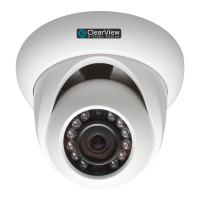
Details the physical components of the camera and its combination cable.
Provides information on the camera's physical dimensions.
Step-by-step guide for physically mounting the camera, including screw types and decoration ring.
Introduces the tool for searching and modifying IP addresses and upgrading the device.
Details how to use the configuration tool, including finding and logging into devices.
Steps for connecting the camera to the network and PC.
How to access and log into the camera's web interface.
Steps for connecting the camera to the network and PC.
How to access and log into the camera's web interface.
Instructions on electrical safety for installation and operation, conforming to local codes.
Guidelines for safe transportation, storage, and installation, avoiding stress and water.
Precautions before installation, like applying power and using cut-off devices.
Emphasizes that examination and repair should be done by qualified personnel.
Guidance on installing the camera in suitable cool, dry environments, away from hazards.
Procedures for shutting down, unplugging, and cleaning the device safely.
Introduces the network camera's integration of traditional and network video technology.
Lists key features like user management, storage, network monitoring, and power options.
Details the physical components of the camera and its combination cable.
Provides information on the camera's physical dimensions.
Step-by-step guide for physically mounting the camera, including screw types and decoration ring.
Introduces the tool for searching and modifying IP addresses and upgrading the device.
Details how to use the configuration tool, including finding and logging into devices.
Steps for connecting the camera to the network and PC.
How to access and log into the camera's web interface.
Troubleshooting common issues like boot failure, water leakage, poor IR video, and upgrade problems.
Details warranty service requirements, RMA process, and coverage limitations.
 General
| Brand | ClearView |
|---|---|
| Model | ip-73 |
| Category | Security Camera |
| Language | English |

 To Next Page