EasyManua.ls Logo

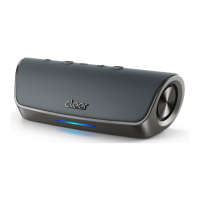
cleer STAGE - User Manual

cleer STAGE
14 pages
Print Icon
To Next Page IconTo Next Page
Loading...
STAGE
QUICK START GUIDE
Question and Answer IconNeed help?

Do you have a question about the cleer STAGE and is the answer not in the manual?

Summary

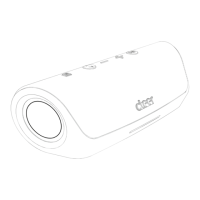
Speaker Top Panel Overview

Connectivity Ports & Charging

Bluetooth Pairing Guide

NFC Device Pairing

Pair speaker by tapping an NFC-enabled device to the speaker.

Manual Device Pairing

Standard Bluetooth pairing process using device settings.

Handling Phone Calls

Cleer Connect Pairing

LED Indicator Status

Front Light Status Indicators

Details charging states and Cleer Connect mode status lights.

Safety Warnings & Precautions

Technical Specifications

Audio & Bluetooth Specs

Details driver size, frequency response, and Bluetooth capabilities.

Product Limited Warranty

Warranty Coverage Details

Details on the duration and scope of labor and parts warranty.

Warranty Exclusions & Limitations

Covers what is not included in the warranty and its limitations.

Warranty Service Instructions

Instructions on how to request warranty repairs or replacements.
Regulatory Compliance

cleer STAGE Specifications

General IconGeneral
Brandcleer
ModelSTAGE
CategorySpeakers
LanguageEnglish

Related product manuals