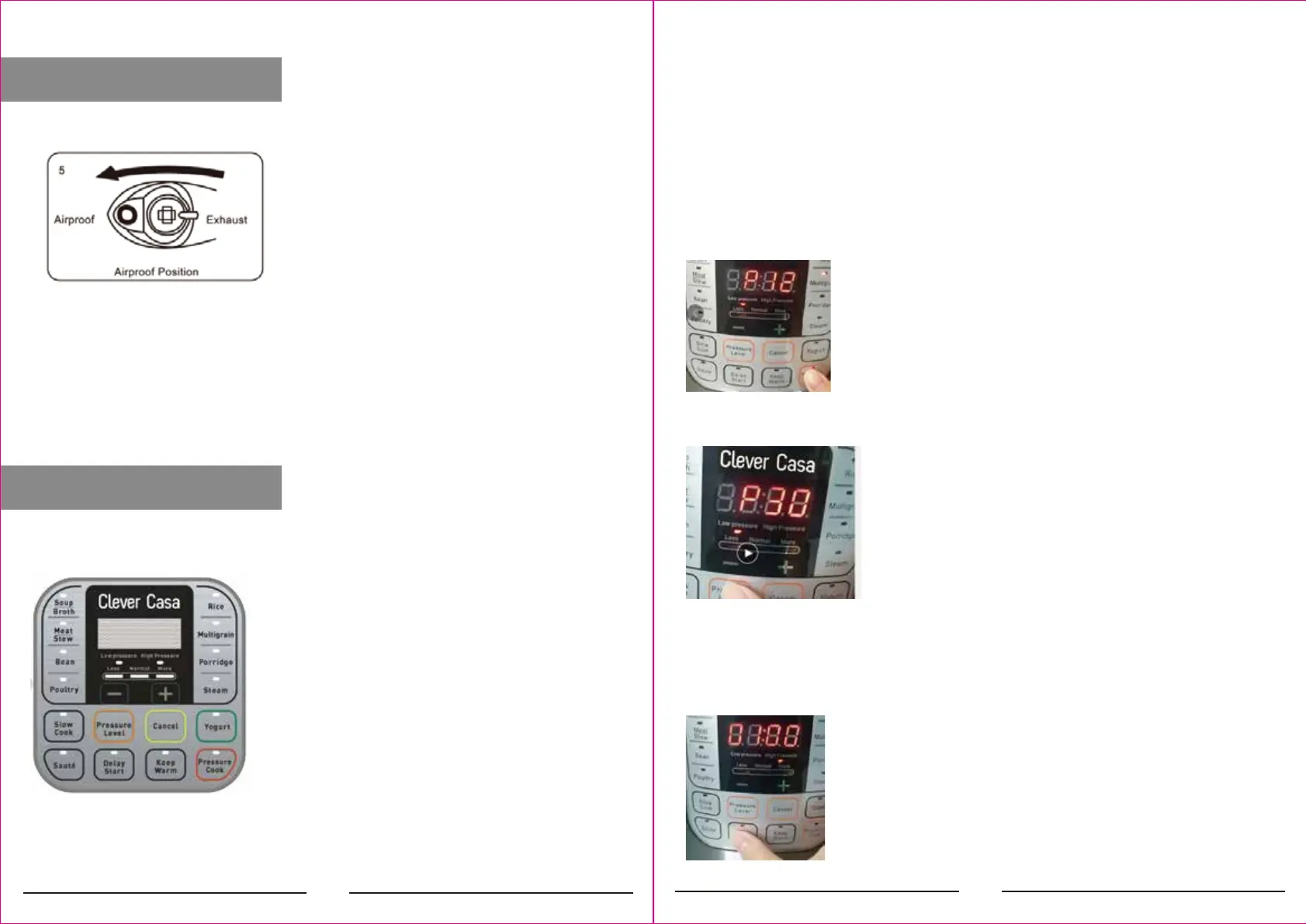
DECOMPRESSION
CONTROL PANEL
- Fast decompression
Move the vent valve lever to the "Exhaust" position.
Warning! Do not place your face or hands near the steam outlet when performing rapid decompression. The steam
that comes out is very hot and can cause burns.
Such rapid decompression is not suitable for foods with a high volume of liquids or with another starch content
because pieces of food may escape at the same time as steam.
OPERATING BUTTON
Operating button are: “+,-“, PRESSURE LEVEL, CANCEL
The buttons ”+-“ allow to time setting.
PRESSURE LEVEL
The Pressure level button allow to choose between: High pressure and low pressure.
CANCEL
Whenever you want, you can press “CANCEL” button to stop the current program and return back.
FUNCTION BUTTON
PRESSURE COOKER
Select the "PRESSURE COOKER" button to select the desired program (SOUP / BROTH, MEAT / STEW, BEANS, RICE,
MULTIGRAIN, PORRIDGE AND STEAM). Continue pressing the button to switch from one mode to another.
After pressing the desired function key, the display shows the default time. You can adjust the time by pressing the
"+, -" operating buttons or adjust the pressure by pressing the "PRESSURE LEVEL" button.
The indicator ashes 5 times and the product start to work. The pressure cooker automatically enters in "Keep warm"
mode after nishing cooking.
"DELAY START" button
The "DELAY START" button is used to postpone the start of cooking. Press a single time to delay for 30 minutes, or
keep the button pressed to increase the time quickly. The LED display shows the time. The maximum delay in cooking
is 24 hours.
- Natural decompression
Allow the pressure cooker to naturally decompress at the end of the selected program.
The control panel includes a LED display with 2 pressure indicators, 3 mode indicators, 4 operating button, 14
function keys. The function keys have a light indicator light, the operating button do not have.
33
32


 To Next Page