6
2.
2.
Connect the
5-pole plug
of the cable
remote control
to the column.
3.
Connect the power cable
to the
column.
1.
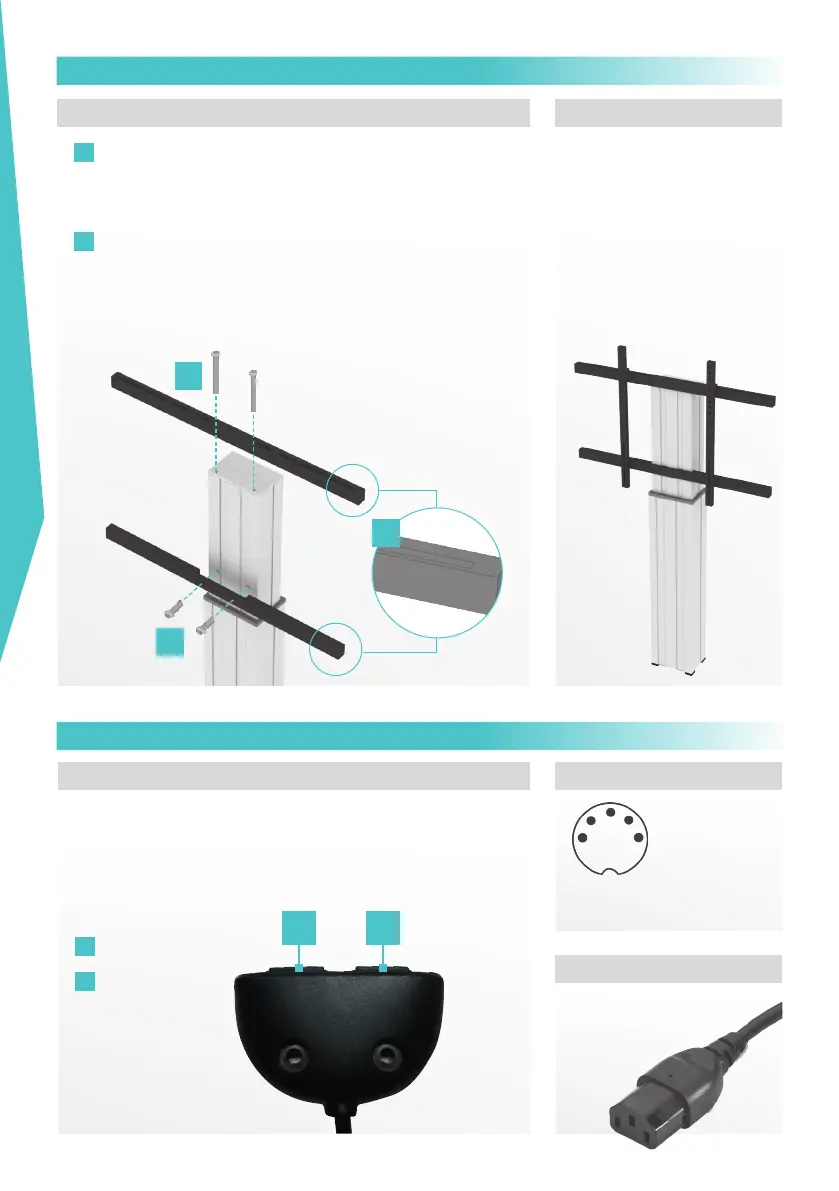
For moving the unit up or down just press and hold the buttons
on the control unit. Releasing the button will immediately stop the
movement. So in case of emergency just unhand the control unit
(watchdog switch).
Height adjustable
A
Up
B
Down
A B
1.
1
Attach upper bar using 2 x lens head Allen screw with flange
M8 x 85 (long) and ensure the slotted holes facing upwards
and towards the screen.
2
Attach lower bar using 2 x M6 x 30 (short) screws and ensure
the slotted holes facing floor and towards the screen.
“LIGHT” FRAME INSTALLATION
OPERATING UNIT FOR HEIGHT ADJUST-
Secure “lift & lock”-brackets to
the display, before
attaching to mount.
To attach the display to the
mount use the included
4 x M8 x 16 mm or
4 x M6 x 16 mm lens head
Allen screw with flange.
1
2
2



 To Next Page